 To-Do
To-Do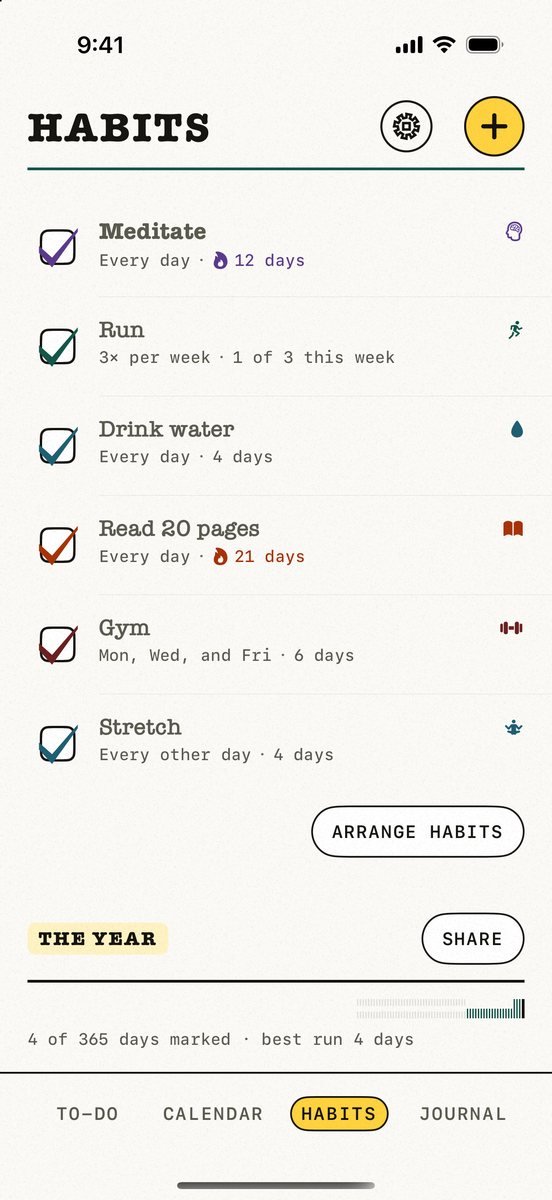 Habits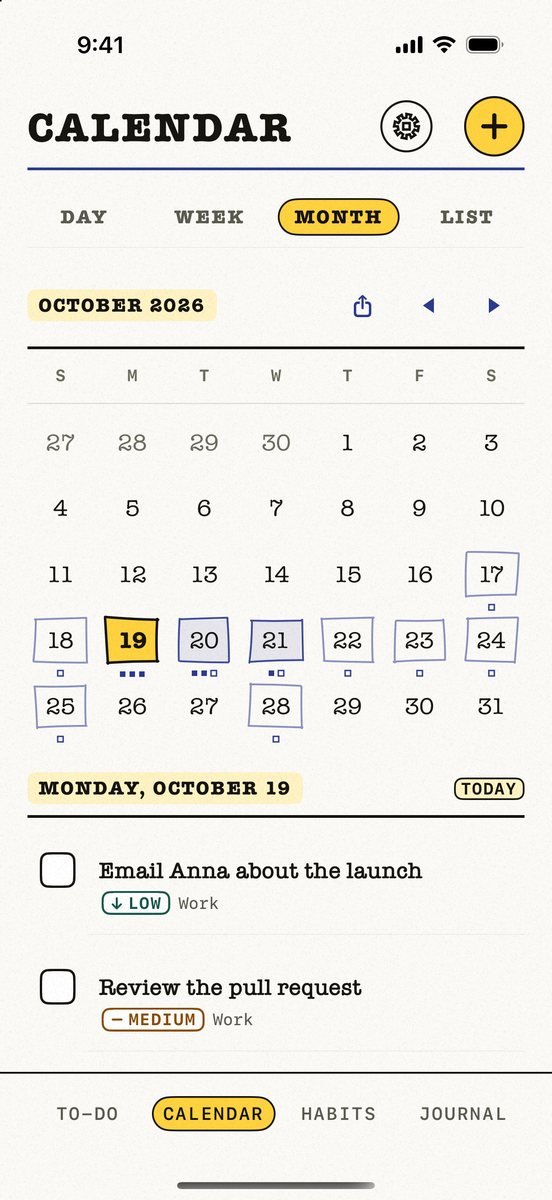
 Kalend
 Free · No account · No ads
Kalend
Tasks, calendar, habits and journal in one free iPhone and iPad app
Kalend puts your to-do list, calendar, habit tracker and journal in one native app for iPhone and iPad — and syncs them through your own iCloud, so there is no account to create and no company server holding your day.
Free on the App Store — no subscription, no ads, nothing locked. Made in Canada by The Big Head.
What it looks like
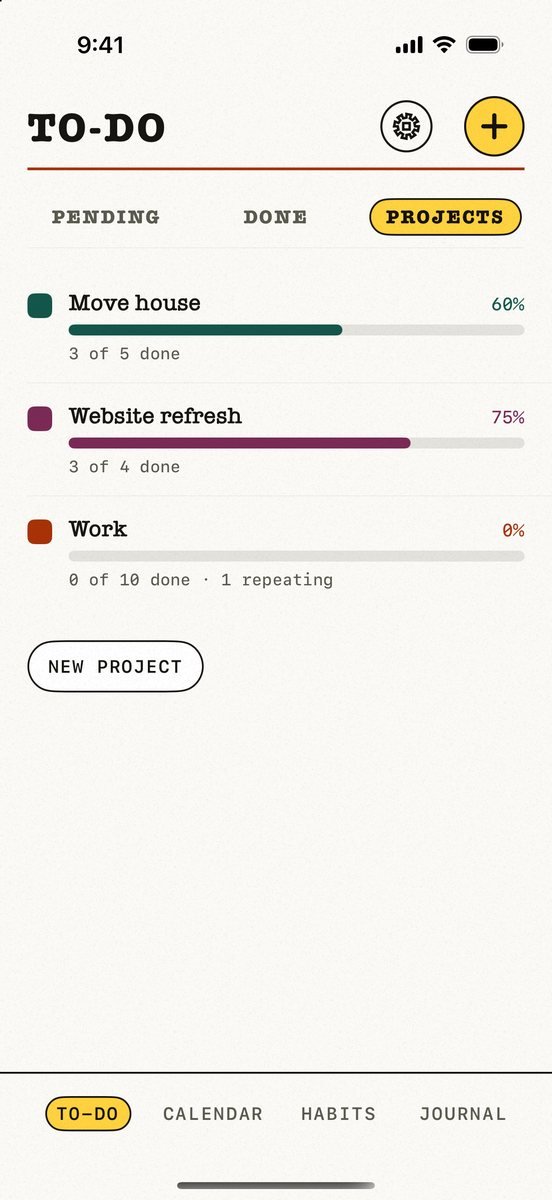
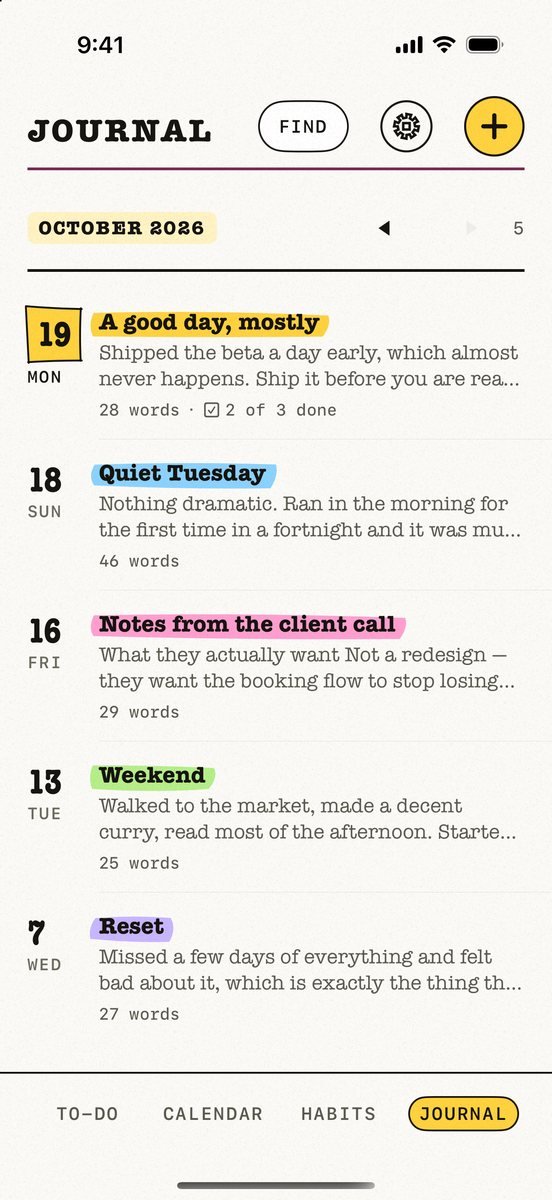
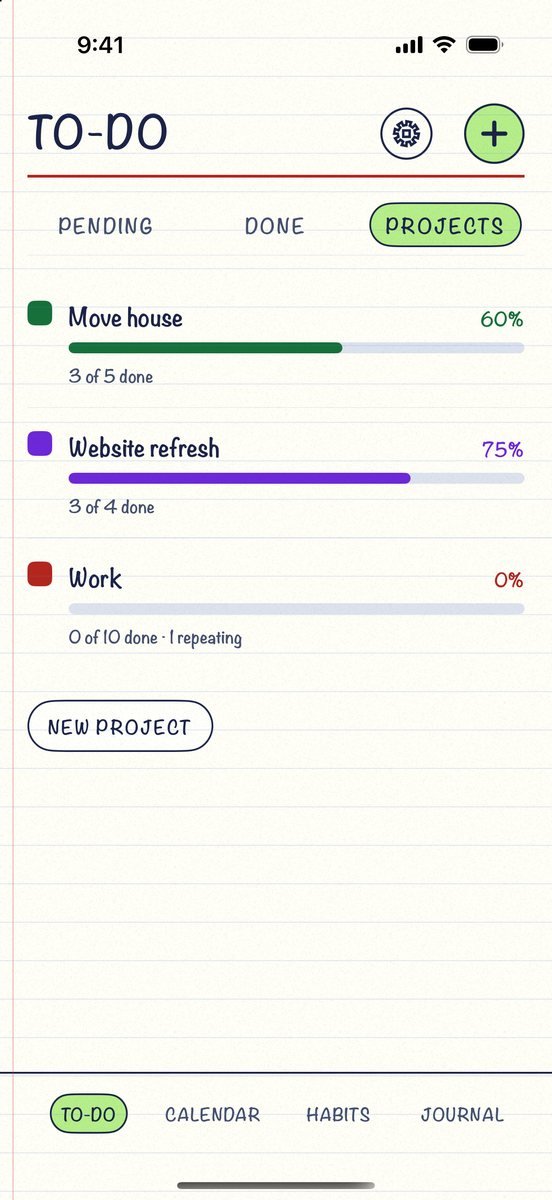
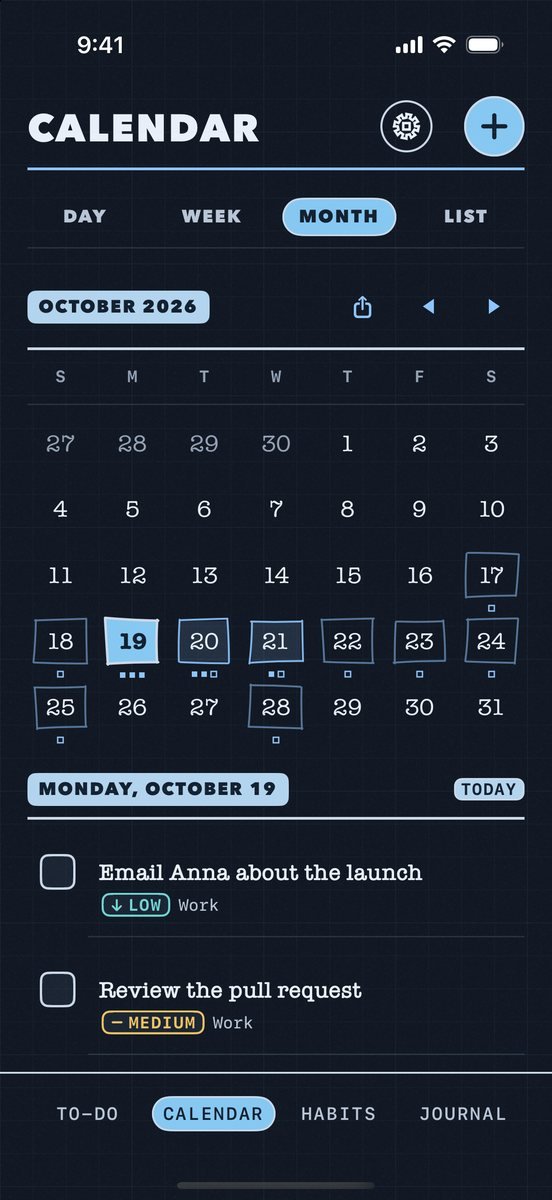
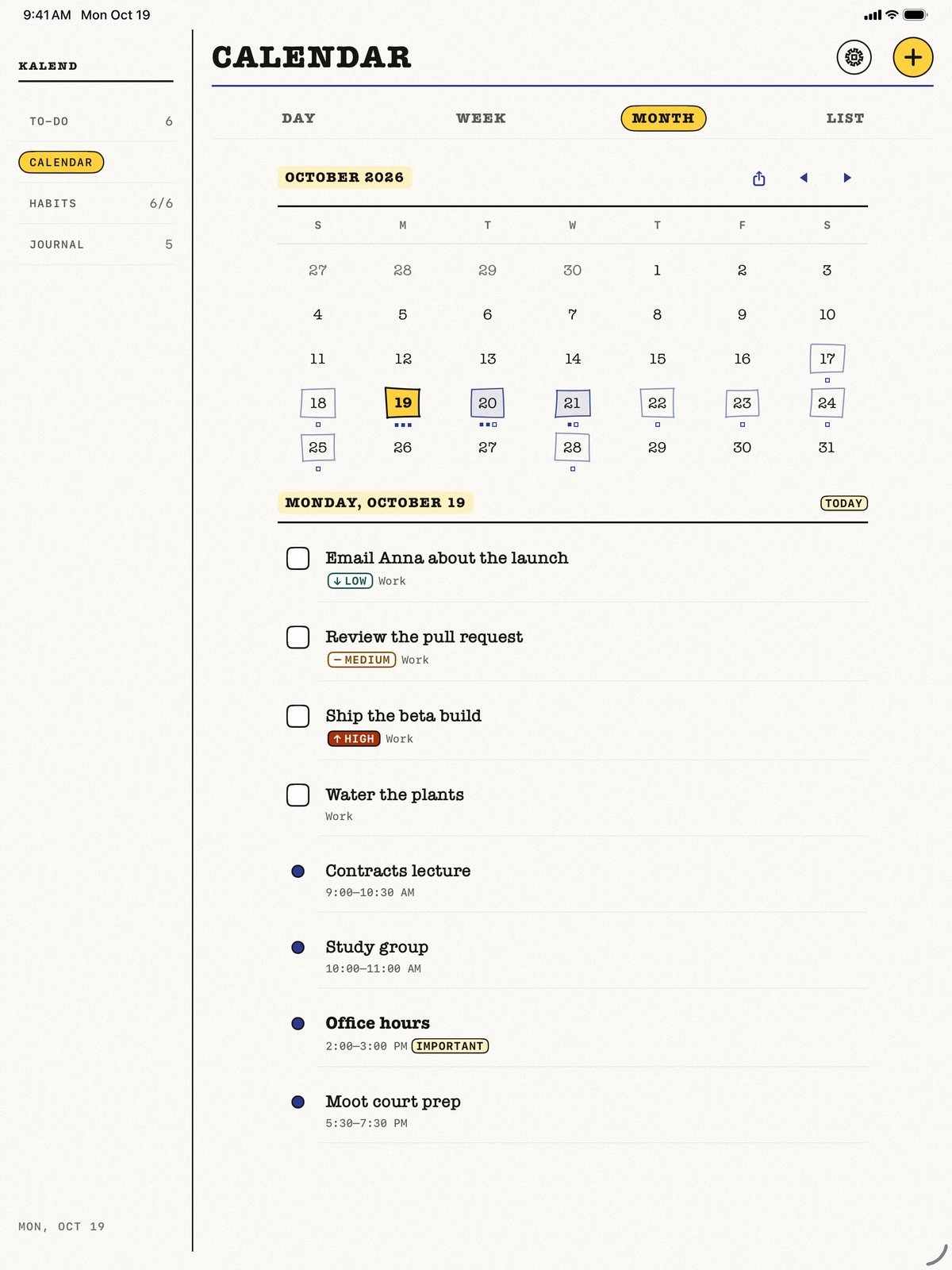
Four tabs, one page each, and the same pages on iPad. Nothing here is a mockup — these are screenshots of the app.
New in 2.8 A polish pass across the whole app: a repeating task in a project can skip just this time, project progress fills the moment you tick, you can tick tasks straight from the Day view, repeating appointments keep the right end time when the clocks change, and the widget shows every habit due today. Still new from 2.7: Projects with a progress bar and seven themes for day and night.
To-Do
Projects with a progress bar, priorities, due dates and real repeating tasks that roll forward instead of just closing.
Calendar
Your own appointments with reminders and repeats, your tasks by the hour — and your iPhone’s calendars beside them, if you switch that on.
Habits
Every day, chosen weekdays, a few times a week or every few days — with grace days, so one miss never breaks a streak.
Journal
A private diary, newest entry first. Write with headings, lists and checkboxes, highlight titles like a marker, or start from a ready-made page like Today in review.
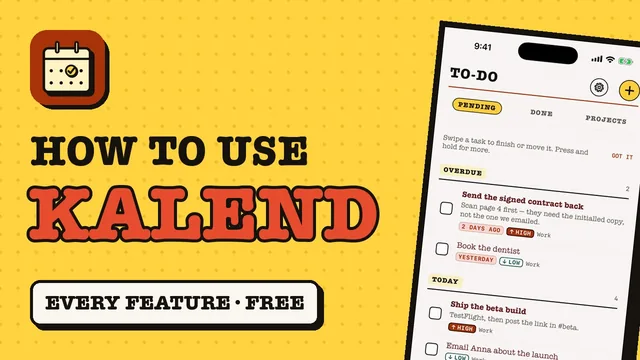
How to use Kalend
A 3-minute walkthrough of every feature, filmed on the iPhone simulator with sample data. The narration is an AI voice; every screen is the real app.
Your day is not our data
Most productivity apps put your tasks, meetings and personal goals on a company server. Kalend does not have one. There is nothing to breach and no terms that can change later.
- No Kalend account — you never create a login
- No Kalend server — sync runs entirely through your personal iCloud
- Calendar events stay in your own calendar accounts and are never sent to us
- Fully offline-first — every feature works with no connection
- No analytics SDK, no advertising identifiers, no third-party code at all
Why one app instead of three
A typical setup costs around $120 a year across apps that cannot see each other's data. Your habit tracker does not know you are on holiday; your task list does not know your afternoon is already booked.
| App | Tasks | Calendar | Habits | Journal | Typical price |
|---|---|---|---|---|---|
| Kalend | Yes | Yes | Yes | Yes | Free |
| Todoist Pro | Yes | Layout only | No | Comments | $60/yr |
| Fantastical | Via integrations | Yes | No | No | $56.99/yr |
| Things 3 | Yes | No | No | Markdown | $9.99+ per platform |
| Streaks | No | No | Yes | No | $4.99 once |
Competitor pricing as published by each vendor at the time of writing and subject to change.
Built the way iOS wants apps built
Native Swift and SwiftUI throughout — not a web page in a wrapper. That is what makes the small things possible.
Tick things off without opening the app
Home Screen and Lock Screen widgets you can check off in place, an Apple Watch app for your habits, and Siri — “Add a task to Kalend”, “Log a habit in Kalend”.
It understands what you type
Type “gym tomorrow 6pm” and Kalend picks out the date and the time and offers to set them. It runs on your device, so it works on a plane.
Streaks that survive real life
Miss one day and a grace day absorbs it. Research found missing a single opportunity does not derail habit formation, so the app does not pretend otherwise.
A 66-day goal, not a myth
Lally et al. (2010) measured a median of 66 days to automaticity, with a range of 18 to 254 — Kalend tracks that instead of the popular but unsupported "21 days".
Questions
Do I need an account?
No. There is no Kalend account and no Kalend server. Your data stays on your device and syncs between your own devices through your personal iCloud.
Does it work offline?
Yes — Kalend is offline-first. Everything works with no connection, and changes sync when you are back online.
Will it read my calendar?
Only if you turn it on, and only to show your events beside your tasks. It stays off until you choose Show my calendar events in Kalend’s Settings, and iOS asks for your permission at that moment. Your events are read live and never sent to us. They’re only copied into Kalend if you start a Today in review or Plan tomorrow journal page, which lists that day’s events. Appointments you add in Kalend itself need no calendar permission at all.
What does it cost?
Nothing. Every feature is free, including the widgets, the Apple Watch app and iCloud sync. There is no subscription, no premium tier and no ads. The only purchase is an optional tip in Settings, and it unlocks nothing.
How long does it take to build a habit?
Lally and colleagues (2010) measured a median of 66 days for a behaviour to become automatic, ranging from 18 to 254 days. Kalend tracks progress toward 66 days rather than the popular but unsupported “21 days”.
Is there an Android or web version?
No. Kalend is deliberately Apple-only — iPhone, iPad, Apple Watch and Mac. The system integration it relies on, like EventKit, widgets and Siri, is exactly what a cross-platform build cannot do well.
Is Kalend a calendar and to-do list app in one?
Yes. Your calendar events sit next to today’s tasks, with an overdue section, and your habits and journal are in the same app — free, with no subscription.
Where Kalend is compared
Every roundup on this site names competitors and gives every app, ours included, a stated drawback.
- Best To-Do List Apps for iPhone (2026)
- Best Habit Tracker Apps for iPhone (2026)
- Free All-in-One Planner Apps for iPhone (2026)
- Free Journal Apps for iPhone With No Subscription
- Fantastical Alternatives for iPhone: 9 Calendar Apps
- Planner apps without AI, checked on each official listing
All 22 guides that compare Kalend
See how Kalend ranks on TopRankedApps (our site), next to the best Productivity & Notes apps of 2026.
Kalend is free on the App Store
No subscription, no ads, no account to create.
Download on the App StorePlanner, habit and journal guides
Honest comparisons that include the alternatives, not only our own app.
- How to Check Word Count: Notes, Google Docs, Word, Pages
- How to Prioritize Tasks When Everything Is Urgent
- How to Make a Daily Routine for Yourself (That Sticks)
- How to Set a Daily Reminder on iPhone (Every Day)
- How to Add Shift Work to iPhone Calendar (Nights Too)
- How to Keep a Journal on iPhone (and Actually Keep It Up)
- How to Stop Procrastinating: 7 Tricks That Actually Work
- How to Plan Your Week in 20 Minutes (Sunday Method)
- 9 Free iPhone Apps With No Subscription
- How to Track Habits on iPhone (Free, and Streaks That Last)
- Google Calendar Alternatives for iPhone (Private)
- Free Tiimo Alternatives for iPhone (ADHD Planners)
- Free Habitify Alternatives: Habit Trackers Compared
- Free Any.do Alternatives for iPhone (No Premium)
- Free TickTick Alternatives for iPhone (No Premium)
- Free Things 3 Alternative for iPhone
- Best Planner Apps With No Ads
- Best Planner App for ADHD
- Best Planner App for iPhone: 9 All-in-One Apps
- Apps Like Apple Reminders That Track Habits Too
- Best Free Habit Tracker App for iPhone
- Best Free To-Do List App for iPhone
- Planner App With Its Own Calendar (No Google)
- Day One vs Apple Journal: Which Is Better?
- Free Alternatives to Fantastical Calendar
- Best Free Journal App for iPhone (No Subscription)
- Habit Tracker That Doesn’t Reset Your Streak
- Habit Tracker With a Journal: Best Apps
- Productivity Apps With No Sign-Up
- Quick Journal App for Busy People (iPhone)
- How to Plan Your Day on iPhone for Free
- Planner App That Works Offline
- Planner Apps Without AI
- Free Streaks Alternatives: 8 Habit Trackers
- Structured App Alternatives: 9 Free Day Planners
- Best Free Planner App for Students
- How to Time Block Your Day on iPhone (Free)
- Free Todoist Alternatives for iPhone











 MMA.
MMA. Trending
 Bold
Bold Top
Top