 Leads
Leads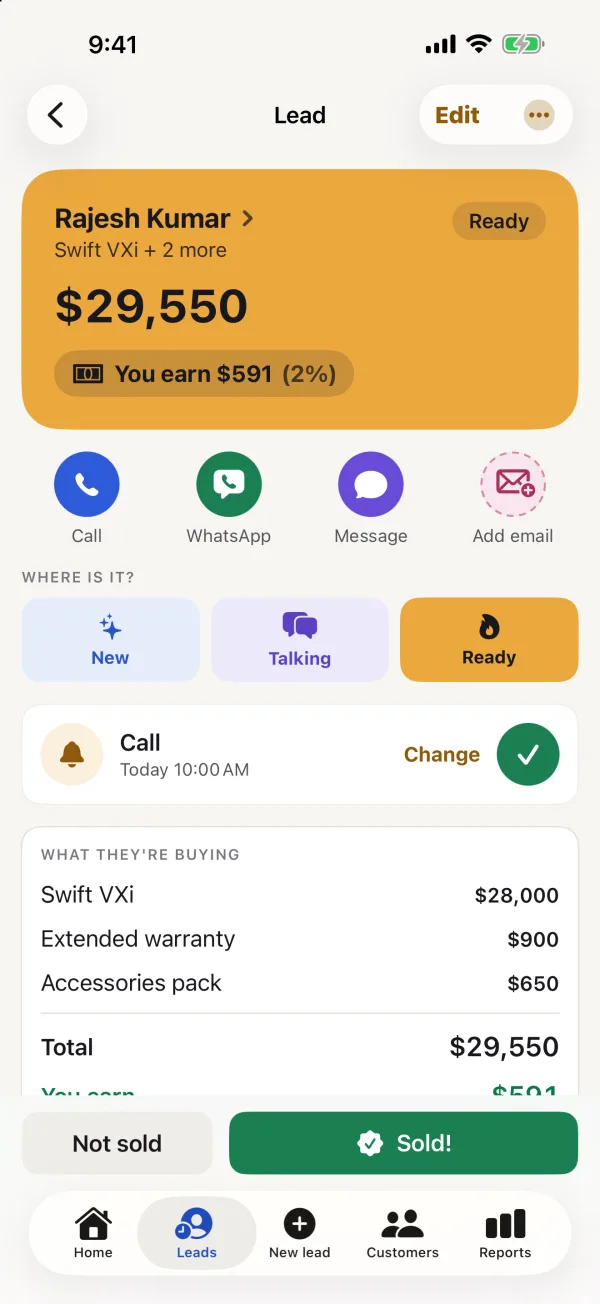 A lead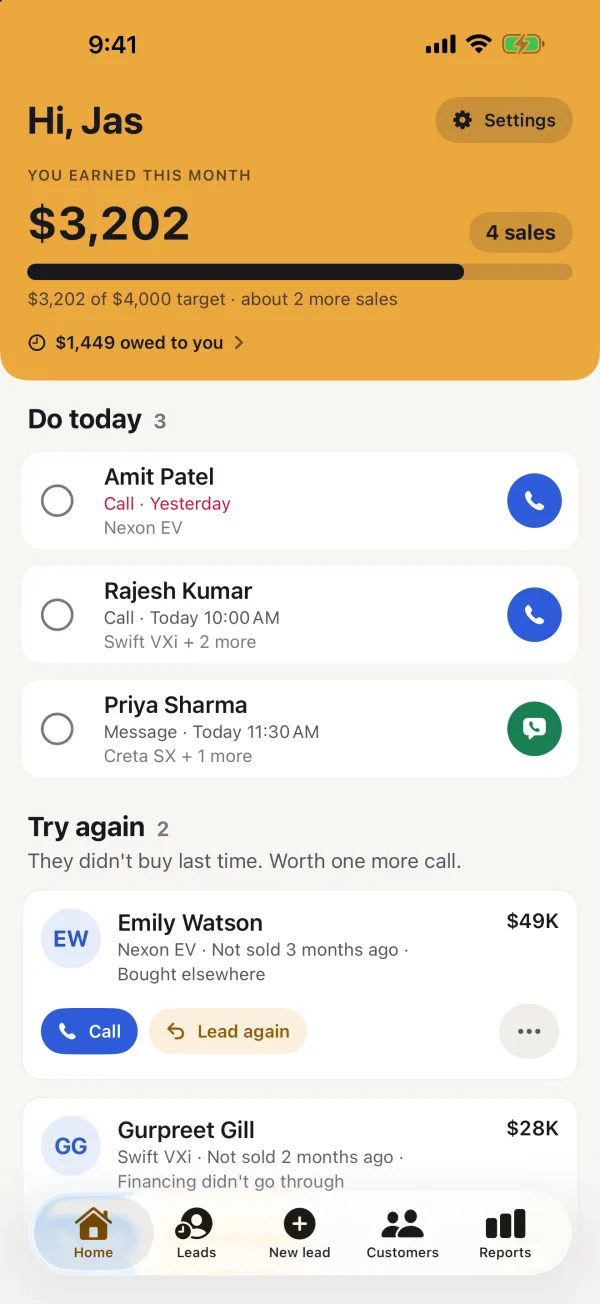
 Clinch
 Free · No account · No AI
Clinch
Never lose a customer again
Write down every lead, get reminded to call, and see what you earn on every sale. Clinch is a sales tracker for iPhone simple enough for anyone who sells — no training, no jargon, nothing to set up.
Free on the App Store — no subscription, no ads, nothing locked. Made in Canada by The Big Head.
What it looks like
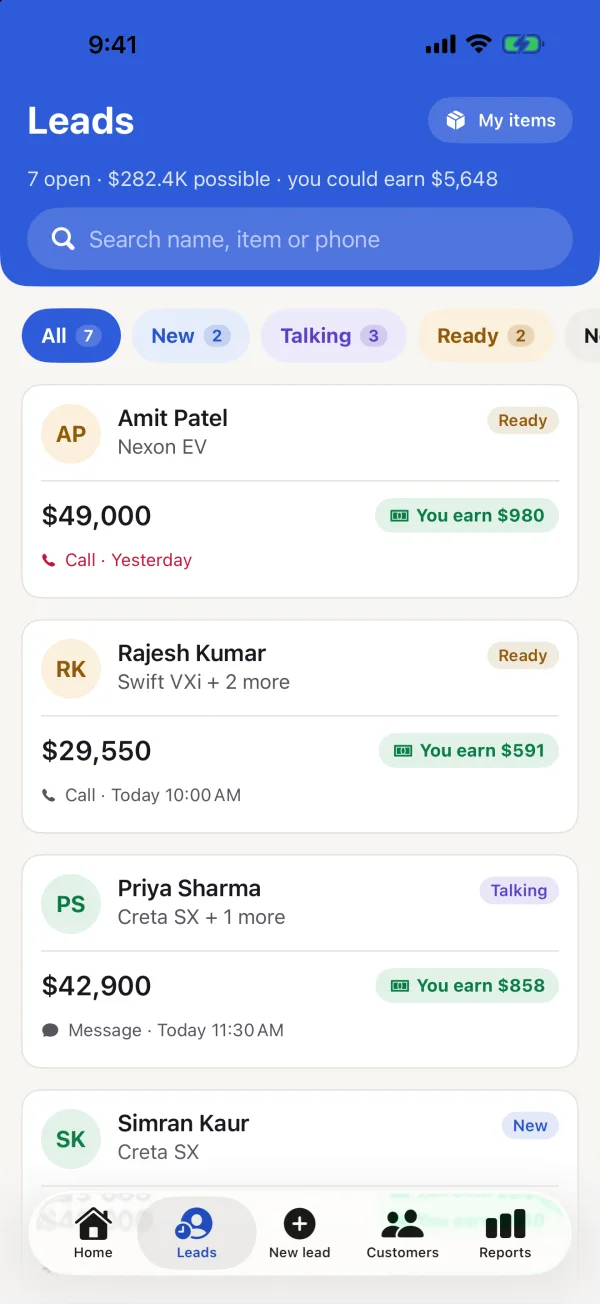
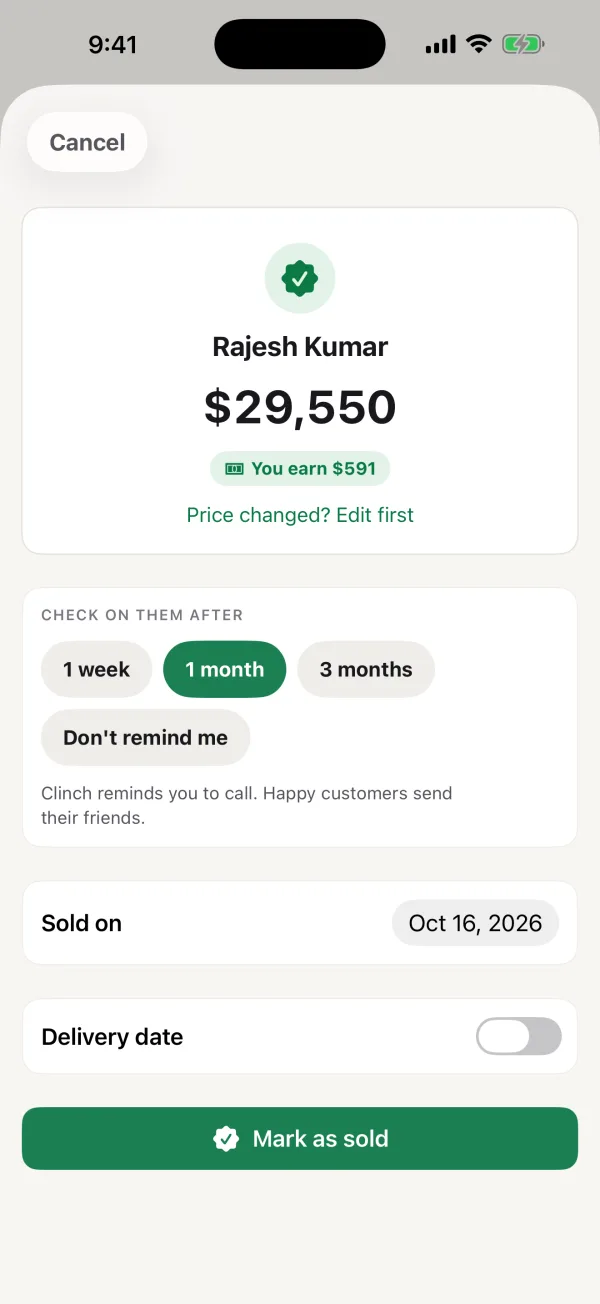
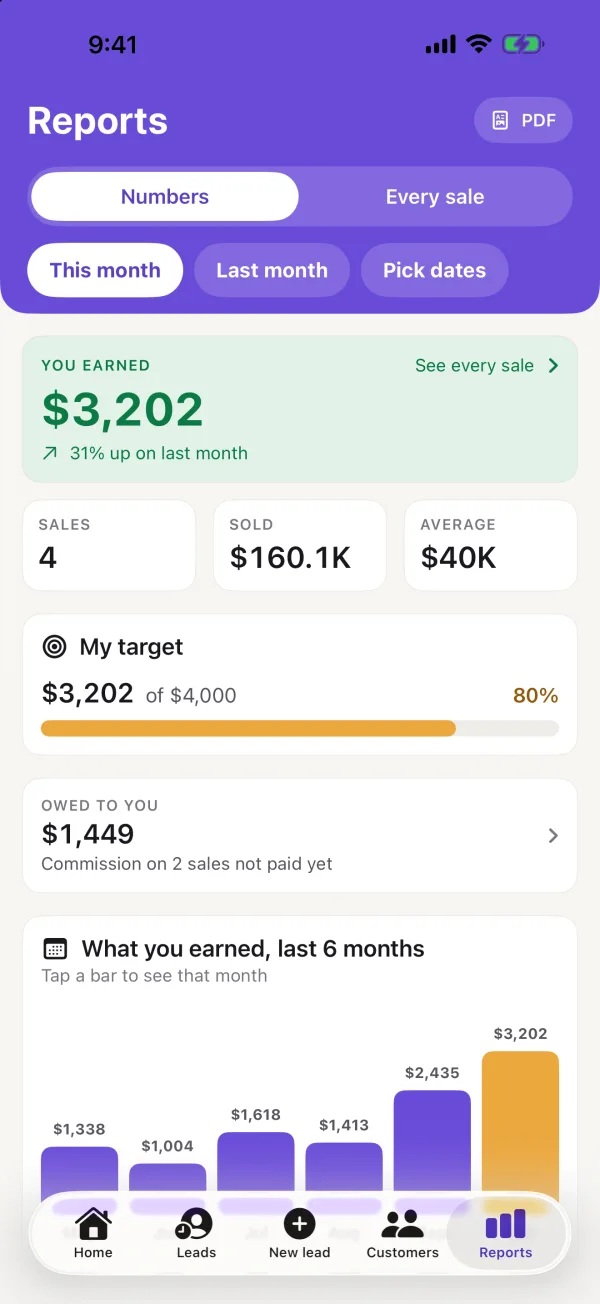
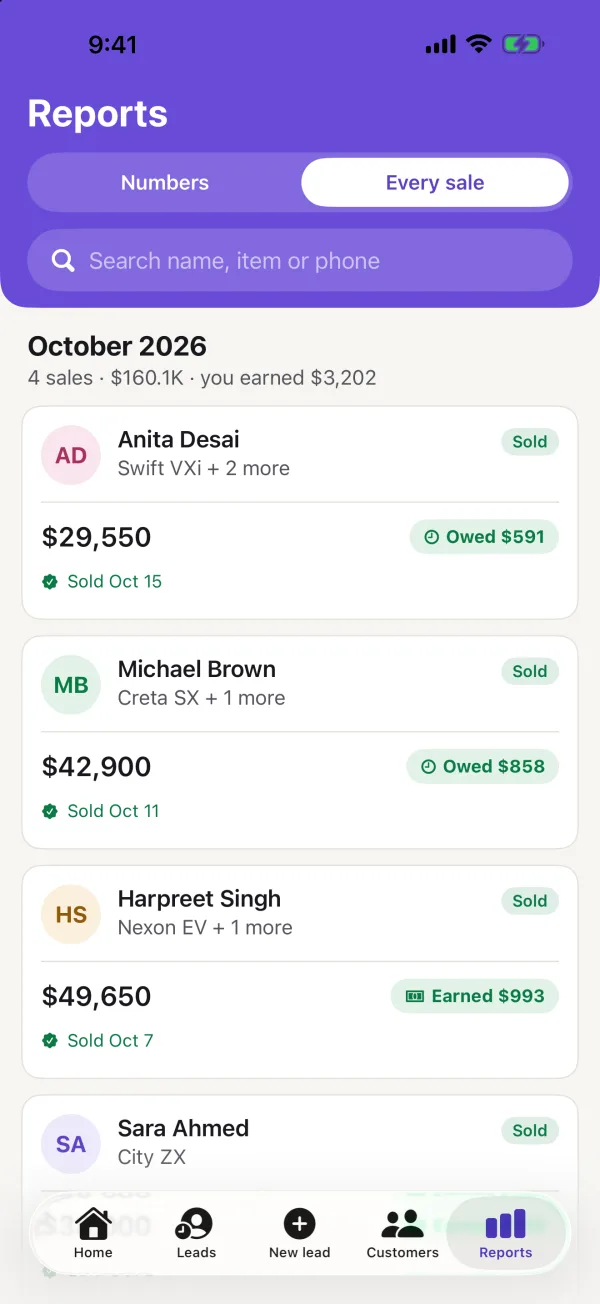
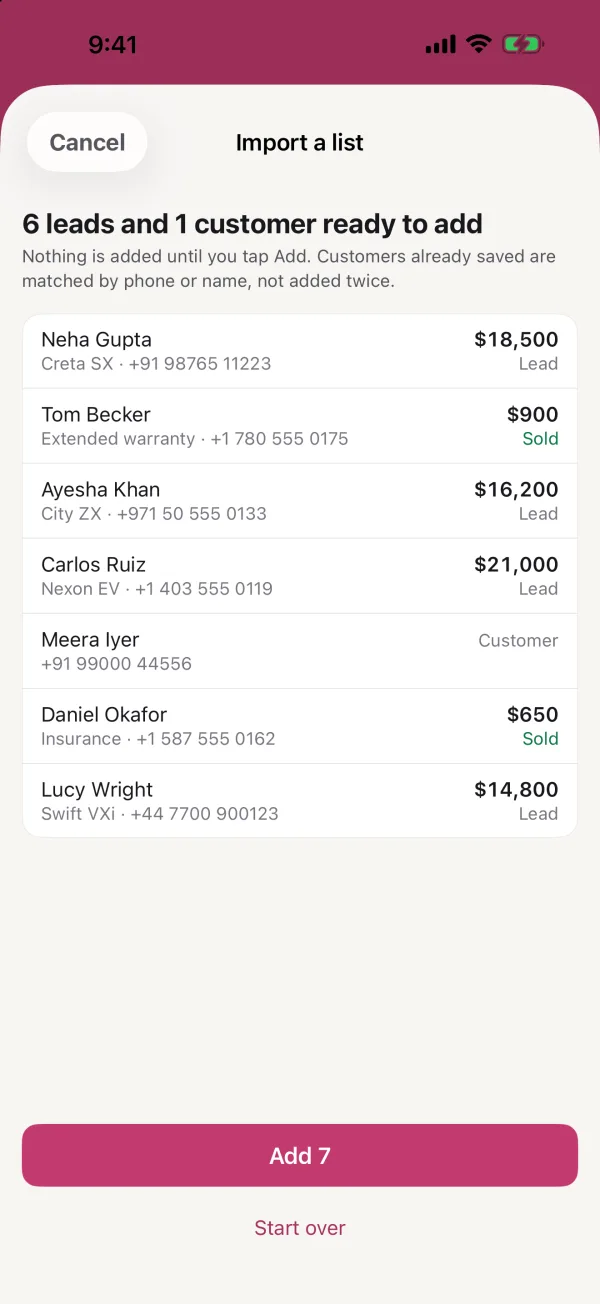
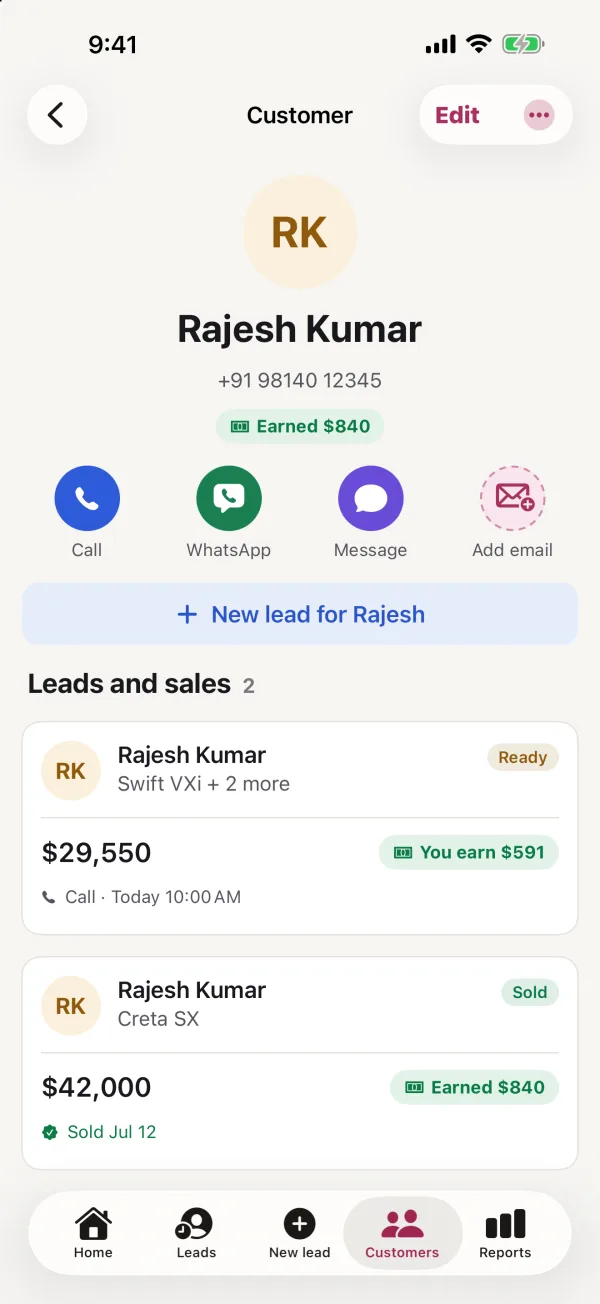
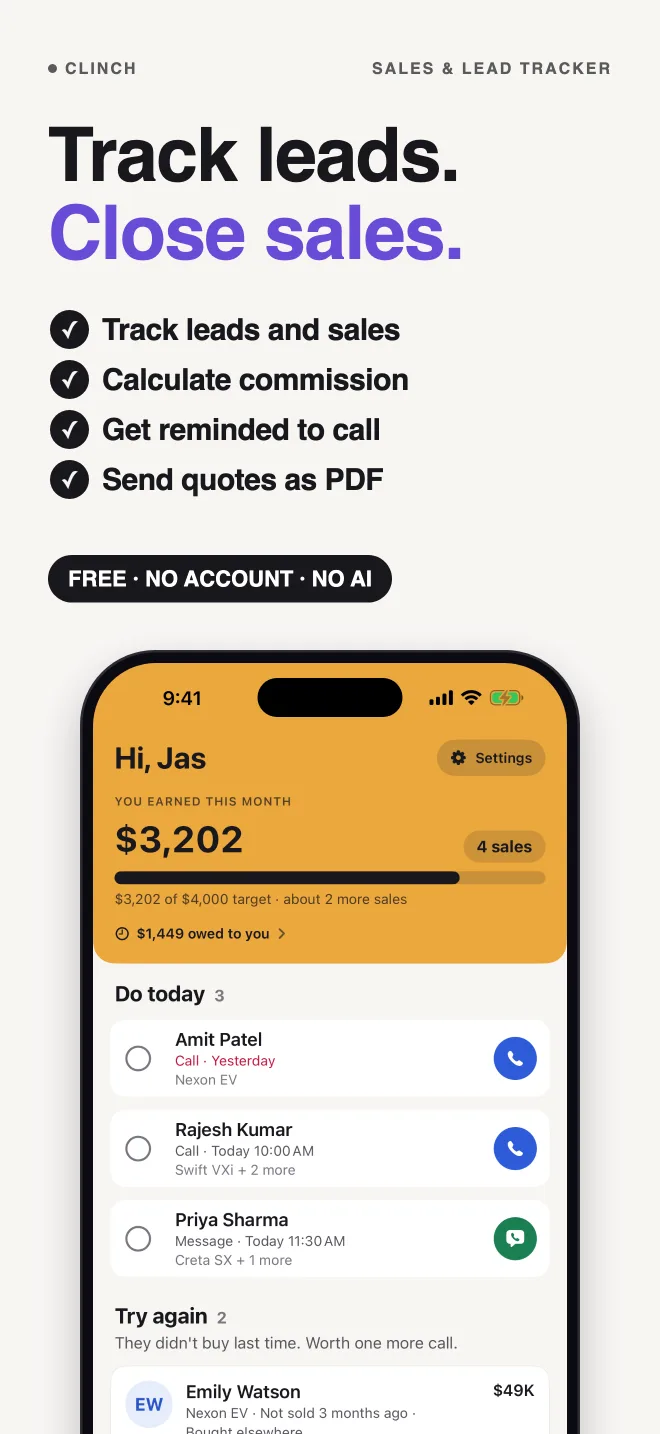
Five tabs, one colour each. Nothing here is a mockup — these are screenshots of the app.
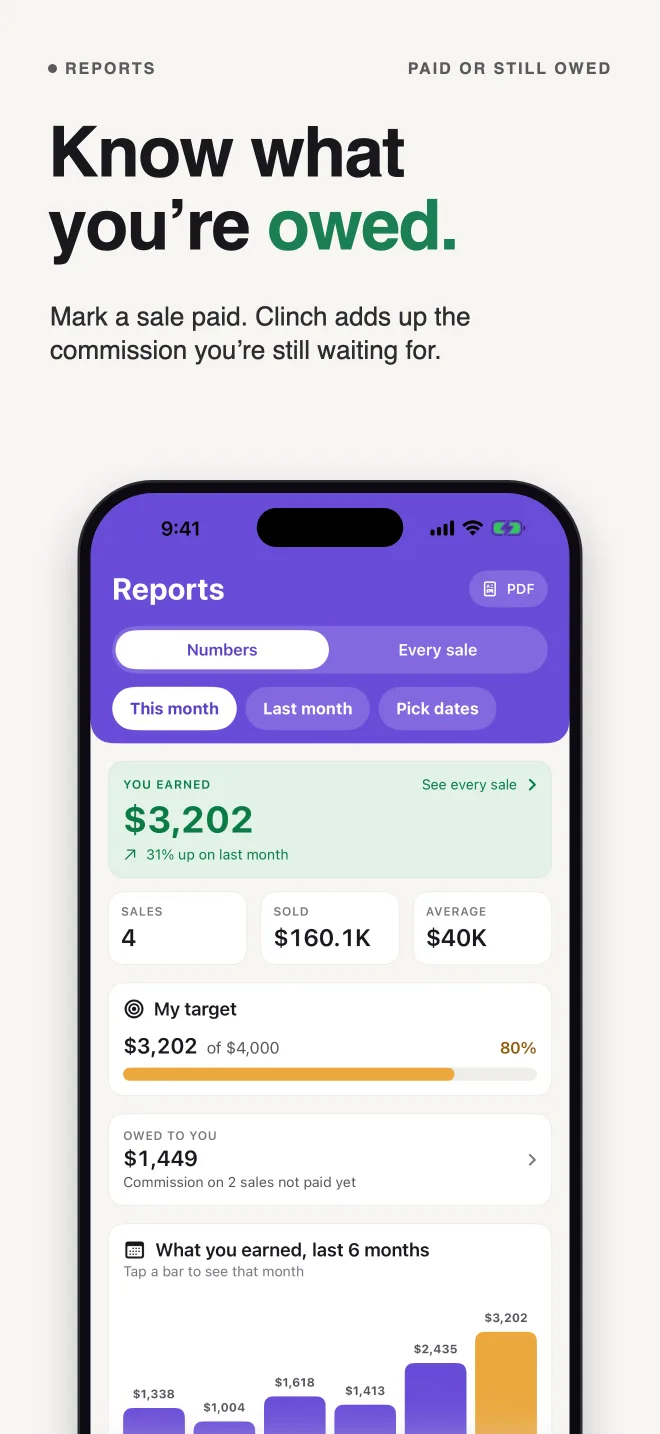
New in 2.6 Owed to you: mark a sale’s commission as paid and see what you’re still owed, where your sales come from (walk-in, referral, website and more), your target says how many more sales get you there, import any list from a spreadsheet, and a + in the tab bar to add a lead.
How to use Clinch
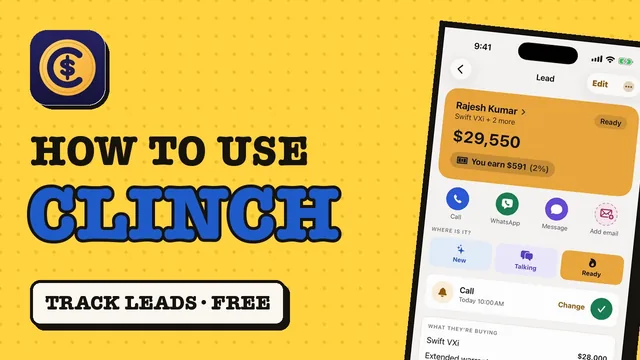
A 2-minute walkthrough of every feature, filmed on the iPhone simulator with Clinch's built-in demo data. The narration is an AI voice; every screen is the real app.
How it works
Three steps. That is the whole app.
Add a lead
The customer’s name, what they want and the price. Add each item — the car, the warranty, the insurance — and the total adds itself up.
Get reminded to call
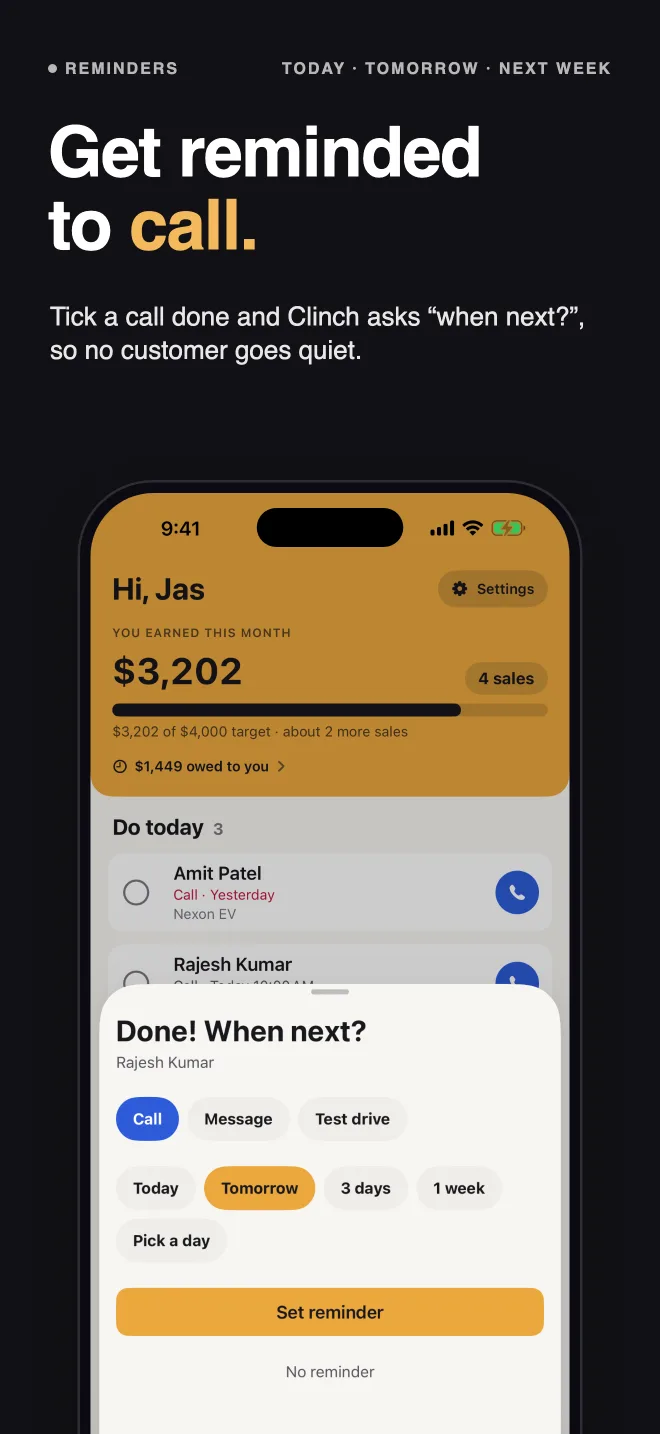
Today, tomorrow, in 3 days or next week. The reminder says who and what — “Call Rajesh Kumar — Swift VXi · $29,550”. Tick the call done and Clinch asks “when next?”, so nobody goes quiet.
Tap Sold
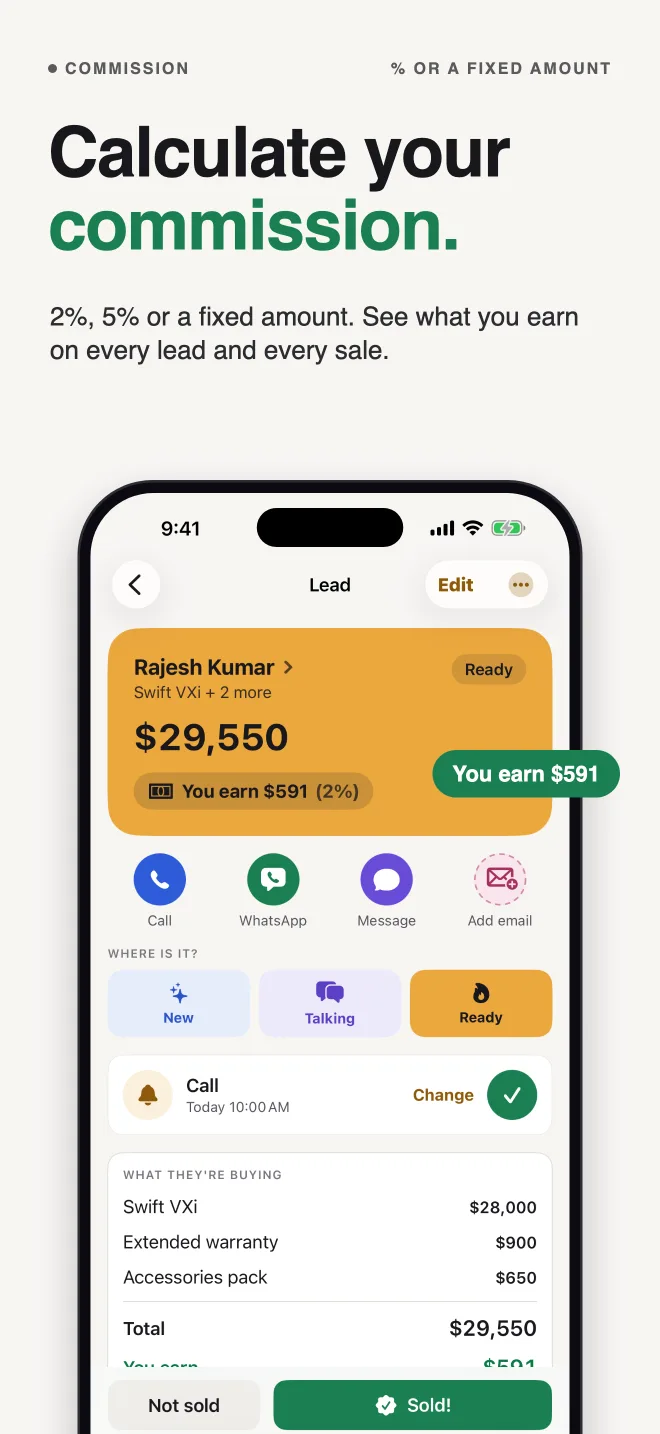
See what you earned, as a percentage or a fixed amount. Clinch sets a check-in call for a month later, because happy customers send their friends.
Every lead on one list
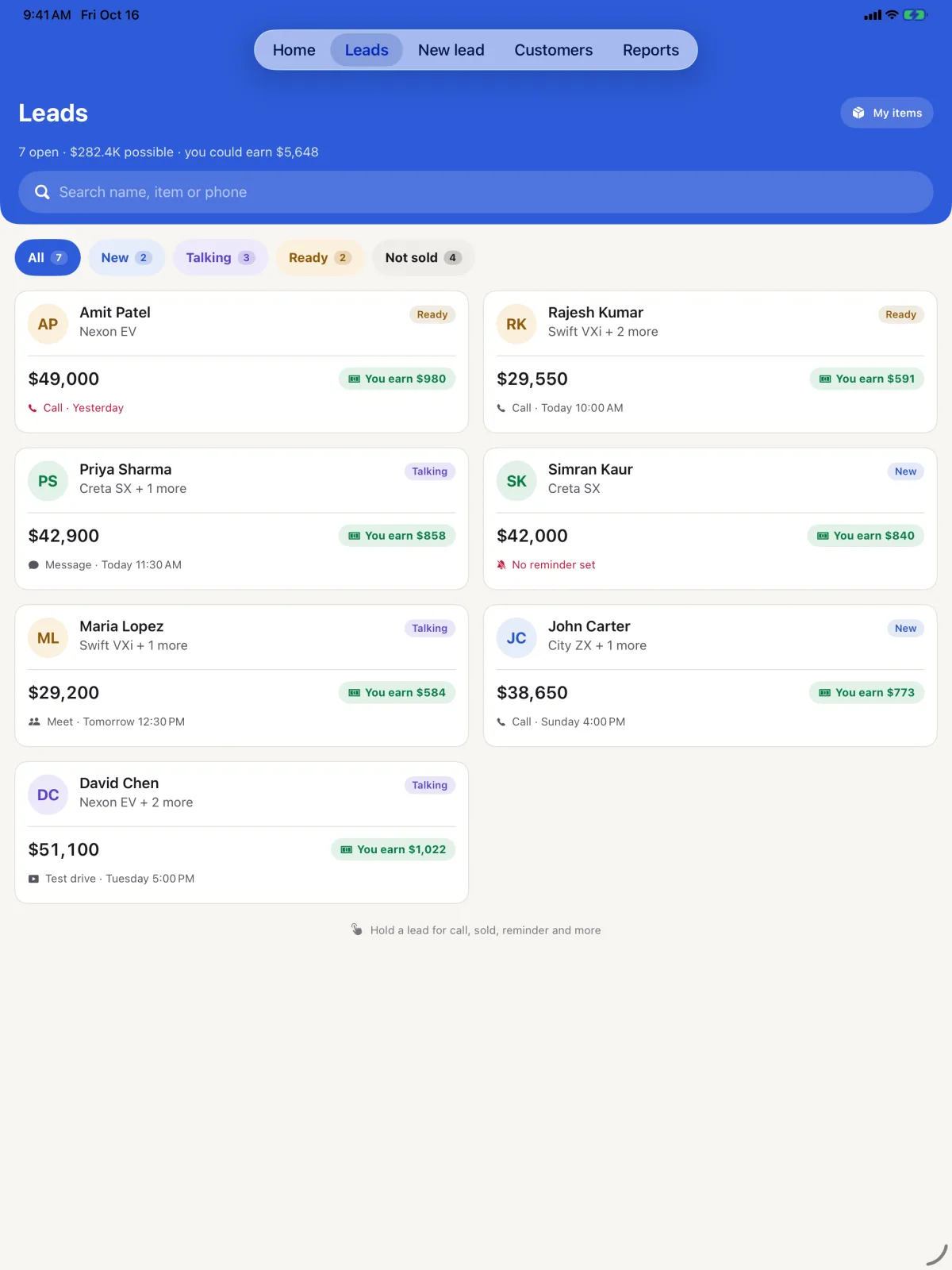
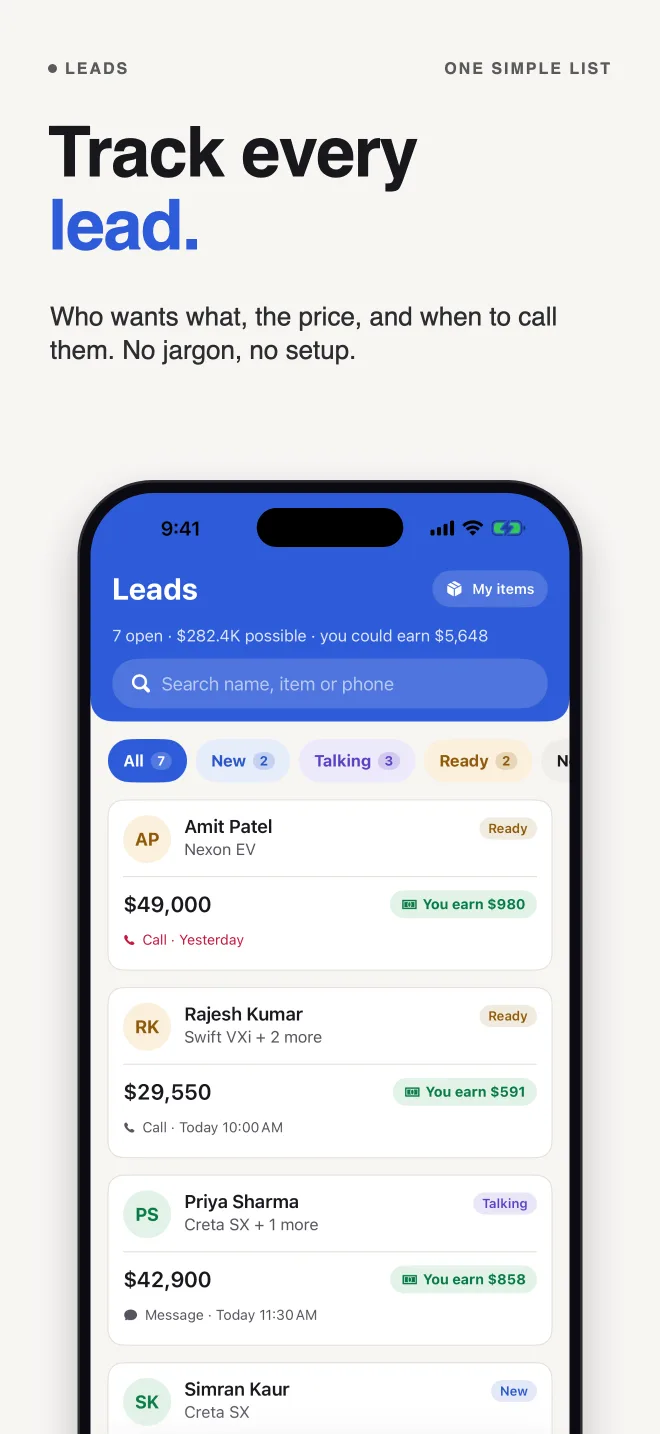
Customer, items, total and what you will earn on one card. Three steps: New, Talking, Ready to buy. Late calls rise to the top.
Know what you earn
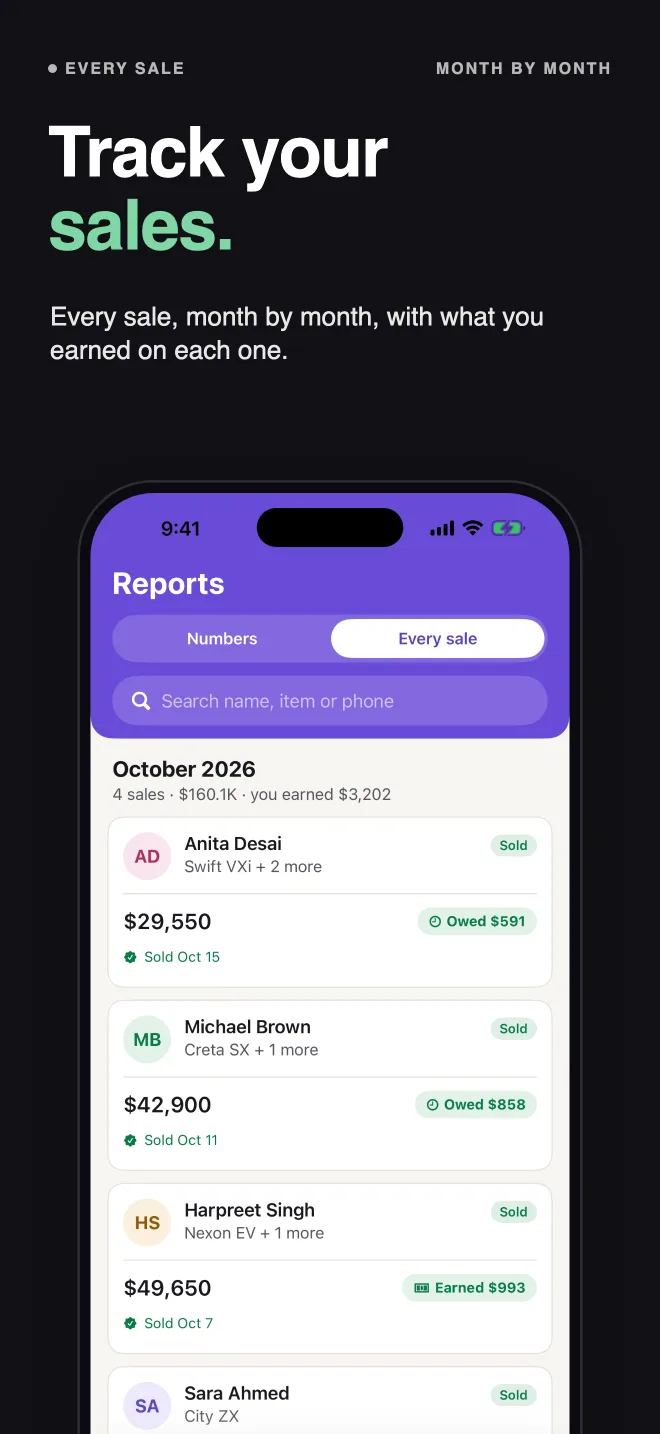
Commission as % or a fixed amount. Earned this month on Home, with a target bar. If the price changes after the sale, edit it and the numbers follow.
Lost a sale? Try again
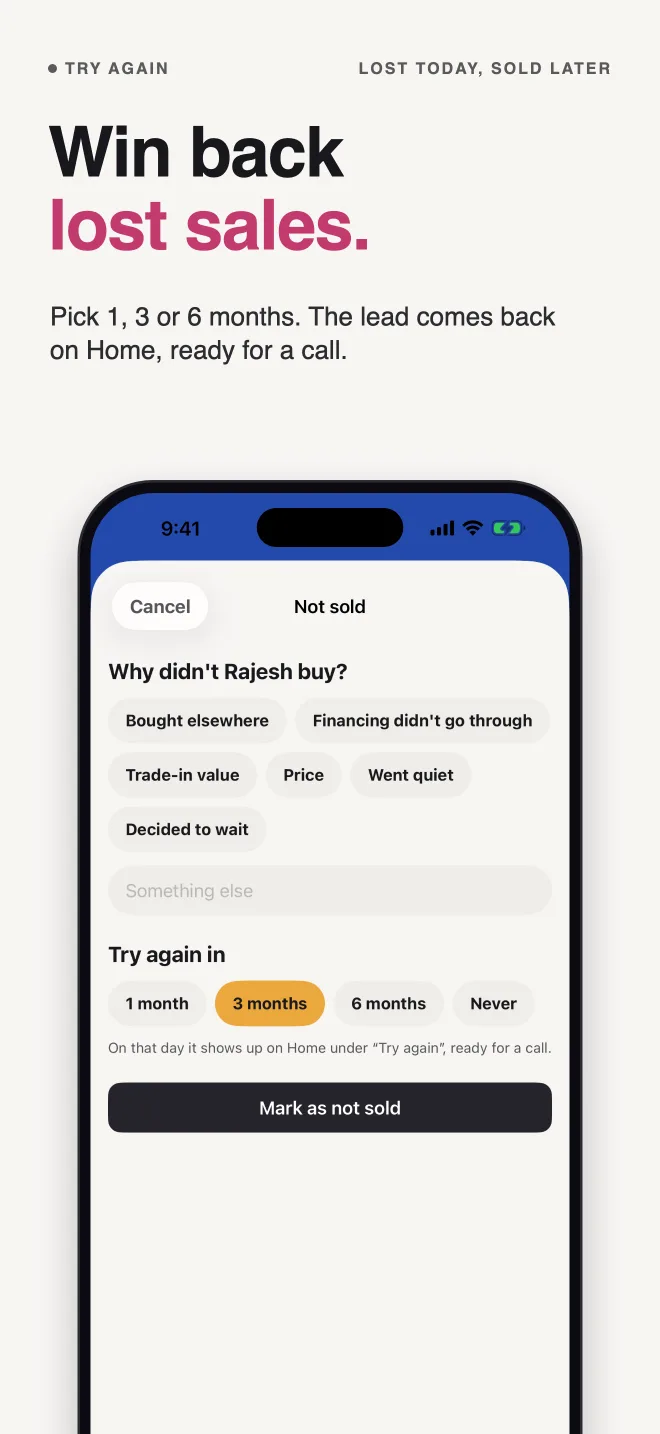
Pick why they didn’t buy and when to try again: 1, 3 or 6 months. On the day, Clinch reminds you and the lead is back on Home, ready for a call.
One tap to reach them
Call, WhatsApp, message or email. Ready-made messages fill in the customer’s name. Nothing is ever sent for you.
The whole story, in ten pictures
Swipe through. These are the App Store screenshots.
Your customers stay yours
Your customer list is your living. Clinch has no server to keep it on, so there is nothing to leak and nobody to sell it to.
- No account — you never create a login
- Everything stays on your phone and works without internet
- Optional backup to your own private iCloud, which we cannot read
- Clinch only sees the contacts you pick, never your whole address book
- No ads, no tracking, no AI, no third-party code
- Export everything to a spreadsheet whenever you like
Clinch or a big CRM?
Big CRMs are built for sales teams and their managers. Clinch is built for one person with a phone and customers to call.
| Clinch | A typical team CRM | |
|---|---|---|
| Price | Free | Monthly fee per user |
| Setup | Under a minute | Stages, fields, setup calls |
| Account needed | No | Yes |
| Your commission on every lead | Yes | Rarely |
| Lost leads come back later | Yes | Manual |
| Works without internet | Yes | Often not |
| Team dashboards | No — it is for one person | Yes |
Small things that help you sell
Items become one-tap buttons
Type “Extended warranty” once and it is a button on every new lead, with its usual price filled in.
Customers from your contacts
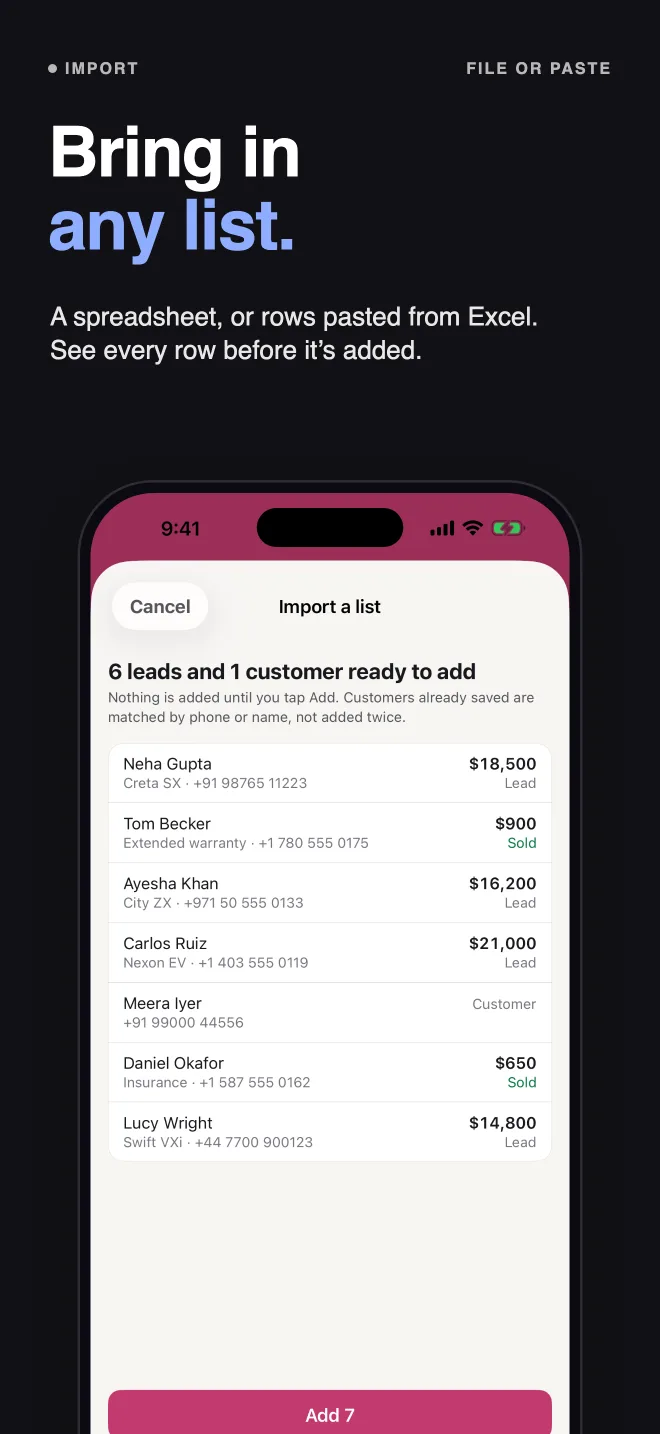
Pick several people from your phone at once. Clinch adds them with company and birthday, and skips anyone already there.
Birthdays and delivery dates
A reminder on the morning of, and a Coming up list on Home. A two-line message is the cheapest sale you will ever make.
Rupees in lakh and crore
Every currency is supported, and rupee amounts read the way you say them: ₹8.4L, ₹1.2Cr.
iPhone, iPad, Mac, widgets and Siri
Two columns on iPad and Mac. Who to call today on your Home Screen, and “Add a lead in Clinch” by voice. Light and dark mode.
Quotes and receipts as PDFs
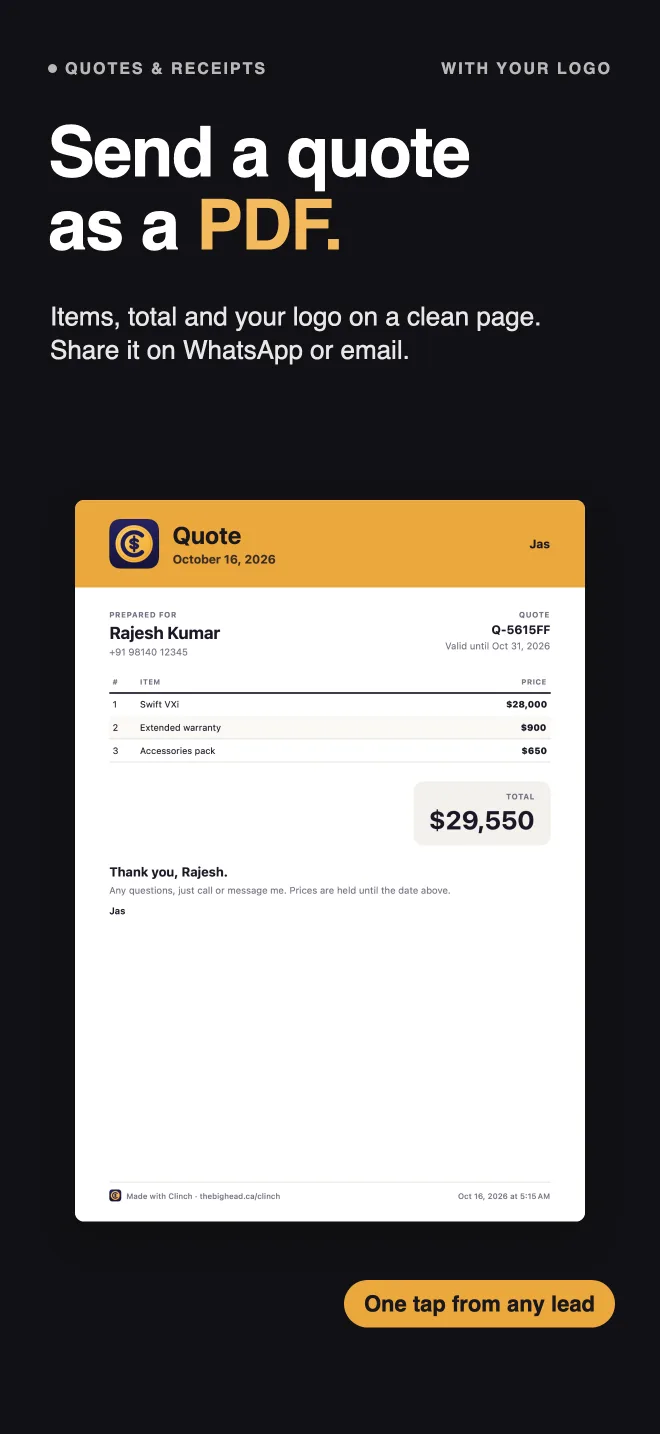
Items, total and your own logo on a clean page, sent on WhatsApp or email in one tap. Leads, customers and sales can be shared as PDFs too.
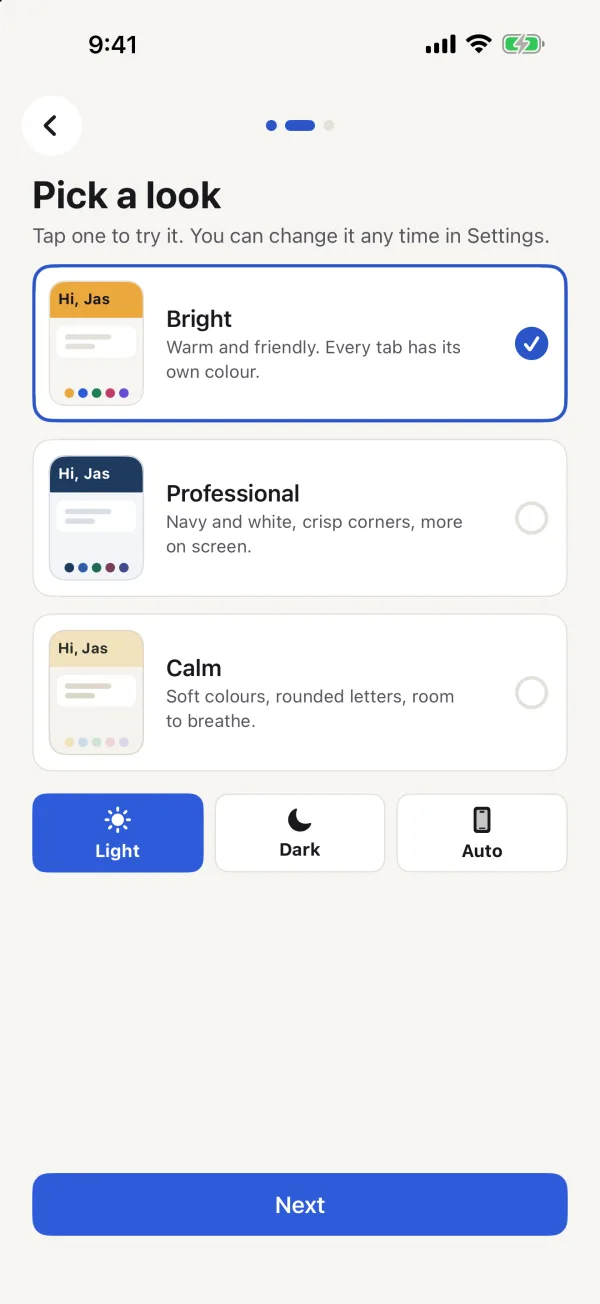
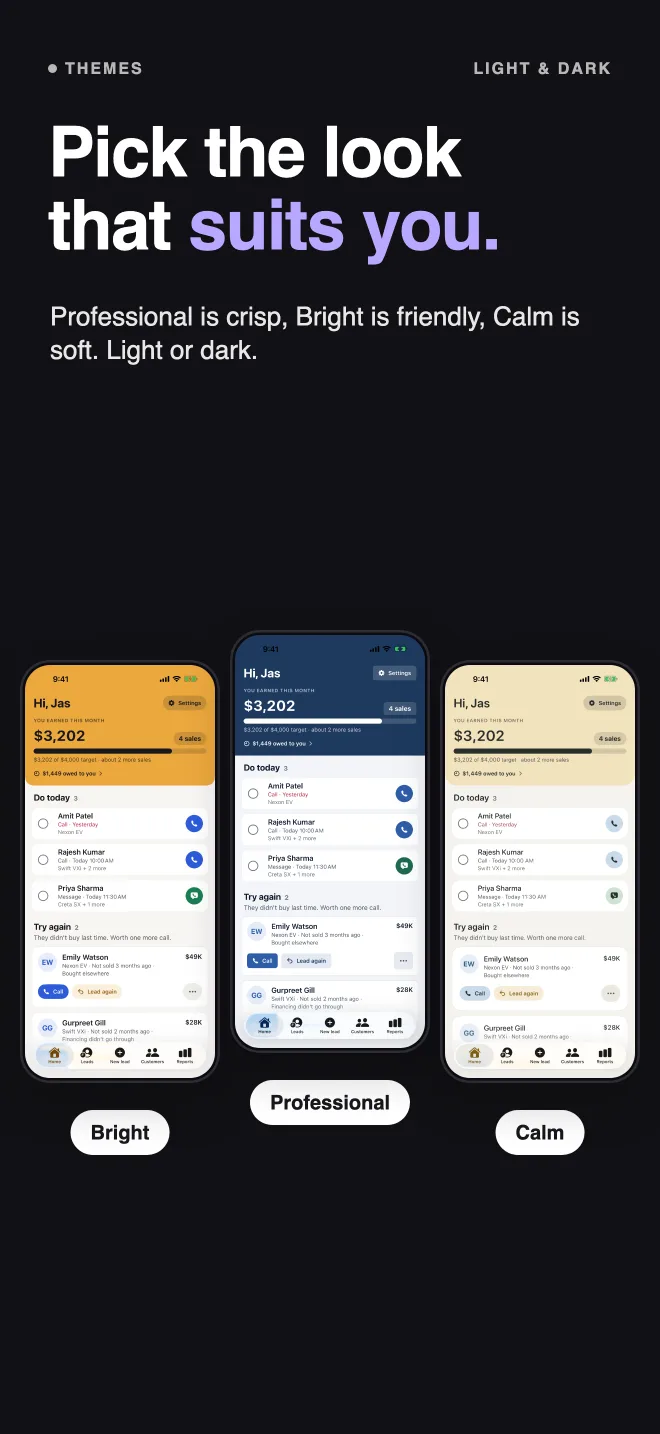
Three looks
Bright, Professional or Calm, each in light and dark. Change it any time in Settings.
No AI, on purpose
Nothing guesses, scores or writes for you. Every number is simple addition you could check yourself.
Questions
Is Clinch hard to learn?
No. There are five tabs: Home, Leads, Sales, Customers and Reports. A lead is a customer's name, what they want and the price. If you can use your phone's contacts, you can use Clinch.
How does it work out my commission?
You choose a percentage or a fixed amount per sale. Clinch shows what you will earn on every lead, and what you earned this month on Home. You can change the commission on any single lead or sale.
What if the price changes after the sale?
Open the sale, tap Edit, and change the prices or your commission. Your totals and reports update straight away.
What happens to leads that don't buy?
Mark the lead Not sold, pick a reason, and choose when to try again: 1, 3 or 6 months. On that day it comes back on your Home screen under Try again, ready for a call.
Does Clinch remind me to follow up?
Yes. Set a reminder for today, tomorrow, 3 days or a week. When you tick a call done, Clinch asks when next. After a sale it sets a check-in call a month later.
Do I need an account or internet?
No. There is no account and everything works without internet. Your data stays on your phone, with optional backup to your own private iCloud.
Does it work for car sales, real estate or insurance?
Yes. Tell Clinch what you sell and it suggests the right items, reasons and ready-made messages. It also works for shops and showrooms, courses and coaching, travel and tours, home services and any kind of selling.
Does Clinch use AI?
No. There is no AI anywhere in Clinch. Every number is simple addition you could check yourself.
What does it cost?
Nothing. Clinch is free, with no subscription, no ads and nothing locked.
Is there a free CRM app for iPhone?
Yes — Clinch is free, with no subscription, no ads and nothing locked. It is made for one salesperson: your leads, reminders to follow up, and what you earn on every sale.
See how Clinch ranks on TopRankedApps (our site), next to the best Business & Sales apps of 2026.
Sales and CRM guides
Honest comparisons that include the alternatives, not only our own app.
- Best Apps for Sales Reps on iPhone
- How to Set Sales Goals Based on What You Want to Earn
- How to Win Back Lost Customers (and When to Try Again)
- How to Ask for Referrals in Sales (With Examples)
- How to Keep Track of Customers and Sales Leads
- Car Sales Tips: 10 Automotive Sales Tips for Beginners
- How to Close a Sale Without Being Pushy (7 Steps)
- How to Send a Quote to a Client (With a Message That Works)
- How to Calculate Sales Commission (Formula + Calculator)
- How to Follow Up With Customers (Without Being Pushy)
- Freshsales Alternatives for Small Sales Teams
- Simpler monday CRM Alternatives for Salespeople
- Salesforce Alternatives for Small Businesses (Free)
- Simpler Zoho CRM Alternatives for Salespeople
- Simpler Free HubSpot Alternative for Salespeople
- Free Pipedrive Alternative for iPhone (No Seats)
- Best Free CRM App for iPhone (No Monthly Fee)
- Best CRM App for iPhone & iPad: 12 Compared
- Simple CRM App for iPhone: Best CRM for One Person











 MMA.
MMA. Trending
 Bold
Bold Top
Top