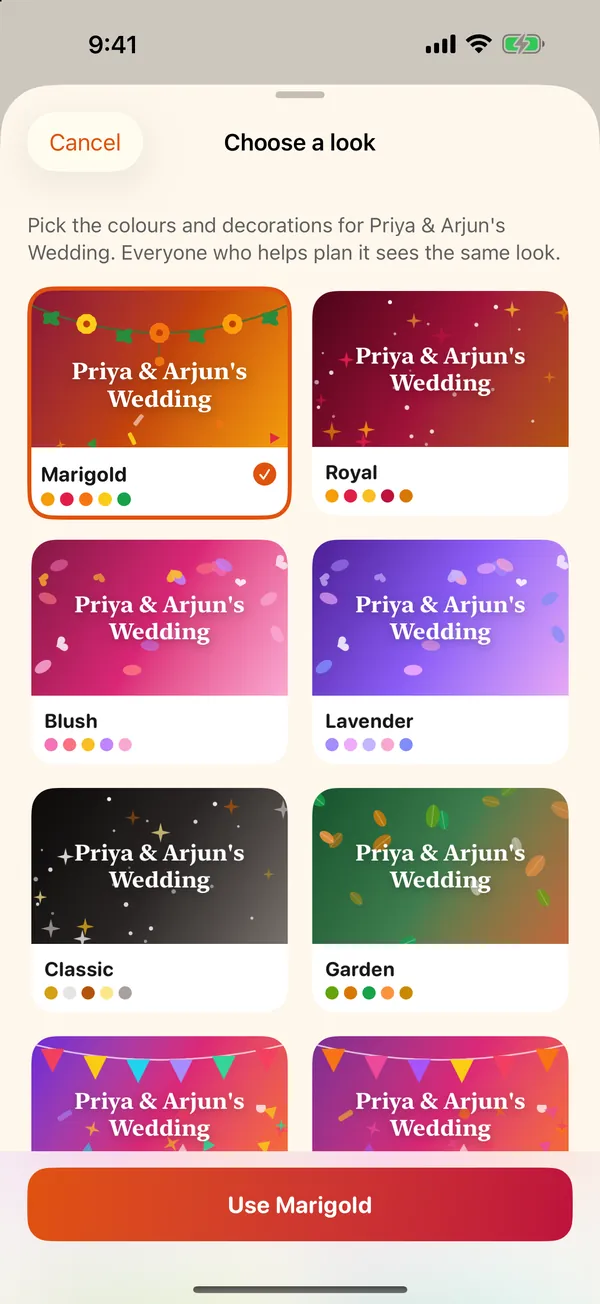
 Choose a look
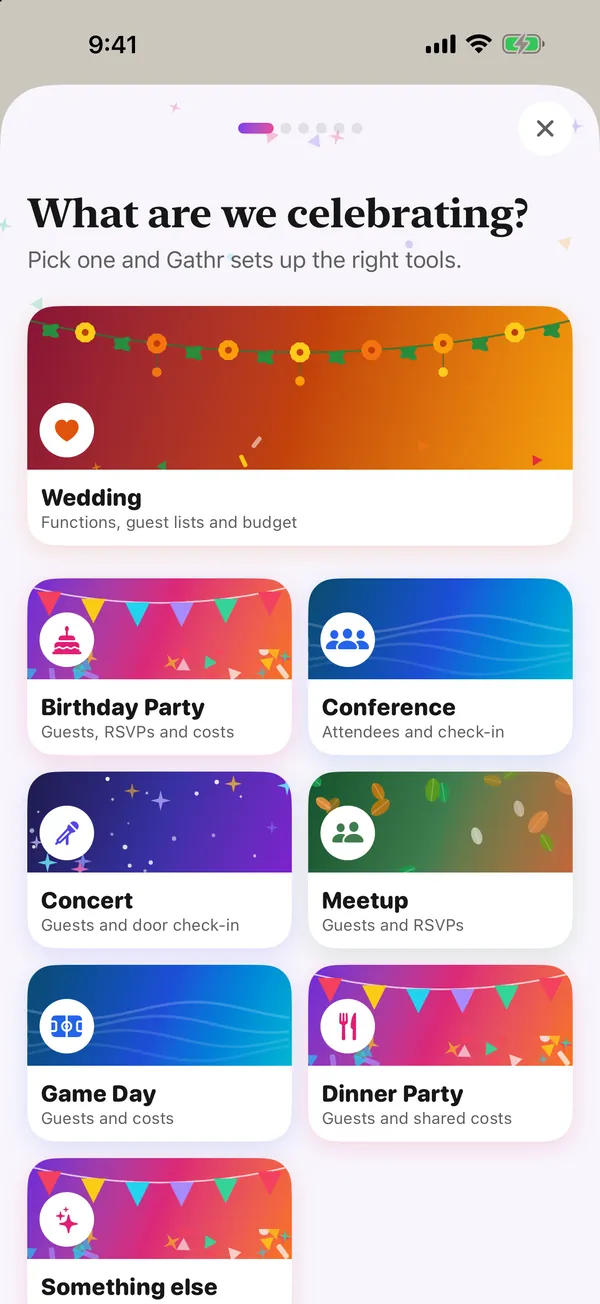 Guided setup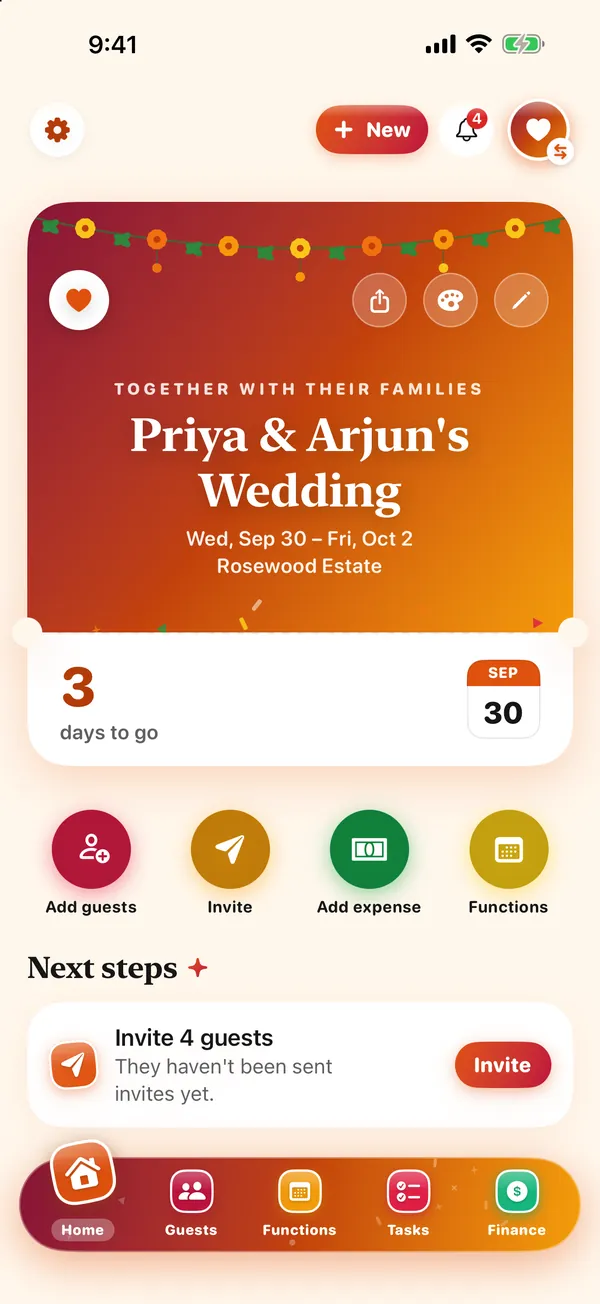
 Gathr
Gathr Free · No ads · New in 5.1
Gathr
Your party, organized
Plan a wedding, a birthday or any party with a guest list — invitations, RSVPs, a checklist and the budget in one app that looks like your party. Plan it together with a co-host.
Free on the App Store — no subscription, no ads, no charges to you or your guests. For iPhone and iPad (iOS 17 or later). Made in Canada by The Big Head.
What it looks like
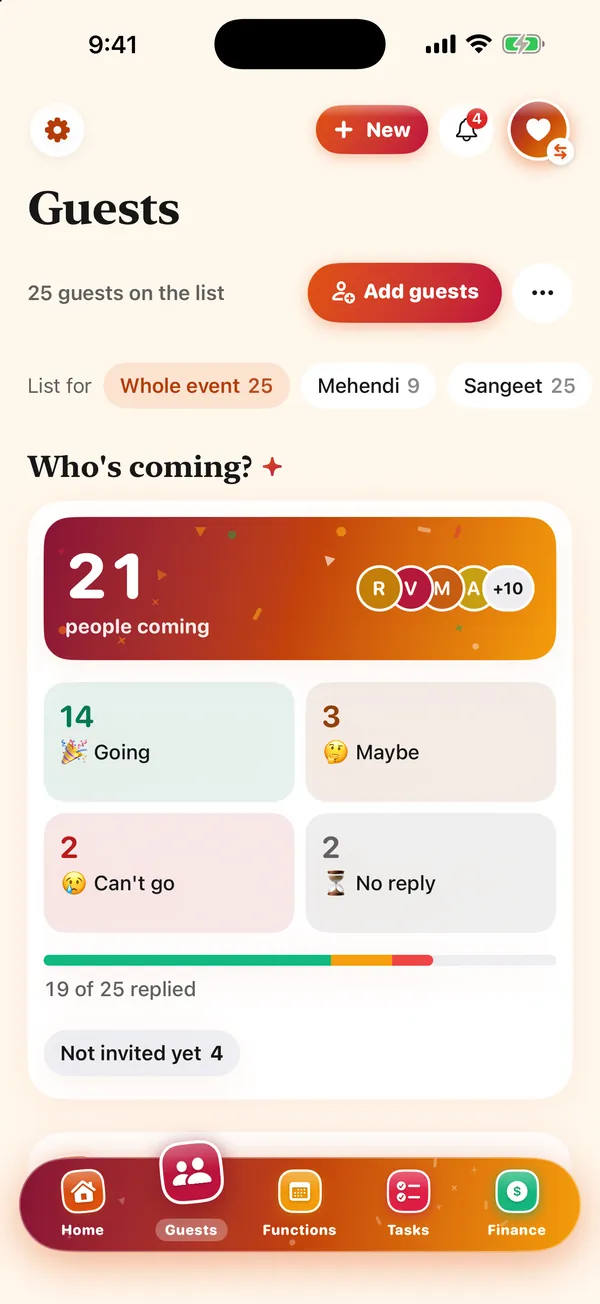
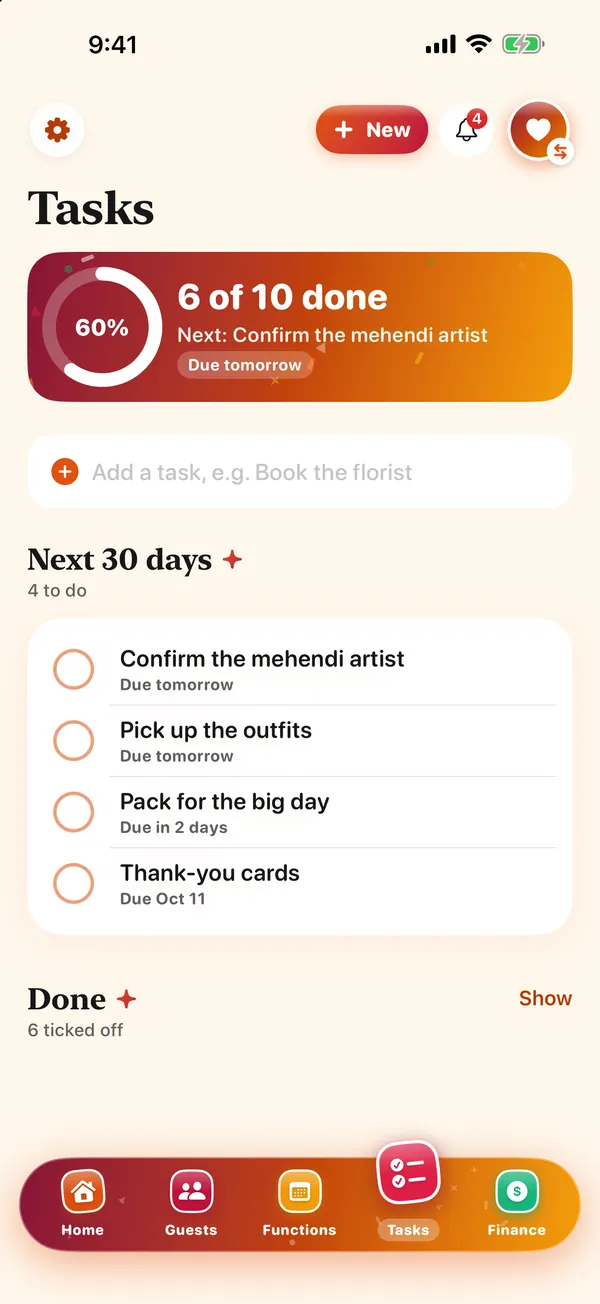
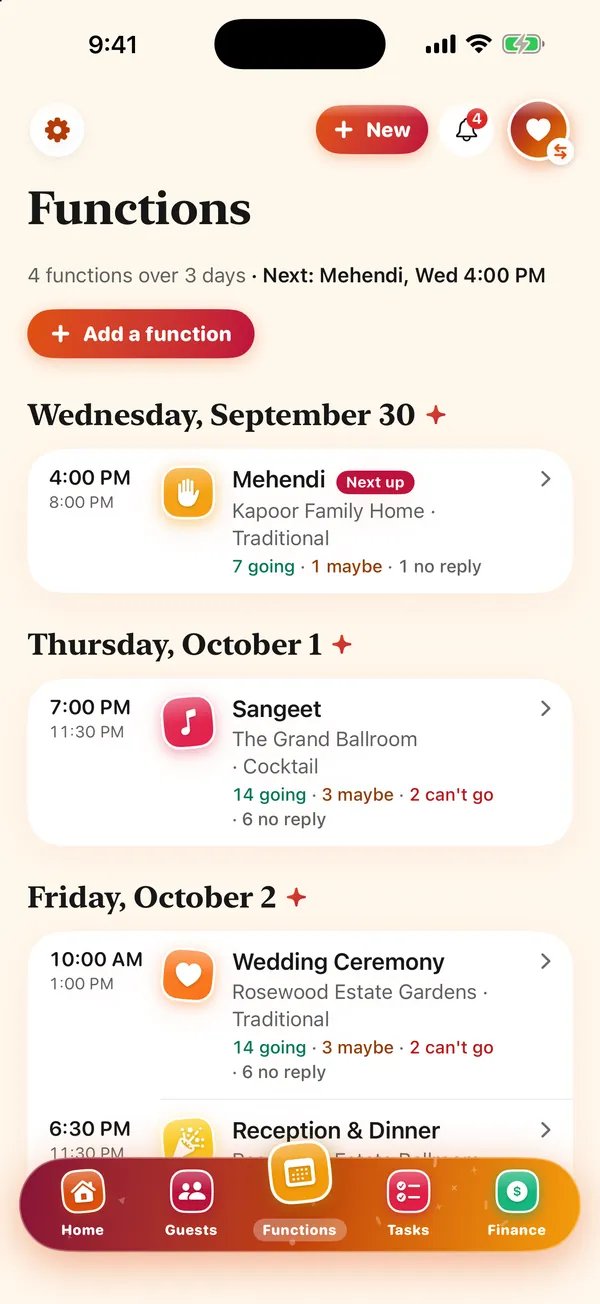
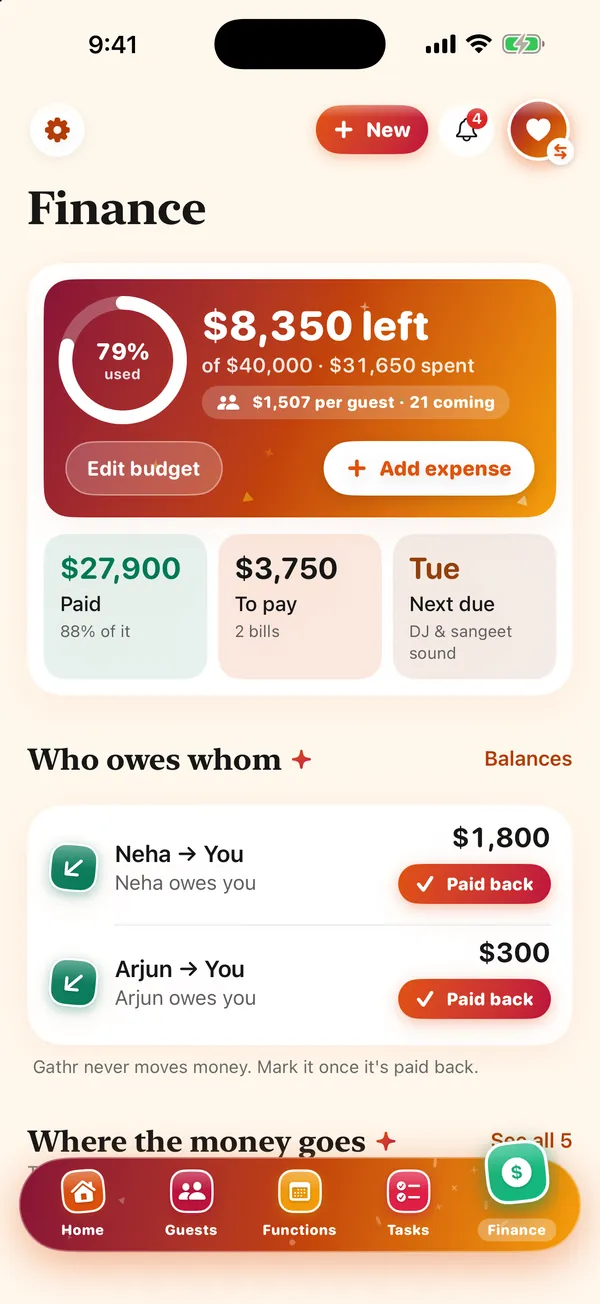
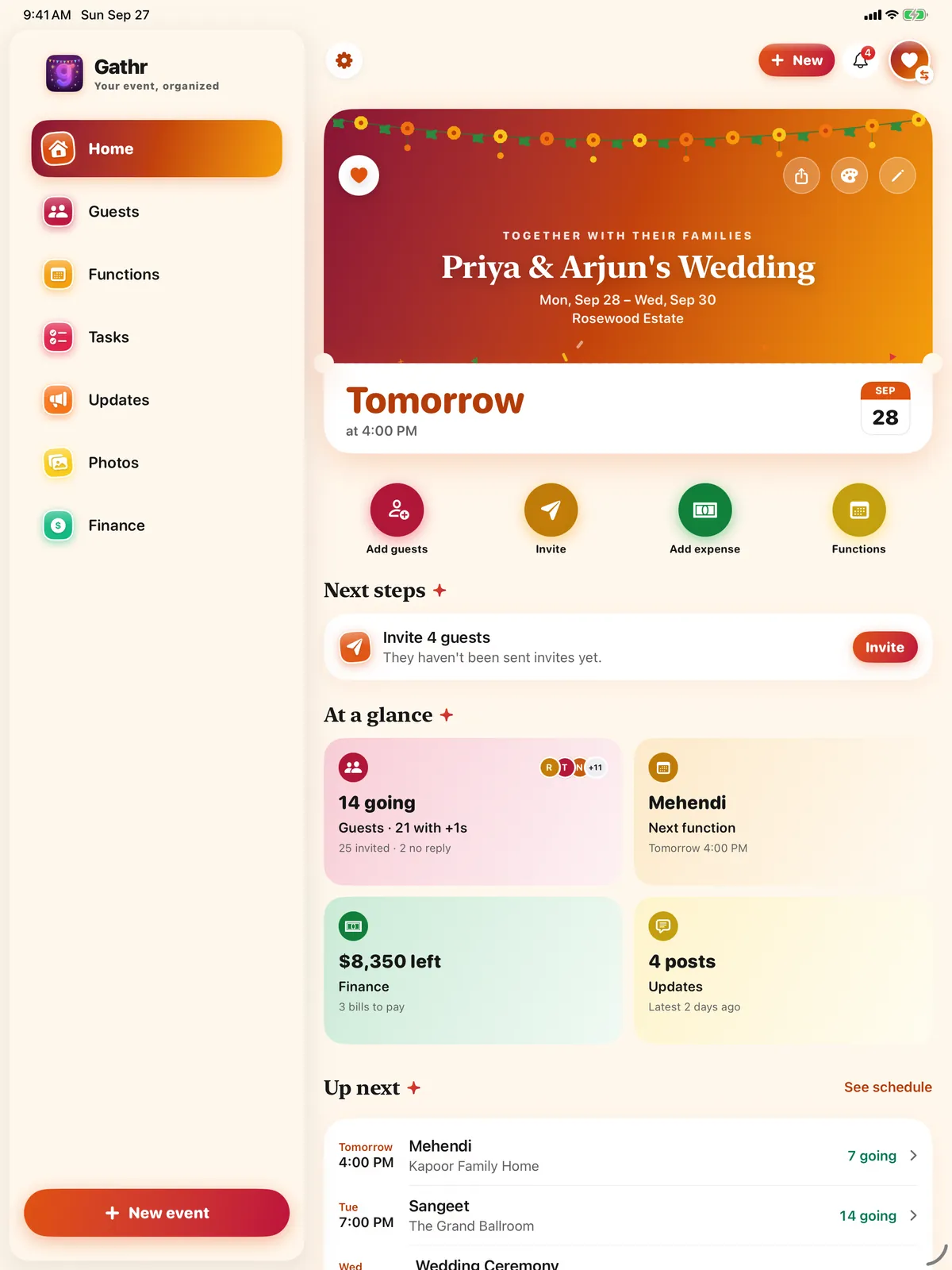
One event at a time, with its own tabs. Nothing here is a mockup — these are screenshots of the app.
New in 6.0 Give each function a dress code with colour swatches, set a reply-by date (the day before, Gathr reminds you to nudge anyone who hasn’t answered), see a live “Happening now · Up next” card on the day and move the rest of the schedule by 15, 30 or 60 minutes in one tap, keep your vendors in one place, and add a countdown widget to your Home or Lock Screen.
How to use Gathr
A 3-minute walkthrough of every feature, filmed on the iPhone simulator with Gathr's own sample wedding. The narration is an AI voice; every screen is the real app.
Jump to a feature
- Your celebration, in one app
- Make it look like your party
- Set up in a minute
- A guest list that tells you what's next
- Invitations guests can answer
- A schedule for every part of the day
- What to wear, sorted
- A checklist that knows the date
- Money without the awkward conversation
- Your vendors in one place
- Plan it together
- Keep everyone in the loop
- On the day
- Get Gathr
How it works
Three steps from “we should throw a party” to knowing who's coming.
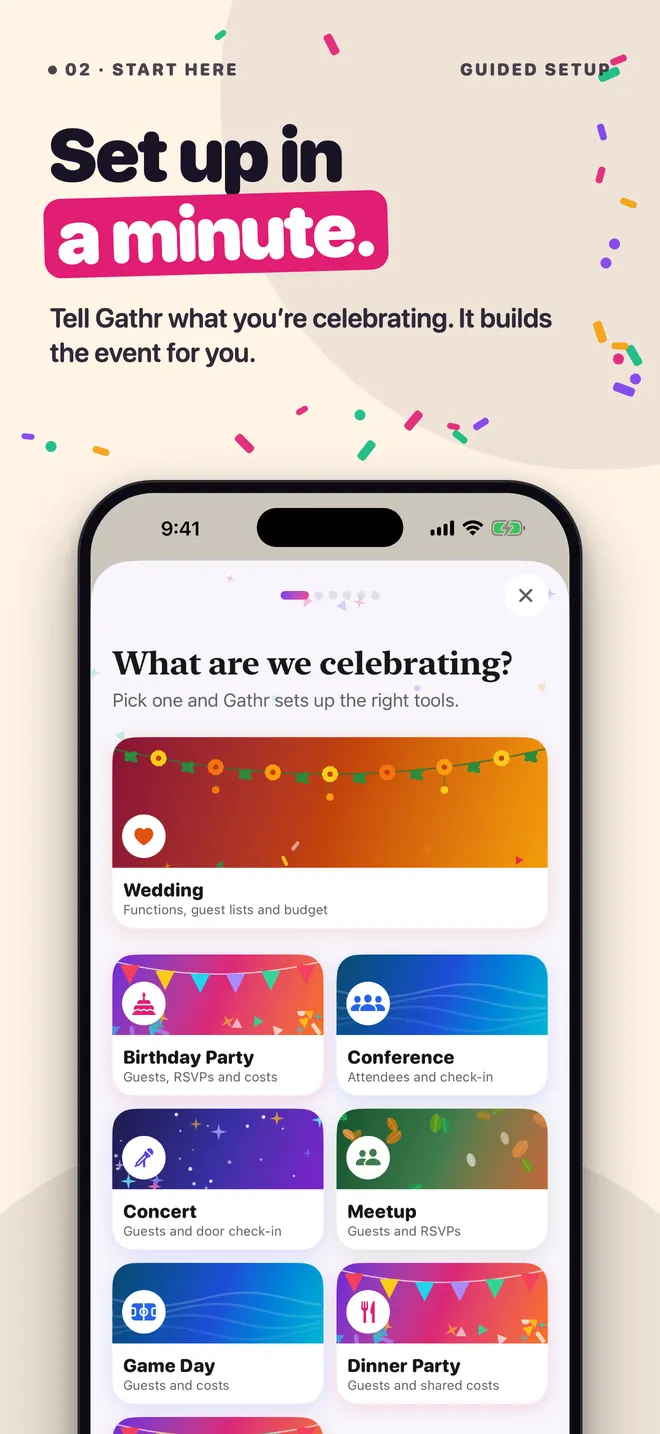
Tell Gathr what you're celebrating
A one-minute setup asks for the names, the date, the place and a budget, then lets you pick a look. A wedding comes with its functions already laid out.
Add guests and invite them
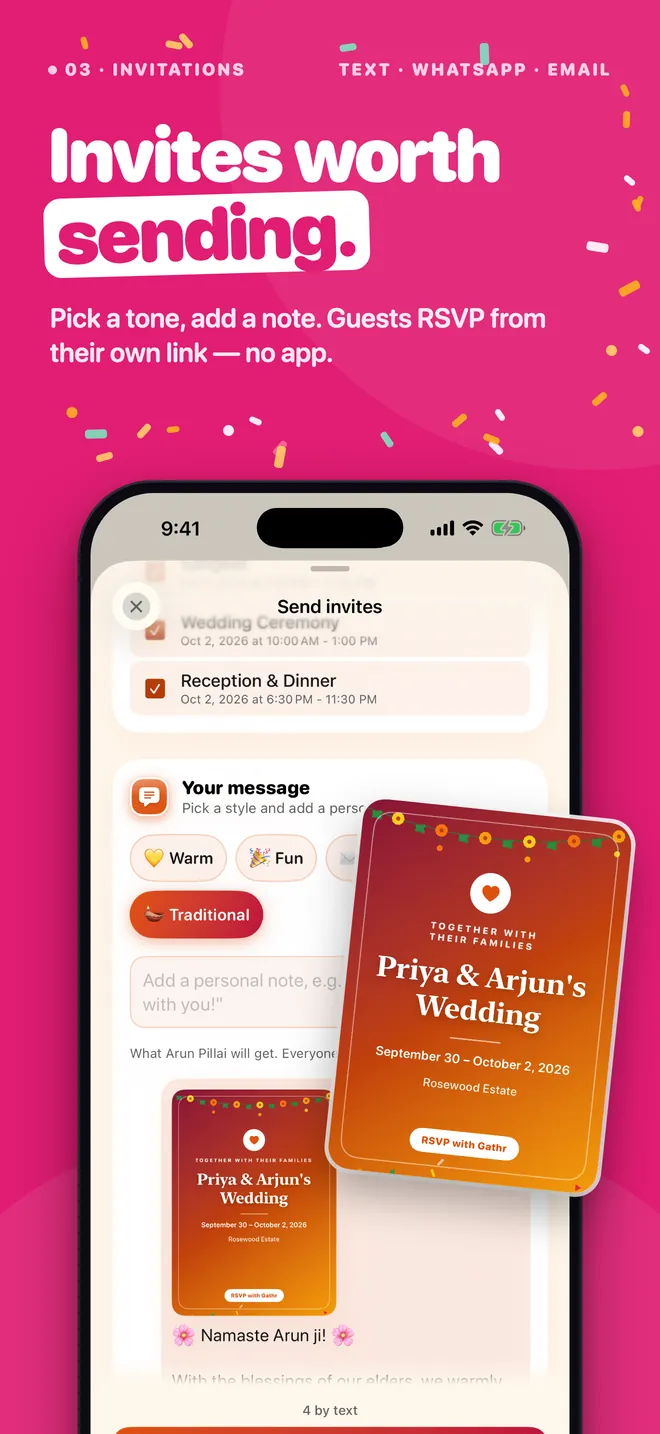
Type names, pick from your contacts or paste a whole list. Pick a tone, add a note, and send by text, WhatsApp or email — each guest gets the card and their own link.
Watch the replies come in
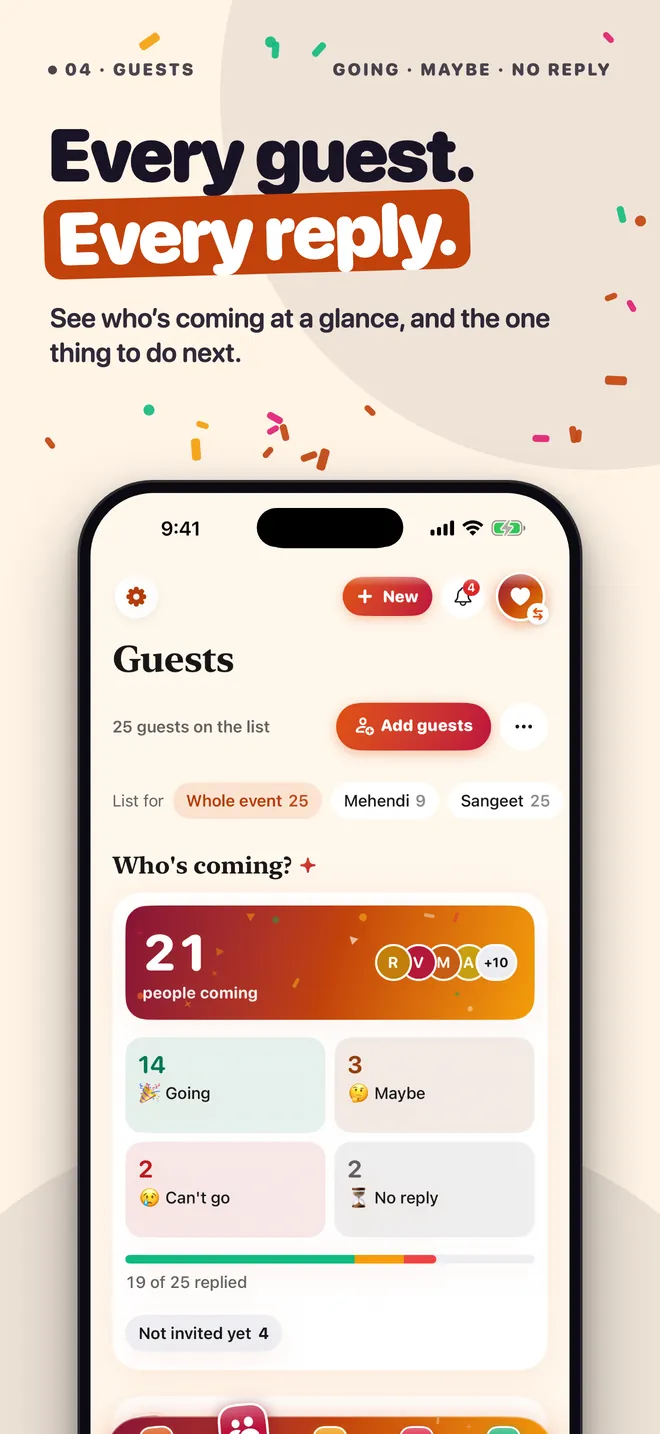
See who's going, who's a maybe and who hasn't answered, and remind the quiet ones in two taps. Home always shows the next thing to do.
Plan it together
Invite a co-host with a link. Your partner, family or planner sees and edits the same guests, schedule and budget. Only you can delete the event.
Every part of the day
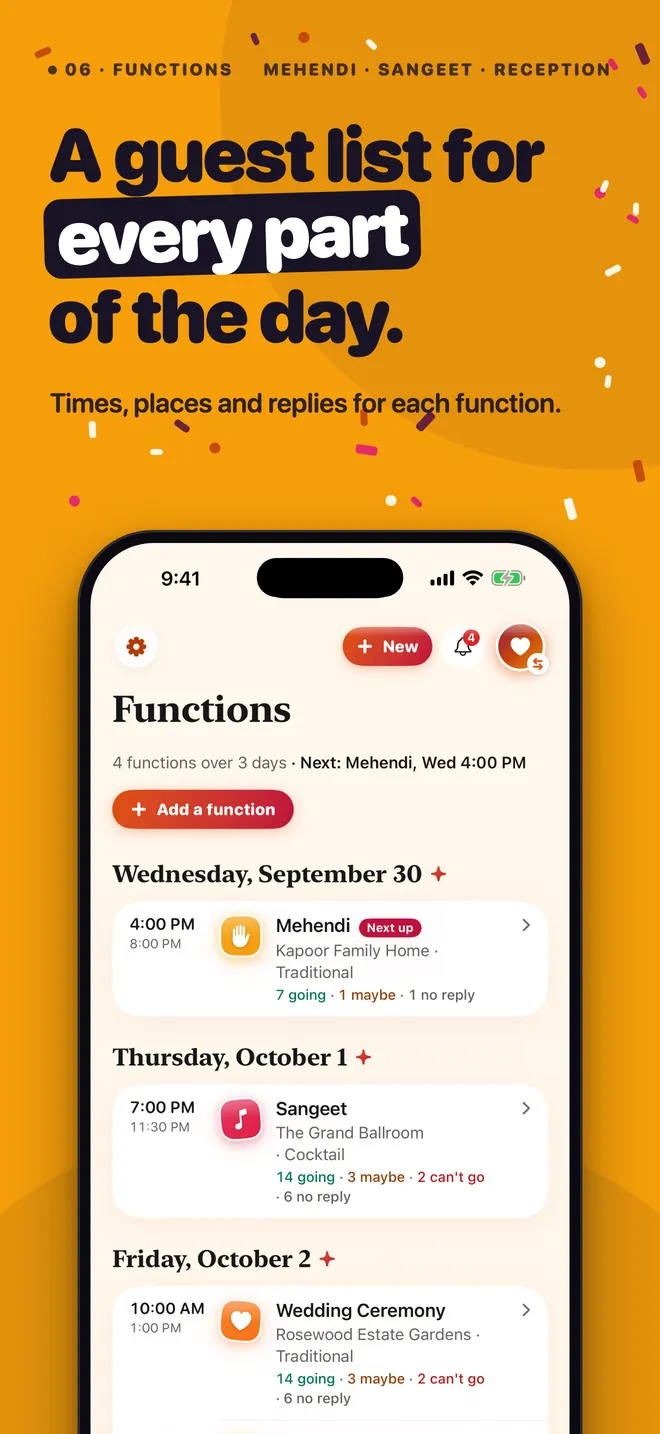
Mehendi, sangeet, ceremony, reception — each with its own time, place, dress code and guest list, so you know who's coming to what.
Money, minus the awkward
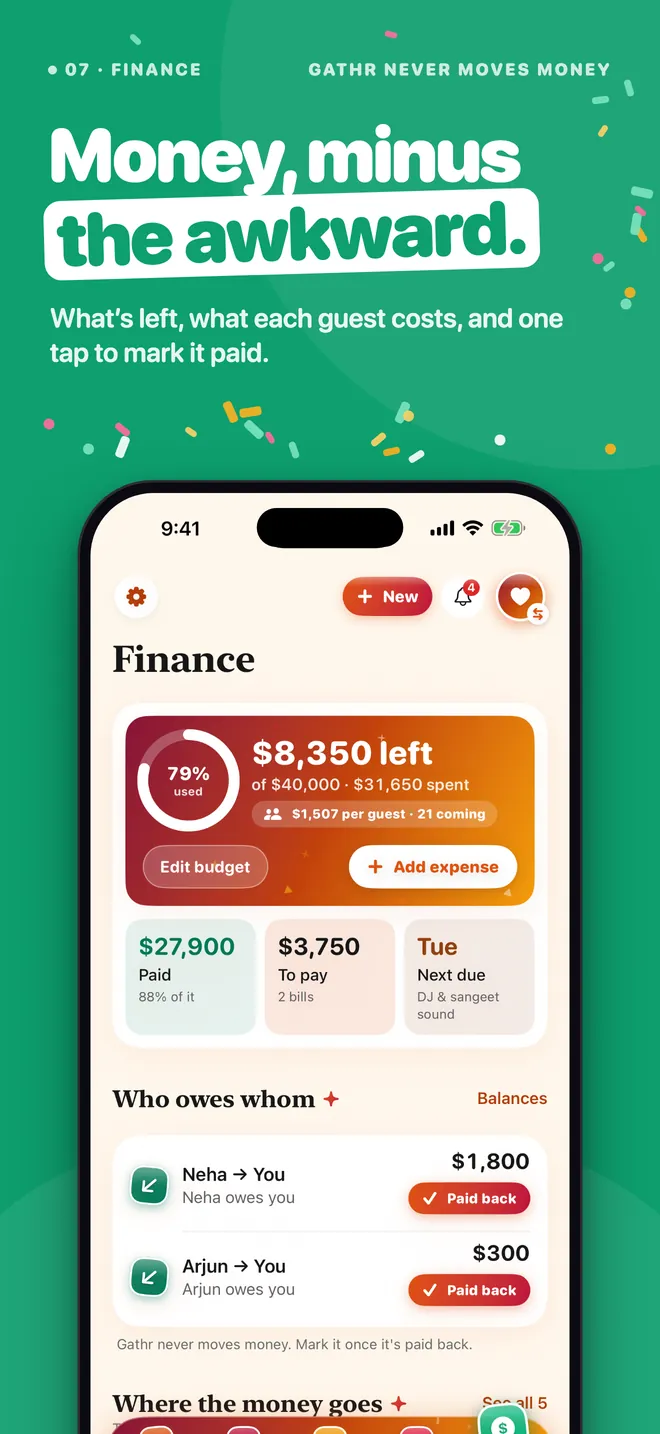
See what's left, what each guest costs and who owes whom. Mark a bill paid in one tap. Gathr never moves money.
Looks like your party
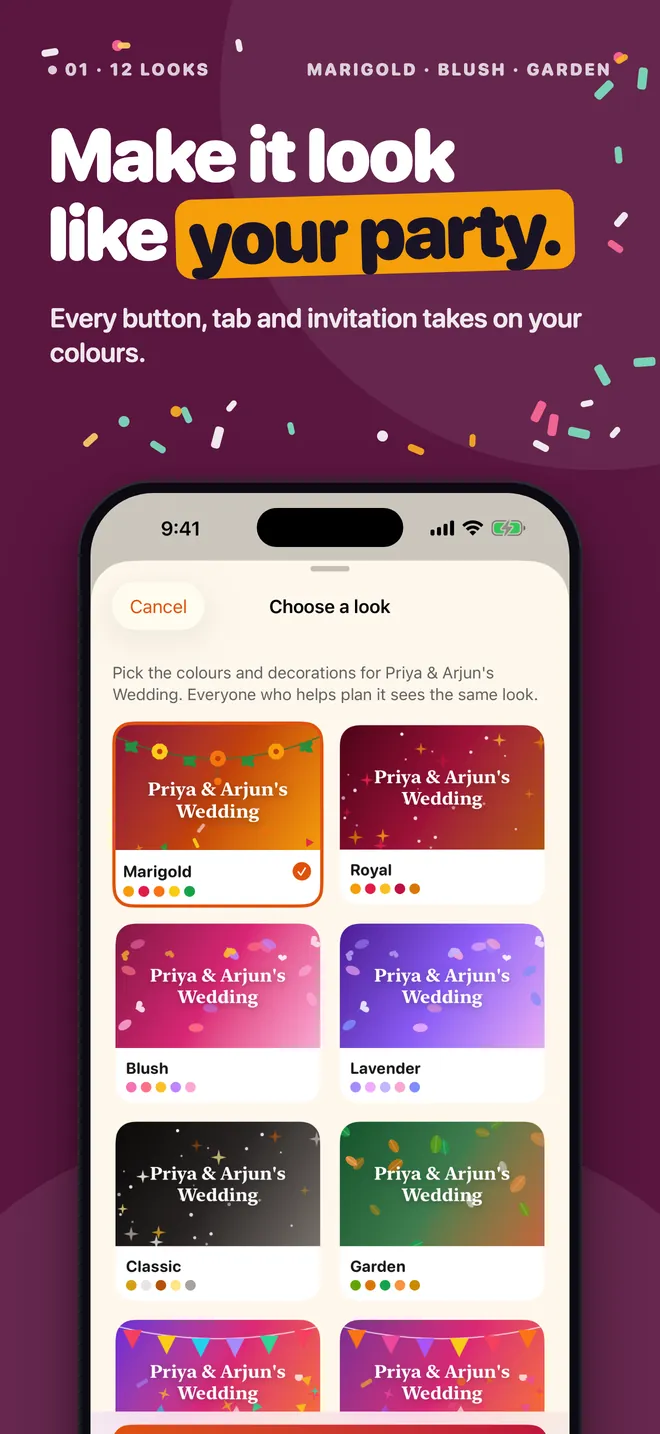
Twelve themes — Marigold, Blush, Confetti, Garden, Midnight and more. Every screen, and your guests' RSVP page, wears your colours.
A checklist that knows the date
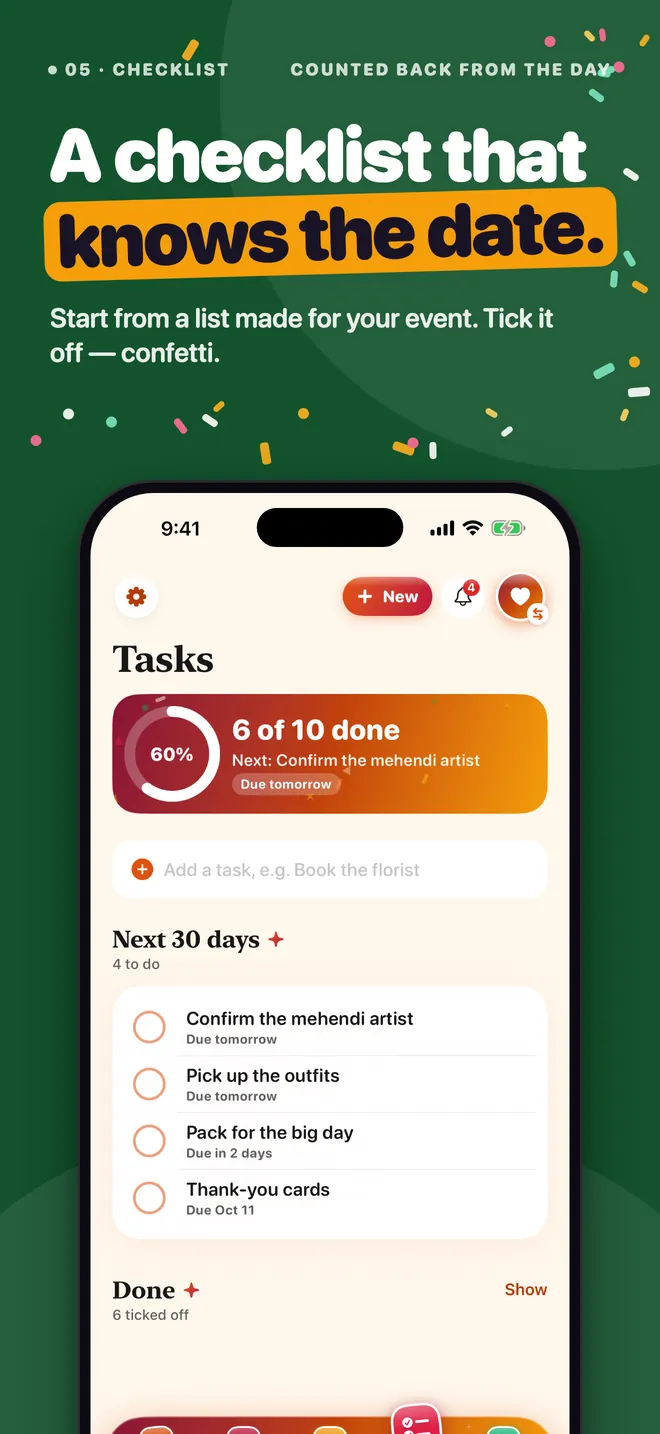
Start from a list made for your kind of event, with due dates counted back from the day. Tick things off — there's confetti.
Invitations worth sending
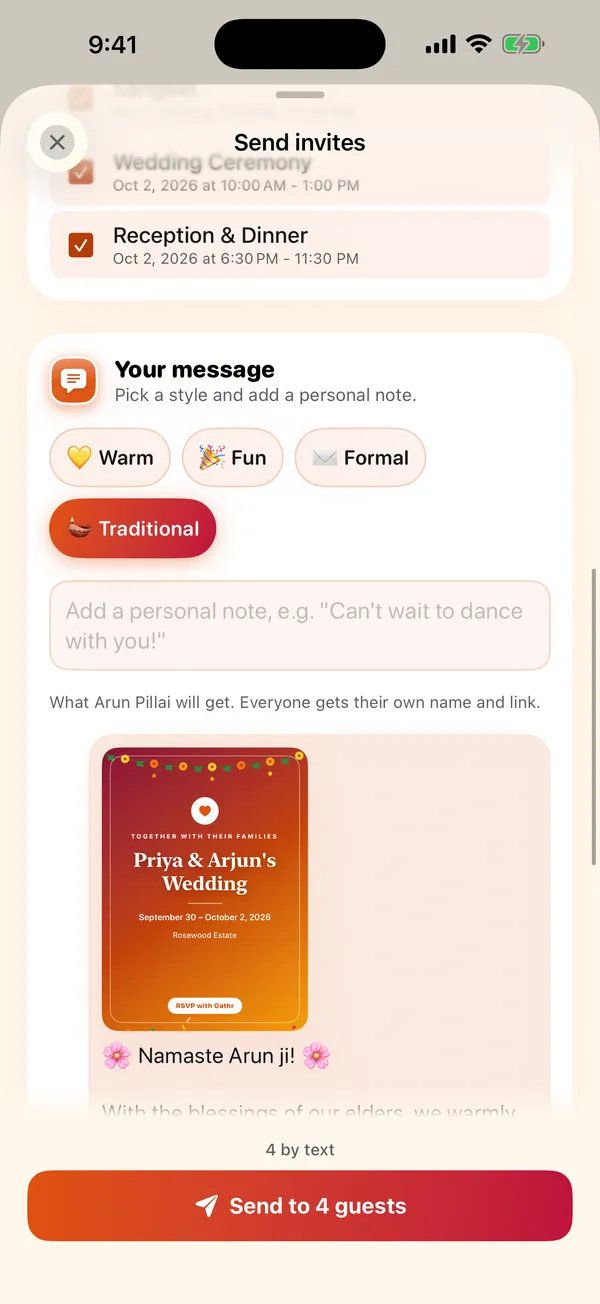
Share a card in your event's colours, and write the message your way: warm, fun, formal or traditional, with your own note.
Your guests never need the app
Most of your guests won't install anything, and they don't have to.
- You send the invite by text, WhatsApp or email from your own phone.
- They open their personal link in any browser and tap Going, Maybe or Can't go — with plus-ones and a note.
- Their answer lands in your guest list. Invited to several functions? They answer each one.
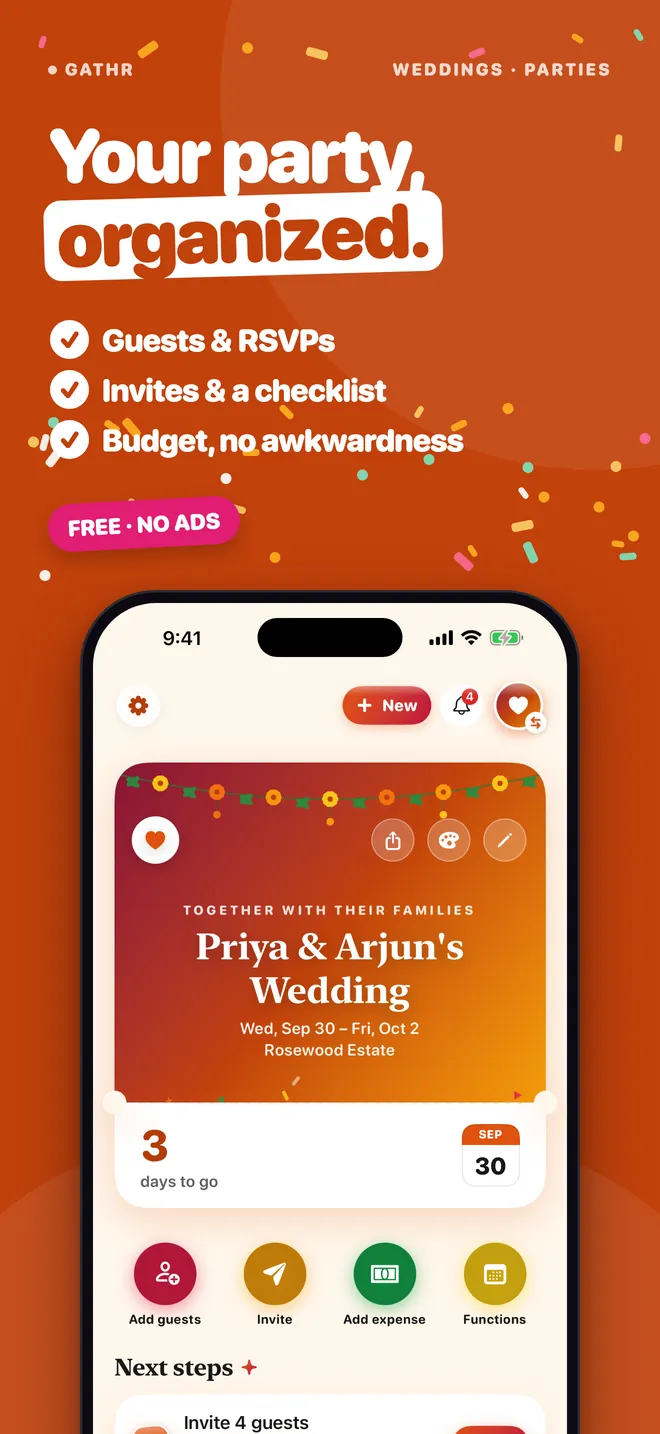
The whole story, in eight pictures
Swipe through. These are the App Store screenshots.
Your guest list stays private
A guest list is phone numbers and emails of people you care about. Gathr treats it that way.
- Events are invitation-only — no public feed, no directory, nothing to discover
- Only you and your co-hosts see guests' contact details; guests never see each other's
- Gathr only sees the contacts you pick, never your whole address book
- No ads, no tracking, no analytics
- Your events are saved to your account so they follow you to a new phone — delete the account in Settings and they go with it
- Gathr never moves, requests or processes money
Gathr or a spreadsheet and a group chat?
Plenty of events are planned in a sheet and a chat. Here's what changes, and what doesn't.
| Gathr | Spreadsheet + group chat | |
|---|---|---|
| Price | Free | Free |
| Guests reply by themselves | Yes, from their own link | You chase and type replies |
| A guest list per function | Built in | A tab per function, by hand |
| Remind everyone who hasn't replied | Two taps | One message at a time |
| Who owes whom | Worked out for you | A formula you maintain |
| A planning checklist with due dates | Built in, per event type | Another tab to keep up |
| An invitation guests want to open | A card in your colours | A plain text message |
| Plan with someone else | Co-hosts | Share the sheet |
| Any column you can think of | Notes, dietary needs, roles | Yes |
Small things that make it easier
Paste a whole guest list
Copy names from anywhere — a note, an email, a chat — and Gathr turns them into guests, flagging anyone already on the list.
Plus-ones, dietary needs, VIPs
Every guest can bring people, note what they eat, and be marked as a guest, VIP or vendor.
A guest limit with a waitlist
Set how many can come. When it's full, new yeses join a waitlist you can move up in one tap.
Free tickets at the door
Give guests a free pass with a QR code and check them in with your camera.
Today on your Lock Screen
On the day, what's on now and next sits on your Lock Screen.
Your tabs, your way
Up to six tabs (five is easiest): keep Guests, Functions, Tasks, Updates or Photos in the bar — the rest stay on Home.
Keep everyone posted
Share updates, answer questions and run polls. Guests who use the app see them on the event.
The cost per guest
Finance shows what each guest who's coming costs you, and suggests the usual costs you haven't logged yet.
Share the guest list
Send the whole list, grouped by reply, as text any time — to the caterer, the venue or whoever's doing the seating plan.
iPhone and iPad
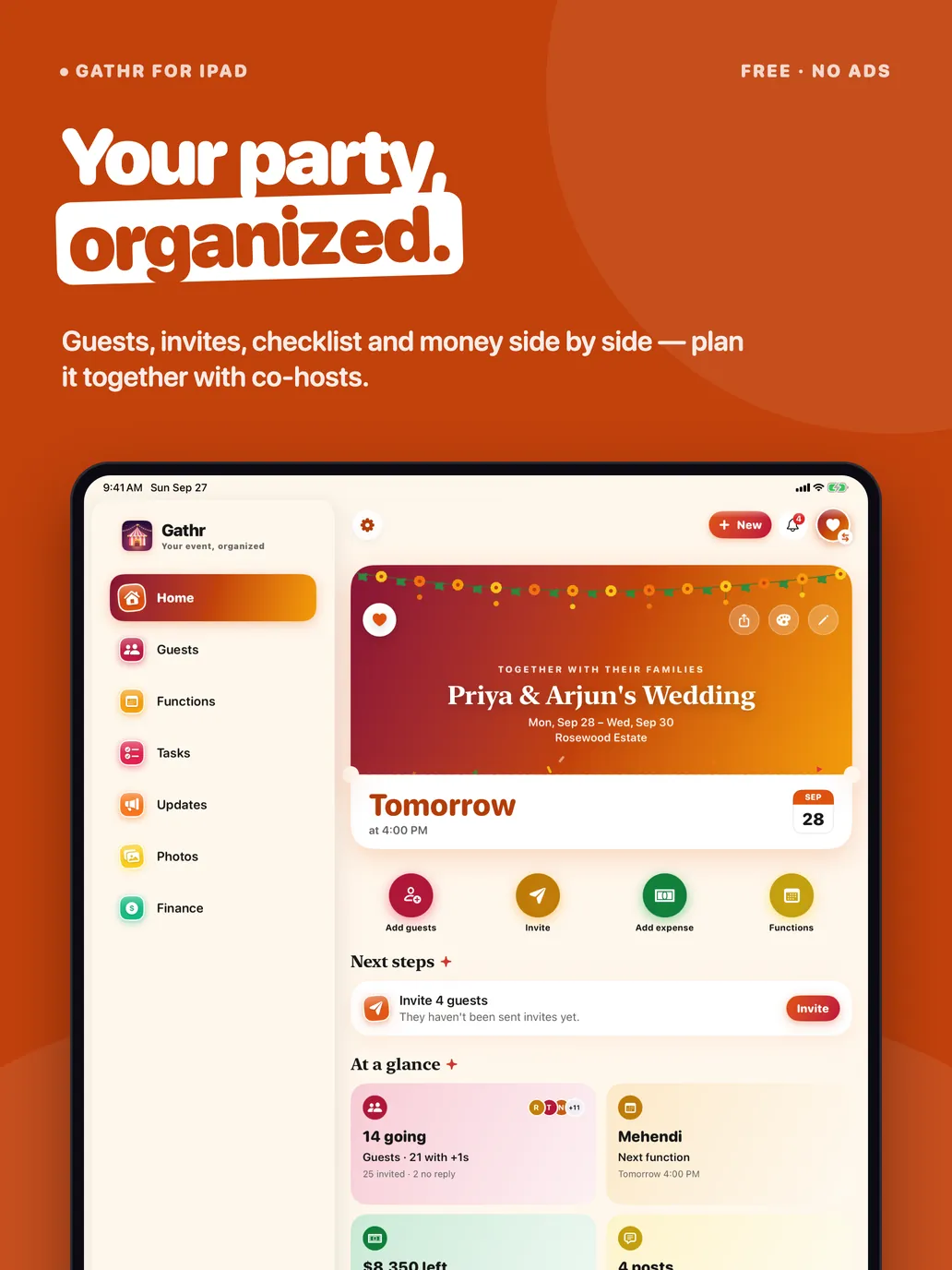
A sidebar layout on iPad, dark mode, and text that follows your size settings.
Questions
Do my guests need the app?
No. Every guest gets their own invite link. They open it in any browser, tap Going, Maybe or Can't go, add plus-ones and a note, and their answer lands in your guest list. No app to download and no account to make.
Can I change how my event looks?
Yes. Pick one of 12 looks — Marigold, Blush, Confetti, Garden, Midnight, Ocean and more — from the palette button on your event's Home. Every screen, button and the tab bar take on those colours, and your guests see the same look on their RSVP page. Change it any time.
Can I write my own invitation message?
Yes. When you send invites, pick a tone — Warm, Fun, Formal or Traditional — and add a personal note. Gathr fills in each guest's name and their own RSVP link. Texts and emails also carry a shareable invitation card in your event's colours.
Is there a wedding checklist?
Yes. The Tasks tab starts you with a checklist made for your kind of event, with due dates counted back from the big day. Add your own tasks, tick them off, and share the list with your co-host.
How do co-hosts work?
Open your event, go to Home › Invite a co-host and share the link with your partner, family or planner. When they open it in Gathr and tap Join as co-host, you both see and edit the same guest list, schedule and budget. Only you can delete the event, and you can remove a co-host at any time. The link works once and lasts seven days.
Is Gathr free?
Yes. Gathr is free with no subscription, no ads and nothing locked. There are no charges to you or your guests.
Does Gathr take payments or sell tickets?
No. Gathr never moves money. The Finance tab is a record of what things cost, who paid and who owes whom. Tickets are free admission passes with a QR code you scan at the door; nothing is sold.
Can each wedding function have its own guest list?
Yes. Add the mehendi, sangeet, ceremony and reception (or dinner, after-party and brunch) to the Schedule. Each part has its own time, place, dress code, guest list and replies, so you always know who is coming to what.
How do I send invitations?
Choose who to invite, then how: the best way for each guest (text if they have a phone number, email otherwise), WhatsApp, text message, email, or copied links to paste anywhere. Gathr opens your own Messages, Mail or WhatsApp; it never sends anything for you. Reminding everyone who hasn't replied takes two taps.
Can I choose the tabs?
Yes. The bottom bar holds up to six tabs (five is easiest): Home first, Finance last, and up to four of Guests, Schedule (Functions for a wedding), Tasks, Updates and Photos in between. Press and hold the tab bar, or go to Settings › Make it yours › Bottom tabs. Anything you leave out stays one tap away on Home.
Who can see my guest list?
Only you and your co-hosts. Guests see the event details on their invite, never other guests' phone numbers or email addresses. Events are invitation-only; there is no public feed or directory.
Do I need an account?
Yes — sign in with Apple, Google or email. Your events are saved to your account so they follow you to a new phone or iPad and can be shared with a co-host. You can delete your account in Settings at any time, and your events go with it.
Does it work on iPad?
Yes. On iPad Gathr has a sidebar with every tab of your event, and everything syncs with your iPhone.
What happened to Explore and public events?
Gathr 4.0 removed them. Gathr is now just for the events you run, which keeps it simple and keeps your events private.
Is Gathr a wedding guest list and RSVP app?
Yes. Each function can have its own guest list, and guests RSVP from a link in any browser — they don’t need the app.
See how Gathr ranks on TopRankedApps (our site), next to the best Community & Events apps of 2026.
Event planning guide
Honest comparisons that include the alternatives, not only our own app.
- Best Guest List App for iPhone (Free, 2026)
- How to Make a Countdown on iPhone (Widget, Lock Screen)
- How to Make a QR Code for a Link (Free, Never Expires)
- How to Collect RSVPs Online for Free (Wedding or Party)
- Punjabi Wedding Functions in Order: List and Planner
- How to Split Wedding Costs Between Families
- Wedding Planning Checklist and Timeline (Canada, 2026)
- How to Plan a Sangeet: Checklist, Timeline and Ideas
- How to Send an RSVP Text (12 Templates You Can Copy)
- How to Plan a Birthday Party (Checklist, 2026)
- How to Make a Wedding Guest List (Step by Step, 2026)
- Joy Wedding App Alternatives for Multi-Day Weddings
- Free Paperless Post Alternatives (No Coins)
- The Knot App Alternatives for Wedding Planning
- Evite Alternatives: 5 Free Evite Competitors
- Best Event Planning Apps for iPhone: 11 Compared
- Free Partiful Alternatives for Bigger Events
- Zola Alternatives for Planning a Wedding











 MMA.
MMA. Trending
 Bold
Bold Top
Top