 A note
 Checklist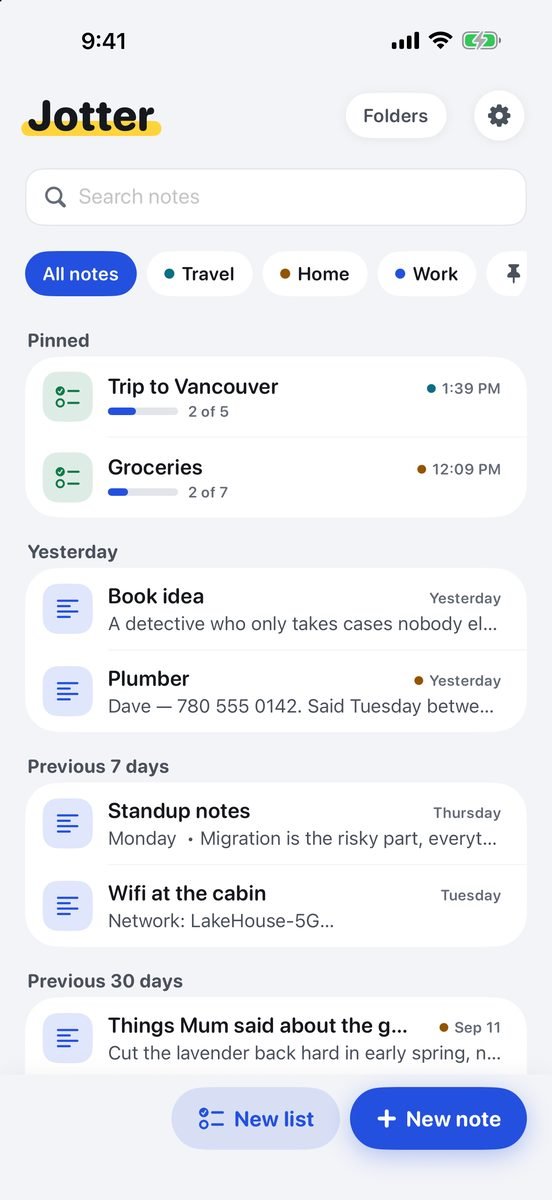
 Jotter
 Free · No account · No ads
Jotter
The notes app for iPhone and iPad that gets out of your way
Open it and start typing. There is no title to invent, no folder to choose and no save button: the first line names the note, and it is saved before you finish the sentence. Checklists, Apple Pencil handwriting, photos, scans and voice notes sit in the same note, and everything syncs through your own iCloud.
Free on the App Store — no subscription, no ads, nothing locked. Made in Canada by The Big Head.
What it looks like
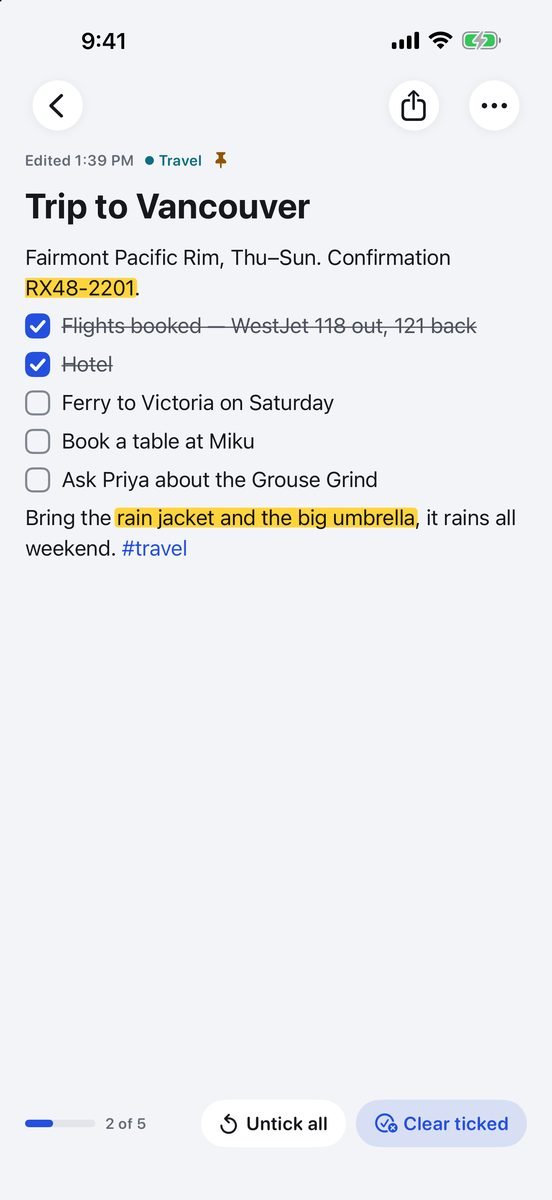
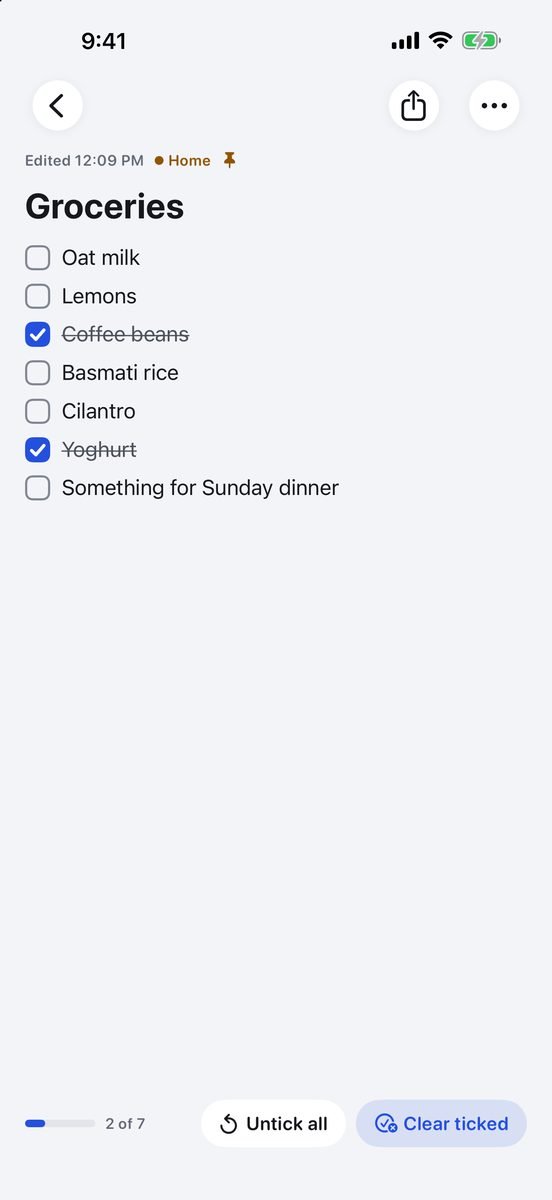
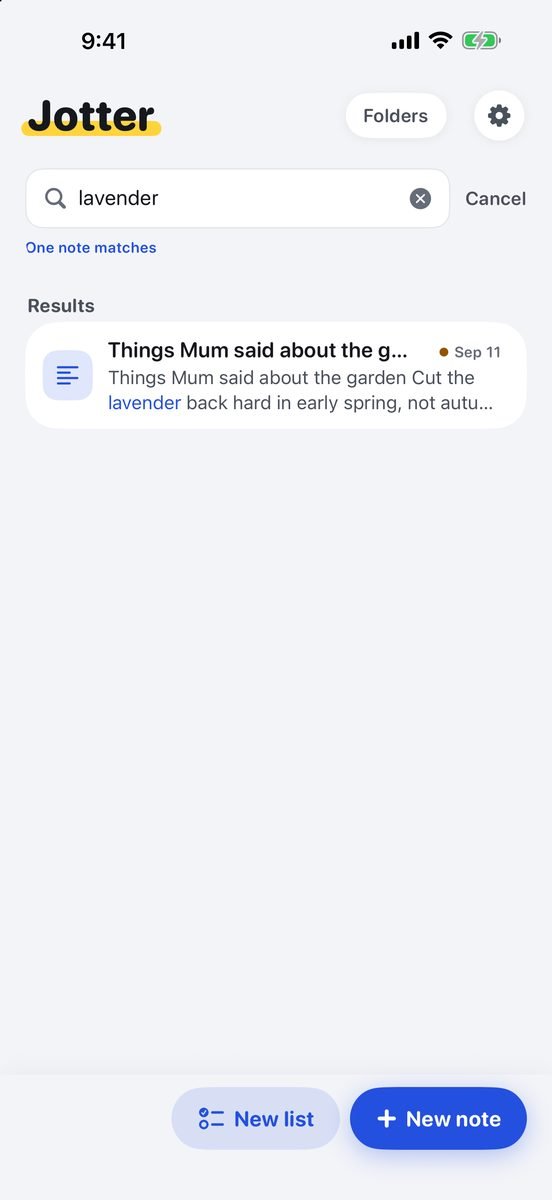
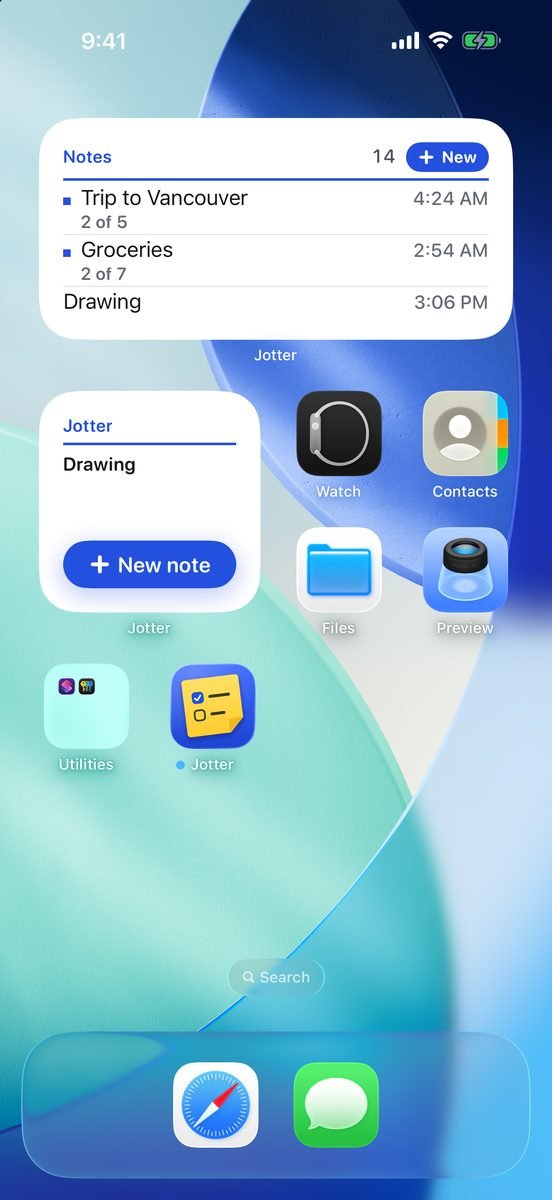
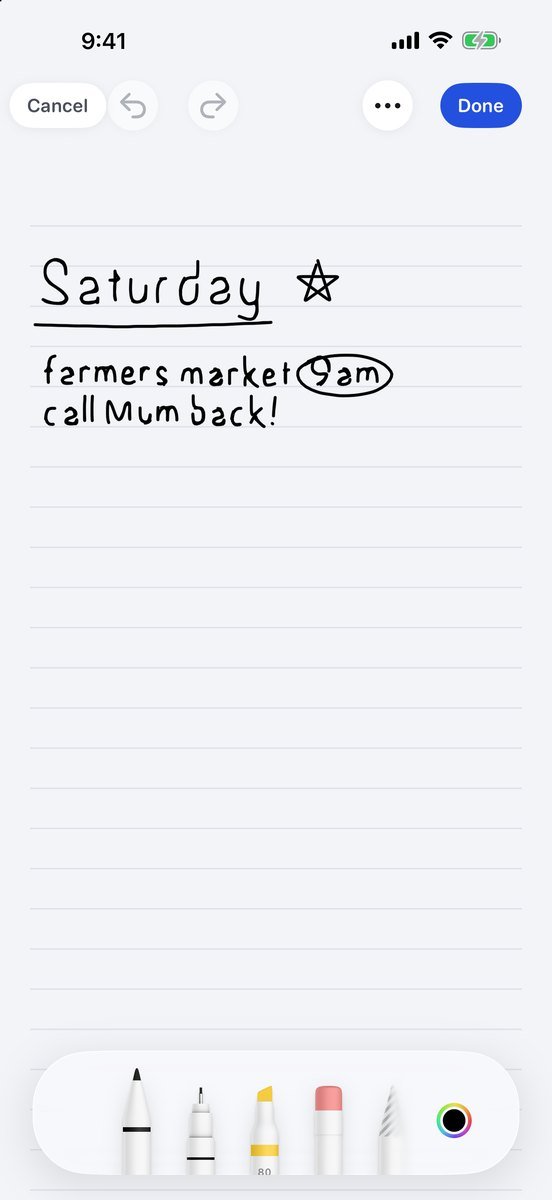
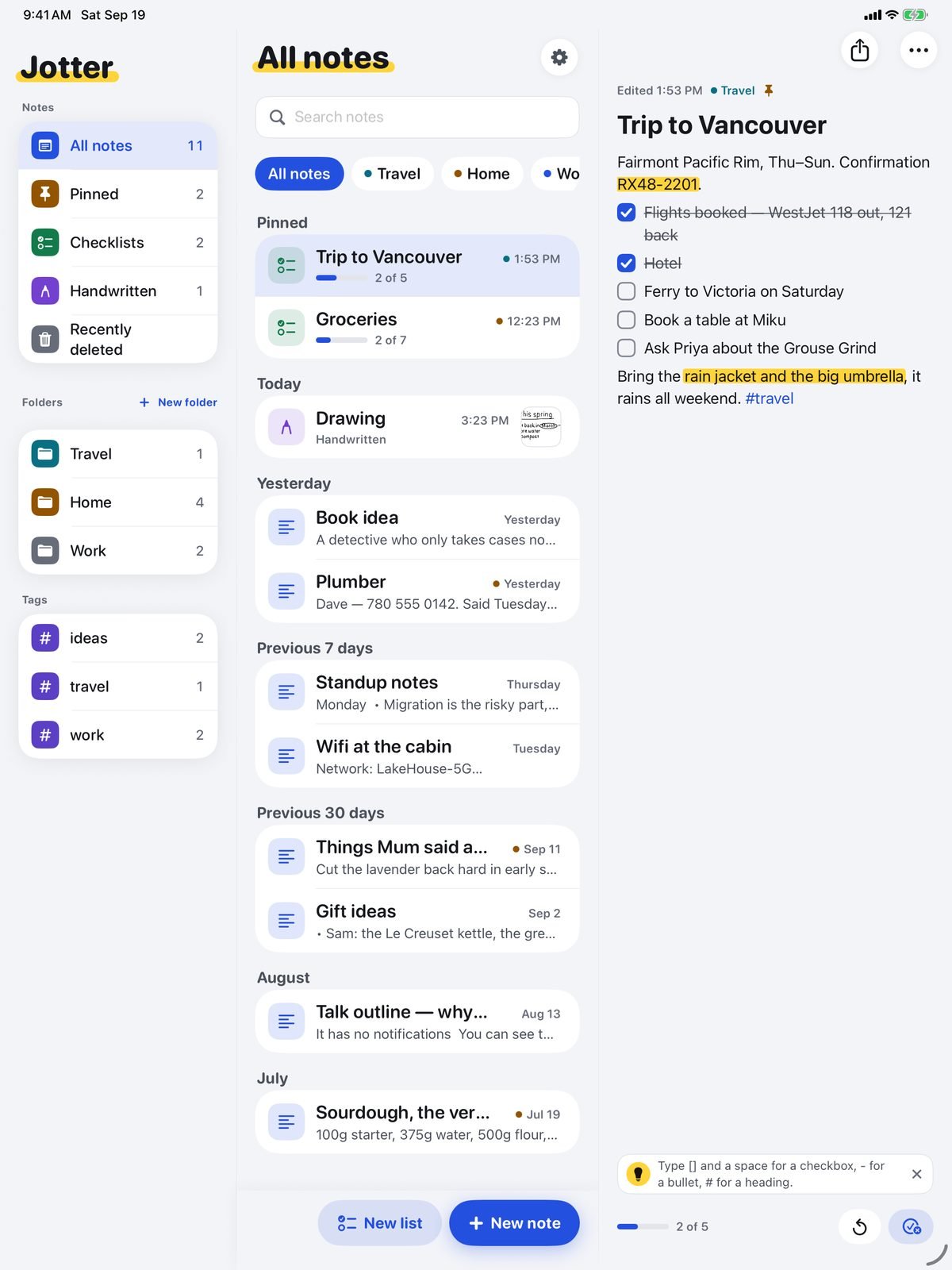
One list and one page, and on iPad the two side by side with your folders. Nothing here is a mockup — these are screenshots of the app.
New in 1.5 Link your notes together and tap a link to jump straight there, tap a #tag to see every note with it, and open a note from search to land on the word you searched for, lit up. Plus Find in note, swipe right anywhere on a note to go back, and PDFs that wear your theme — your title highlighter, checkboxes and cross-offs.
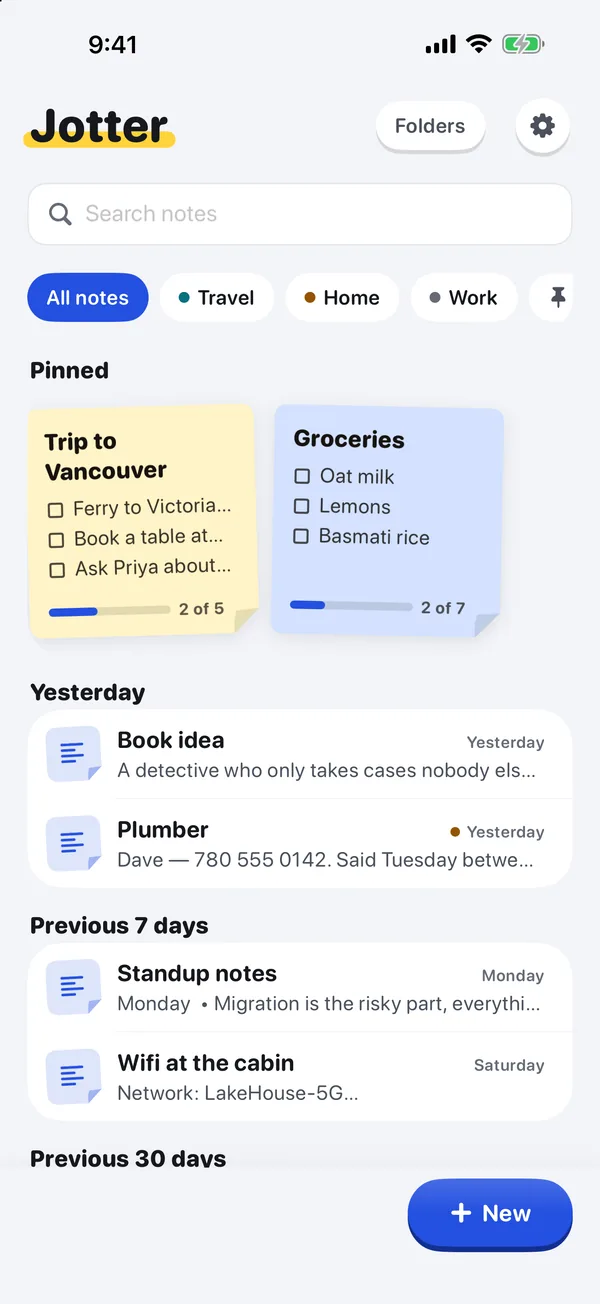
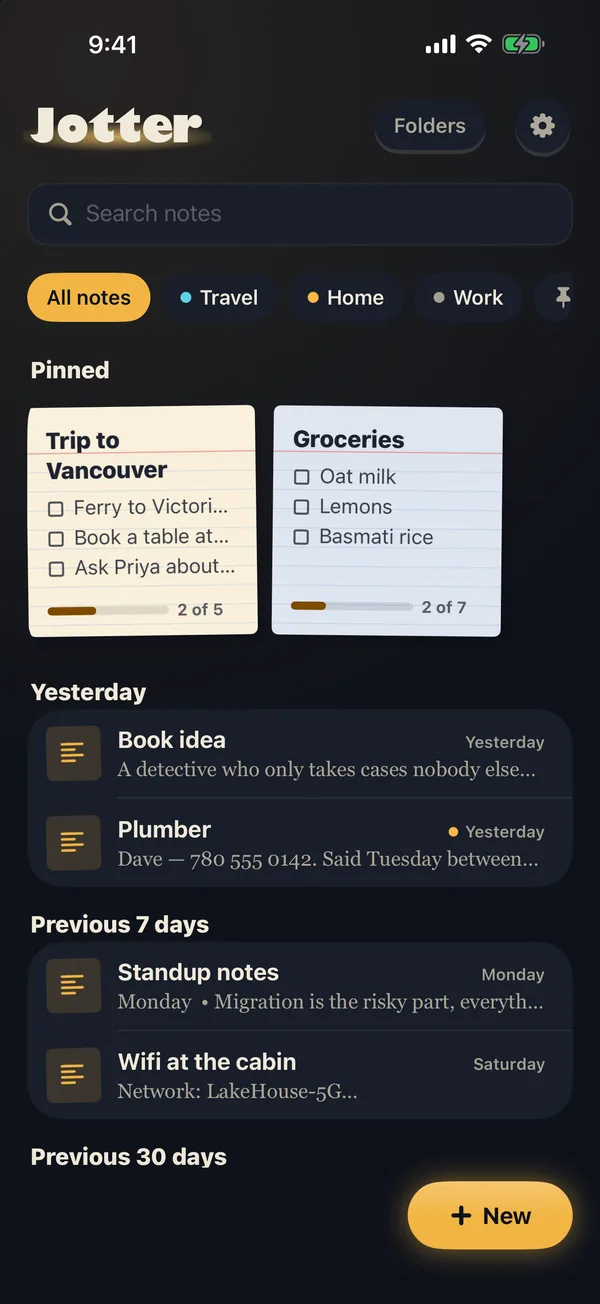
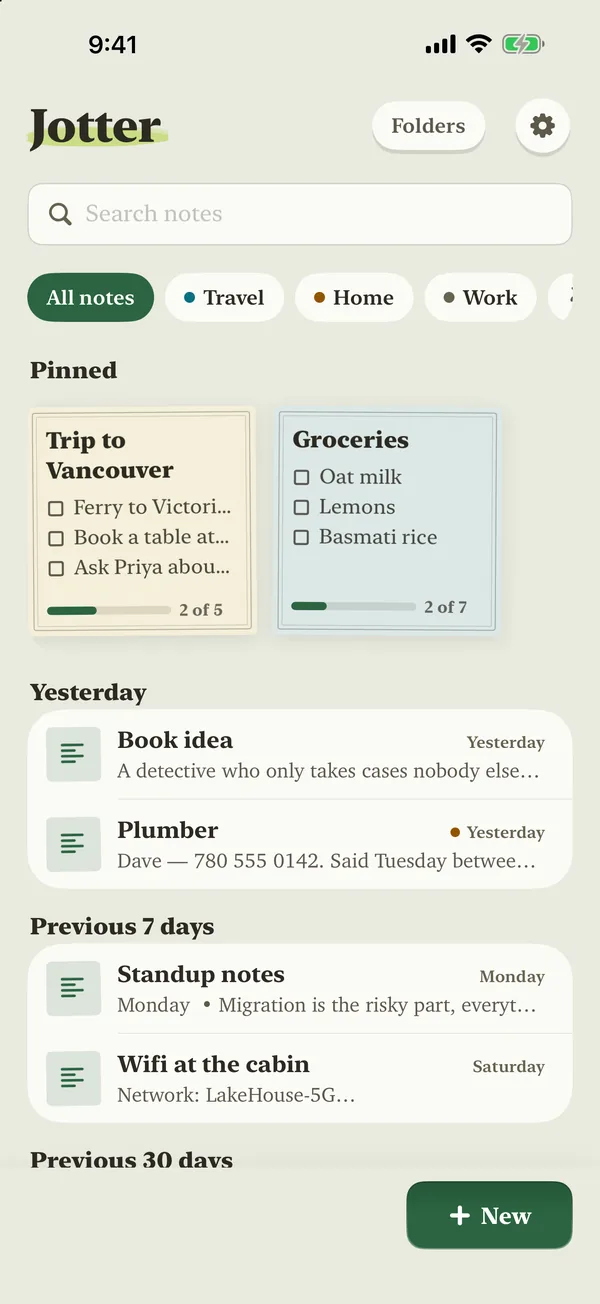
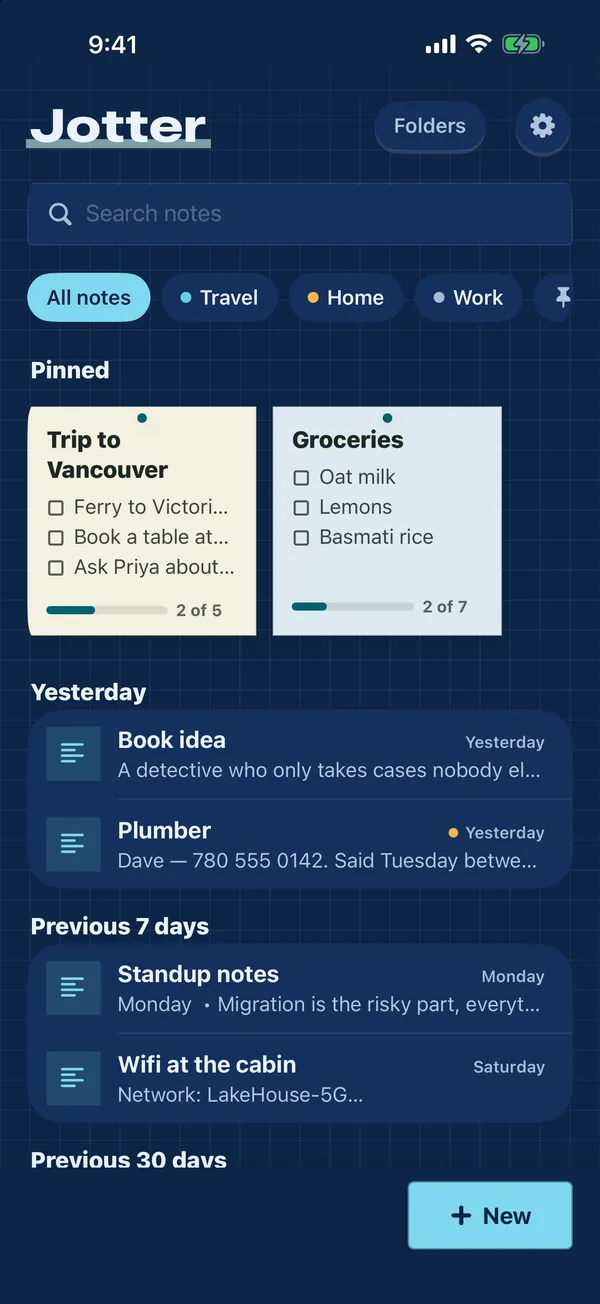
Seven themes, all free
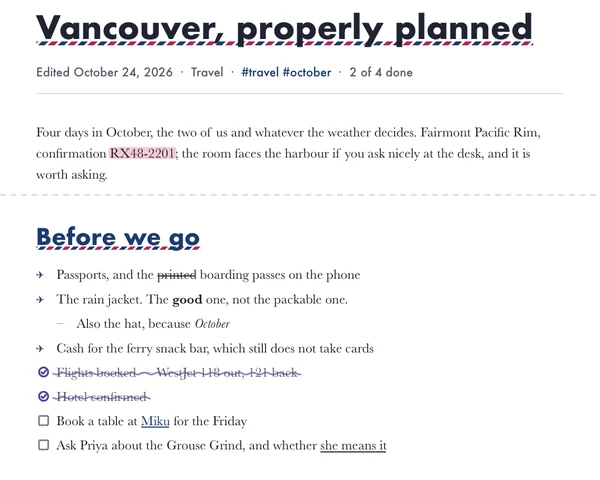
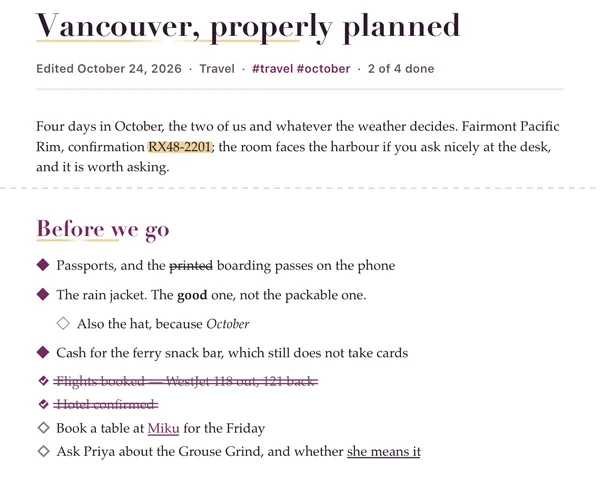
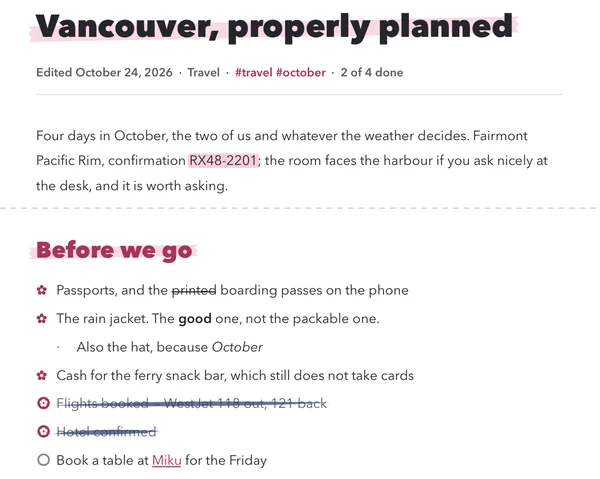
Each one changes the colours, the type, the highlighter, the checkboxes, the sticky notes and the buttons. Your Home Screen icon can match.
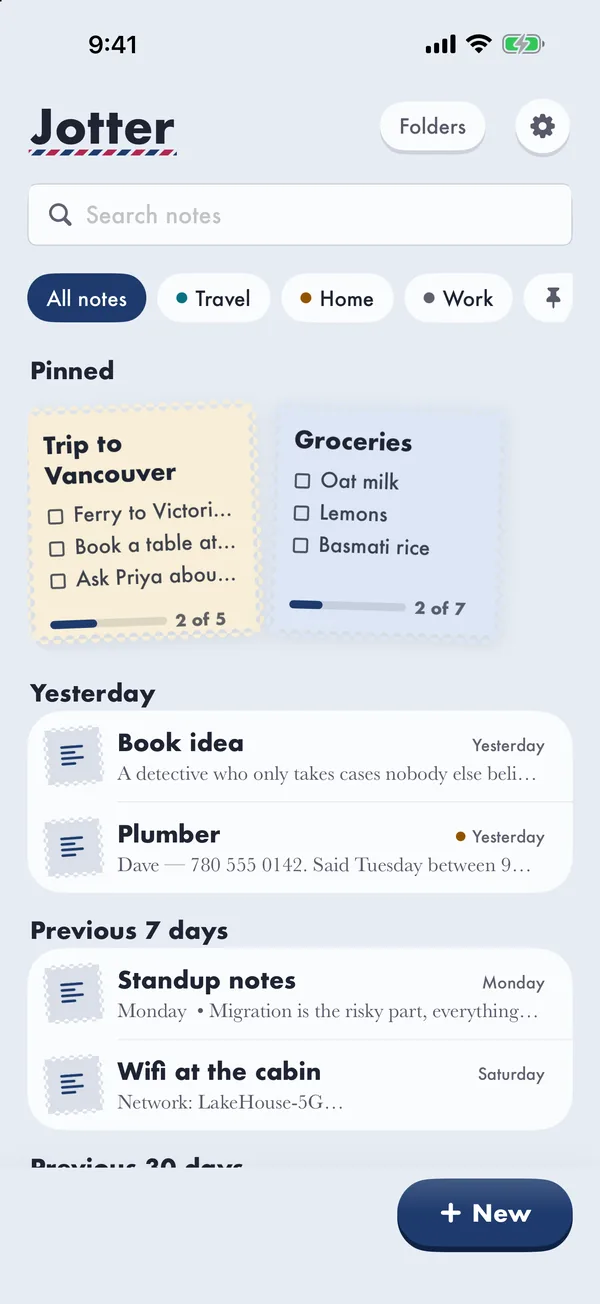
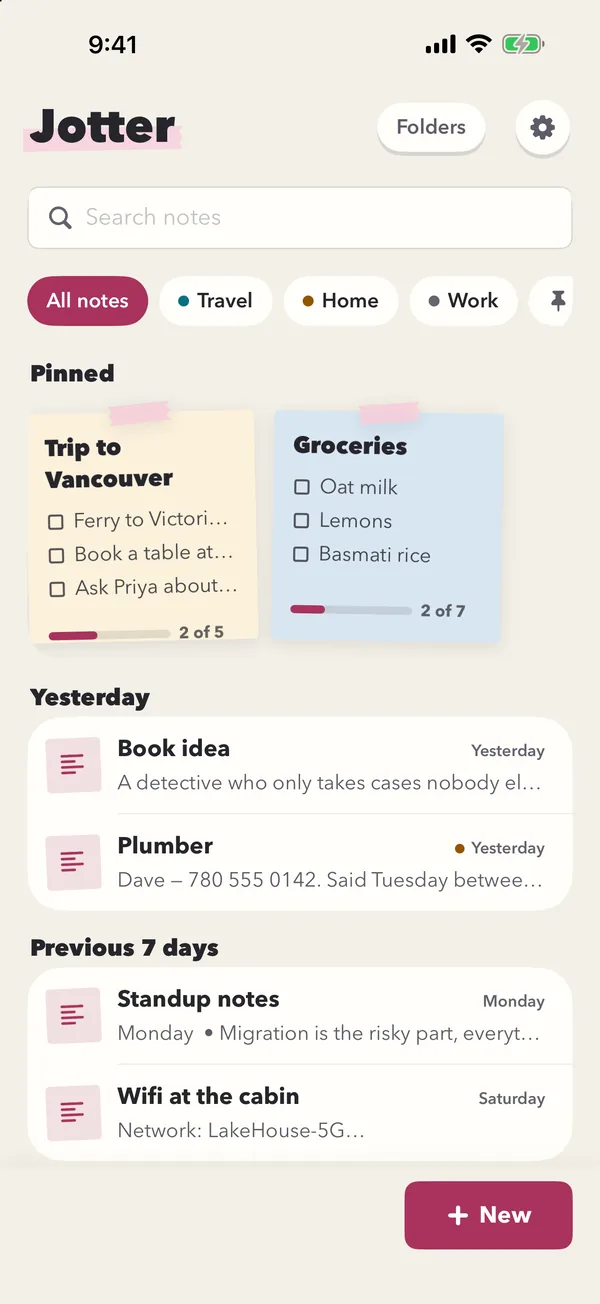
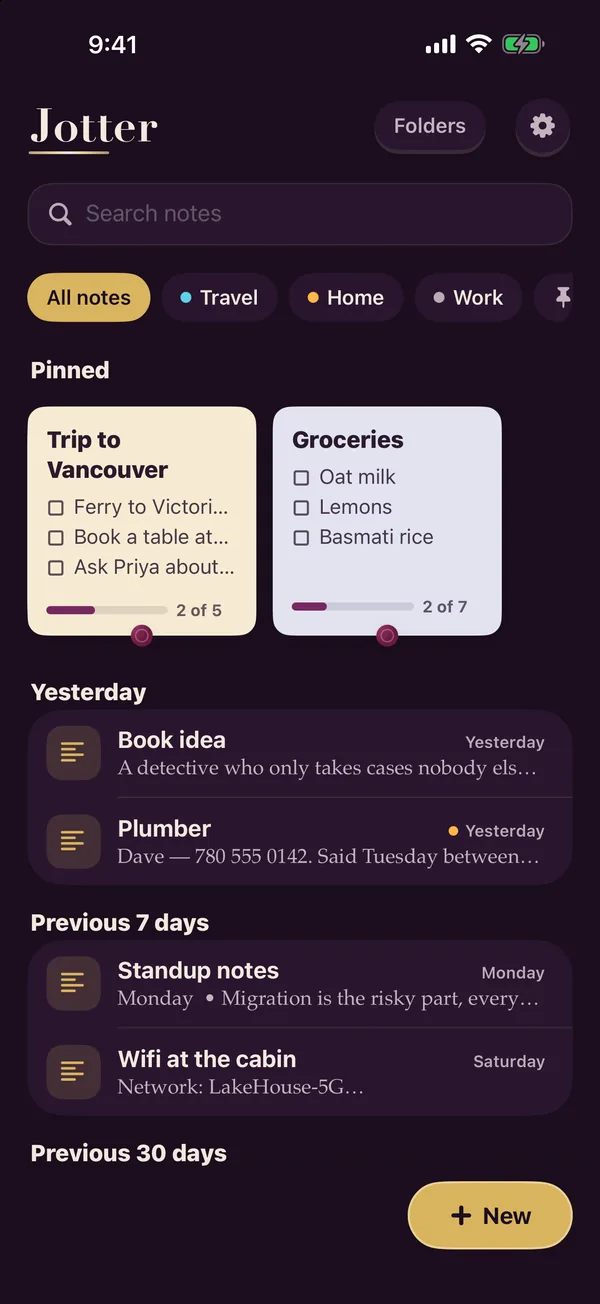
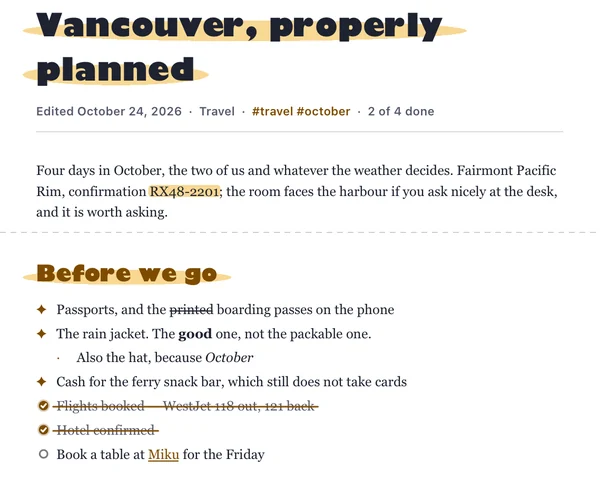
PDFs in your theme
Share a note as a PDF and it keeps your theme’s highlighter, checkboxes and cross-offs. These are real exports of one note in four themes.
Lists that tick
Tap New, then List, name it, press return, and every return adds the next item. Tick one and it fills, strikes through and sinks below what is still to get. Afterwards, untick the lot to use the list again.
Handwriting
Write or draw with Apple Pencil on iPad, or your finger on iPhone, on blank, lined, grid or dotted paper. Your handwriting is read on the device, so it turns up in search.
Photos, scans and voice
Photos, scanned documents, voice notes and files sit in the note beside your words. The text in your pictures is searchable, and voice notes are transcribed on your device.
Search that forgives
A word or two, in any order, without minding capitals or accents. Jotter looks through titles, text, tags and the words inside your pictures, and shows you the sentence it found.
How to use Jotter
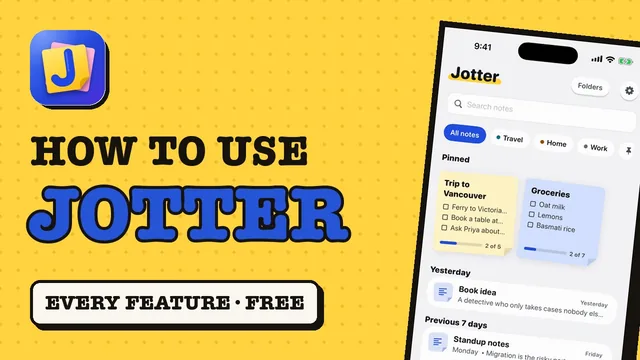
A 2-minute walkthrough of every feature, filmed on the iPhone simulator with Jotter's own sample notes, in version 1.5. The narration is an AI voice; every screen is the real app.
Your notes are not our data
Most notes apps keep your notes on their own servers, behind an account. Jotter has neither. There is nothing to sign up for, nothing to breach, and no terms that can change under your notes later.
- No Jotter account — you never create a login
- No Jotter server — notes sync only through your own iCloud
- Handwriting, photo text and voice notes are read on your device, never uploaded
- Every note exports as a Markdown file whenever you like
- No analytics SDK, no advertising identifiers, no third-party code at all
Built for the moment you think “I need to write this down”
Native Swift and SwiftUI throughout — not a web page in a wrapper. That is what makes the small things possible.
From anywhere, in a second
A New note widget on the Home Screen and Lock Screen, a Control Center button, Siri — “Jot down in Jotter” — and the Share button in any app, into a new note or one you already have.
Organise later, or never
Pin what matters. Write a #tag and it becomes a filter. Make a folder when a set of notes wants a name. Or don’t: everything is always in All Notes.
Forgiving
A deleted note waits in Recently Deleted for thirty days, with Undo right there as it goes. A note that holds something private can be locked behind Face ID.
Yours to keep
Export a note as a PDF or as text, or the whole library from Settings as Markdown files with the photos and recordings beside them, one folder per Jotter folder — a format any app can open, now or in twenty years.
Questions
Do I need an account?
No. There is no Jotter account and no Jotter server. Your notes stay on your device and sync between your own iPhone and iPad through your personal iCloud.
What does it cost?
Nothing. Every feature is free, including the widgets, handwriting and iCloud sync. There is no subscription, no premium tier and no ads. The only purchase is an optional tip in Settings, and it unlocks nothing.
Does it work with Apple Pencil?
Yes. On iPad you can write or draw with Apple Pencil on a page that grows as you go, on blank, lined, grid or dotted paper. On iPhone you draw with your finger.
Can I get my notes out?
Yes, any time. Settings → Export all notes writes every note as a Markdown text file, with its photos and recordings beside it. A single note exports as a PDF or as text from its More menu.
Is my handwriting or my voice sent anywhere?
No. Handwriting and the text in your photos and scans are read on your device with Apple’s Vision framework, and voice notes are transcribed on your device with Apple’s Speech framework. If your iPhone cannot transcribe your language on the device, Jotter keeps the recording and skips the transcript rather than send it anywhere.
Does it work offline?
Yes. Everything lives on your device, so every feature works with no connection, and changes sync the next time you are online.
Is there an Android or web version?
No. Jotter is made for iPhone and iPad only, and needs iOS 18 or later. The things it leans on — widgets, Siri, the Share Sheet, Apple Pencil, on-device text recognition — are exactly what a cross-platform build cannot do well.
Is Jotter a free alternative to Apple Notes?
Jotter is free, with no subscription and no ads, and like Apple Notes it syncs through your own iCloud. It opens straight to a blank note, with checklists, Apple Pencil handwriting, scans and voice notes in the same note.
Where Jotter is compared
Every roundup on this site names competitors and gives every app, ours included, a stated drawback.
- Best Free Notes Apps for iPhone (2026)
- Private Notes Apps for iPhone: Who Can Read Your Notes?
- Free Handwriting Note Apps for iPad and iPhone
- How to Take Quick Notes on iPhone (Fastest Ways)
- How to Make a Checklist in Notes on iPhone (and Reminders)
See how Jotter ranks on TopRankedApps (our site), next to the best Productivity & Notes apps of 2026.
Jotter is free on the App Store
No subscription, no ads, no account to create.
Download on the App StoreNotes app guides
Honest comparisons that include the alternatives, not only our own app.
- Best List App for iPhone: Checklists You Can Reuse
- How to Share Wi-Fi Password From iPhone to Any Device
- How to Copy Text From an Image on iPhone (Live Text)
- How to Make a PDF on iPhone (From Photos, Notes or Files)
- How to Compress Photos on iPhone (Reduce Photo Size)
- How to Convert HEIC to JPG on iPhone, Mac and Windows
- How to Transfer Photos From iPhone to PC or Mac (Free)
- iPhone Storage Full? How to Free Up Space (Keep Your Photos)
- How to Back Up Notes on iPhone (With or Without iCloud)
- How to Recover Deleted Notes on iPhone: 5 Places to Look
- How to Transcribe Voice Memos on iPhone (Free)
- How to Convert Handwriting to Text on iPad and iPhone
- How to Lock Notes on iPhone With Face ID
- How to Scan Documents on iPhone (Free, No App Needed)
- How to Make a Grocery List on iPhone (That You Reuse)
- How to Organize Notes on iPhone (Without Wasting Time)
- Apple Notes Alternatives for iPhone (Free, 2026)
- Drafts App Alternatives for Fast Note Capture
- Simpler Notion Alternatives for Quick Notes
- Free Goodnotes Alternatives for iPad and iPhone
- Free Bear App Alternatives That Sync
- Best Free Evernote Alternatives for iPhone
- Best Notes App for iPhone (Free): 8 Compared
- Best Free Handwriting Notes App for iPad
- How to Make a Checklist in Notes on iPhone (and Reminders)
- Most Private Notes App for iPhone: 6 Compared
- How to Take Quick Notes on iPhone (Fastest Ways)











 MMA.
MMA. Trending
 Bold
Bold Top
Top