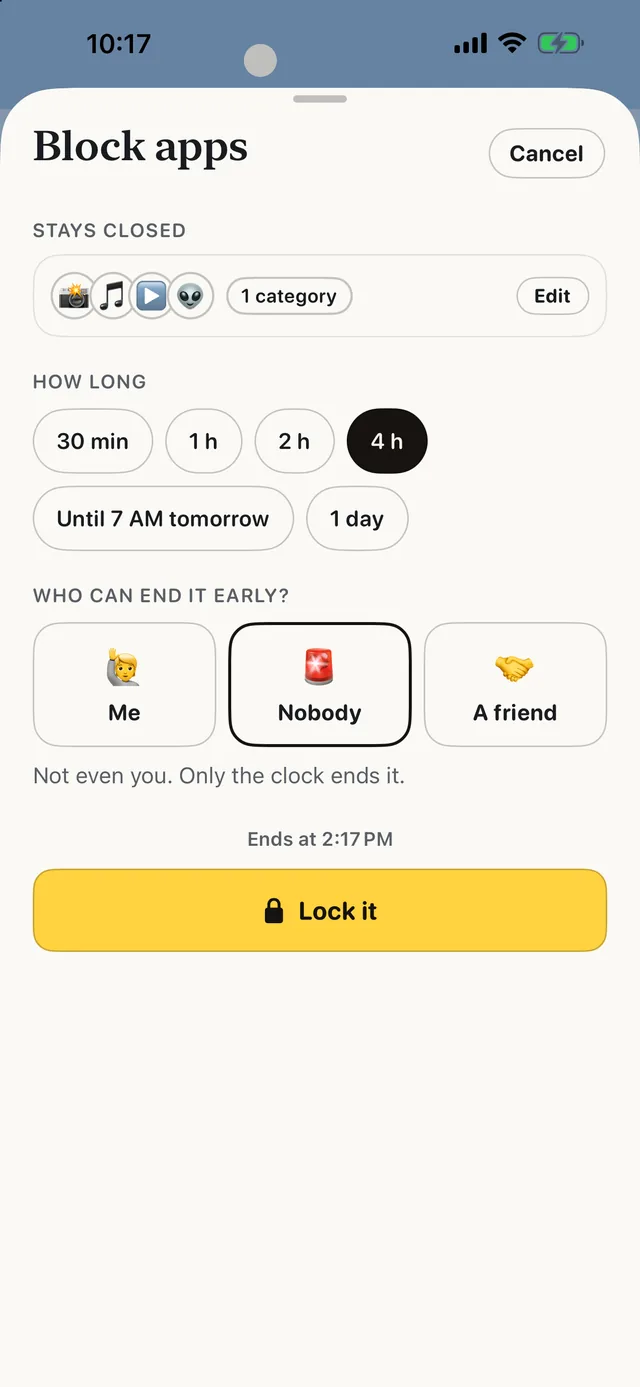
 Block apps
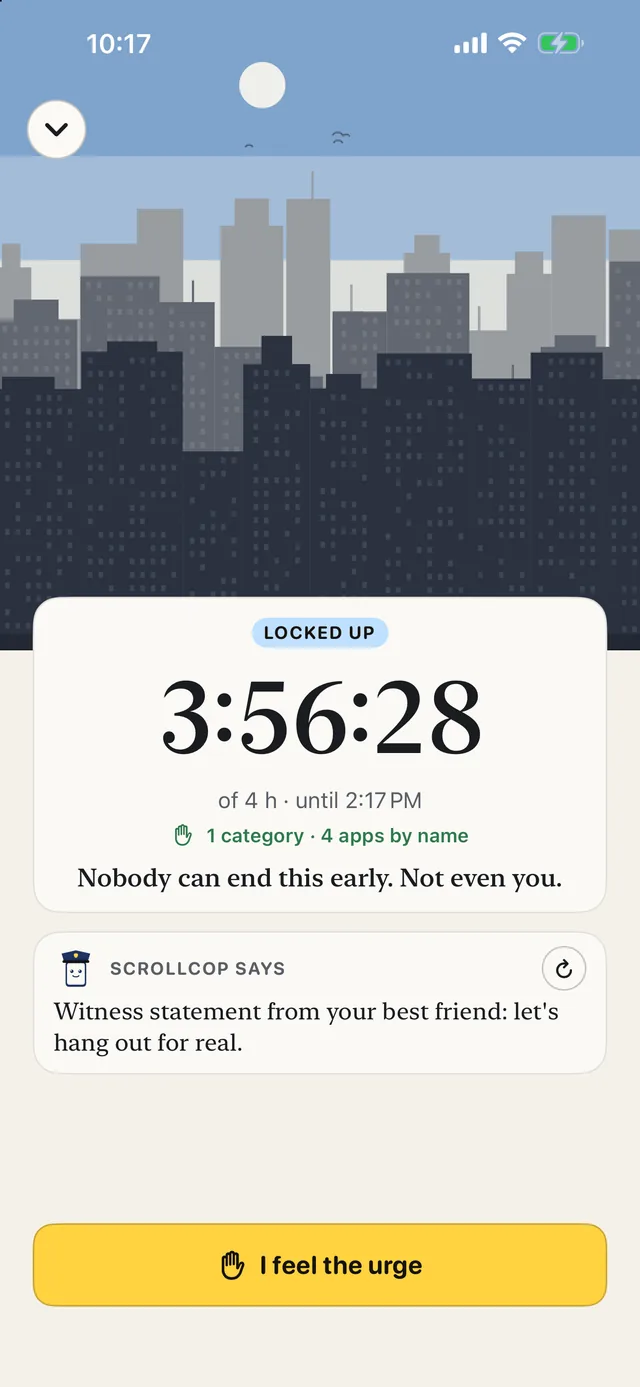 Locked up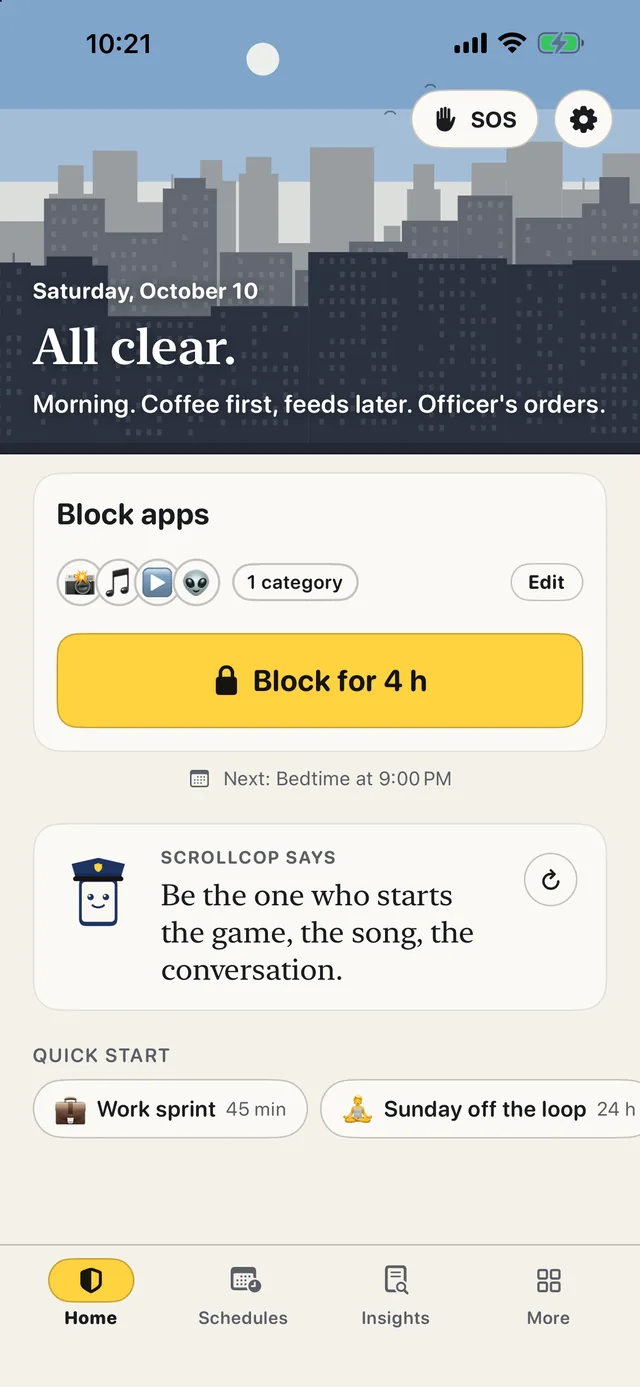
 ScrollCop
 Free · No account · No subscription
ScrollCop: App Blocker
Block the apps that eat your time — and let a friend hold the key
Every blocker has an off switch, and at 11 p.m. you will find it. ScrollCop is built around the one thing people who quit scrolling keep saying worked: someone else holds the key. Tap the apps, pick a length, and they vanish from your Home Screen. Give a friend your key and only they can end a block early. Not even you can get around it.
Free, with no subscription and no in-app purchases. Made in Canada by The Big Head. Not medical advice.
Real blocking
Built on Apple's Screen Time. Blocked apps disappear from the Home Screen and show a shield instead of opening. Instagram, TikTok, YouTube, whole categories, or any website. Held by iOS, not by the app.
Who can end it early
Start a block and pick: you, nobody, or a friend. A friend gets a one-time 6-digit PIN by text, and only that PIN ends the block early. They need no app. For the strongest lock, give them your friend key: codes only their phone can make.
SOS for the urge
When the pull hits, SOS asks what you're escaping right now, gives you something better to do for five minutes, then checks whether the pull dropped. It learns which things work for you. SOS sits at the top of More, on Home and the lock screen while a block runs, and in the widget.
Boredom Gym
Twenty-two short exercises for sitting with nothing, each with its source. Today’s one is picked for you: one tap, phone face down, a buzz when time’s up. Thirty seconds first, then longer.
What it actually looks like
Real screens from ScrollCop 3.0, straight from the app. Light mode shown, the default; pick Light, Dark or Match iPhone in Settings, and the city skyline in the header lights up at night.
New in 3.2 Every block you finish is a numbered case — close one and the cop salutes, and tap the cop for a new line. Keys you hold for friends fold into one tidy row on Home with Send right there, ending a block early asks a different question each time, the 30-Day Rebuild shows steps done and days to go, and schedules can switch on Screen Time right from the Schedules page.
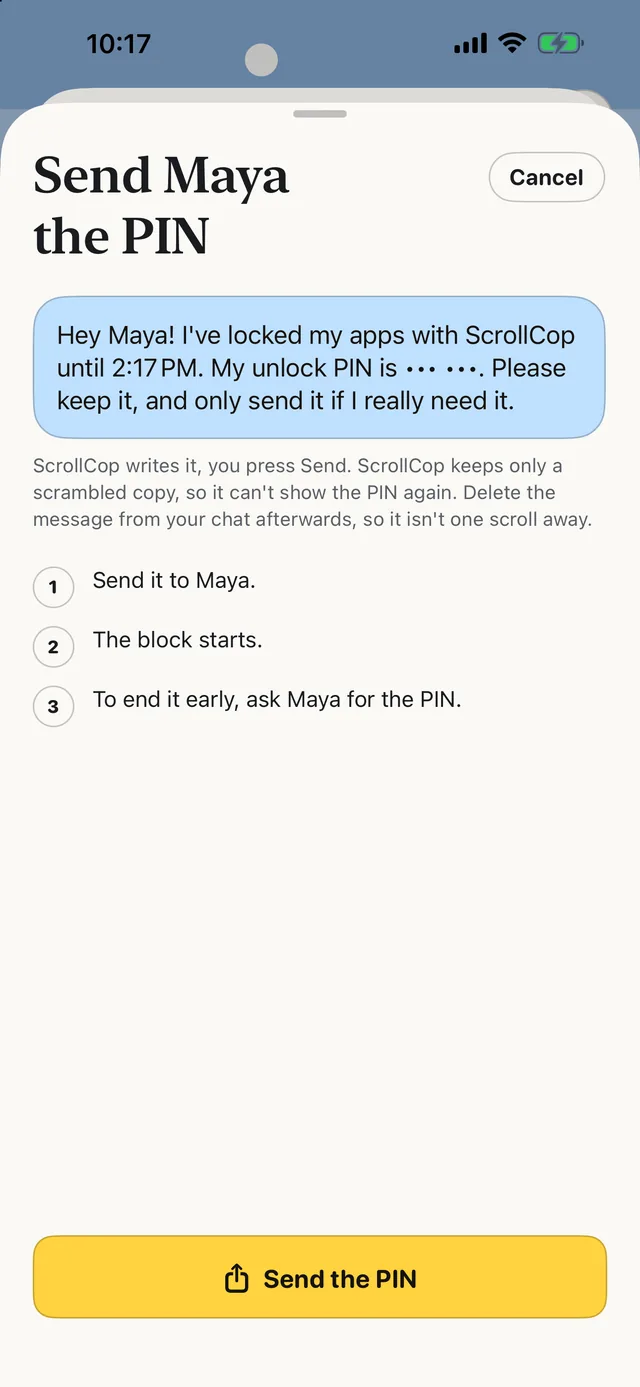
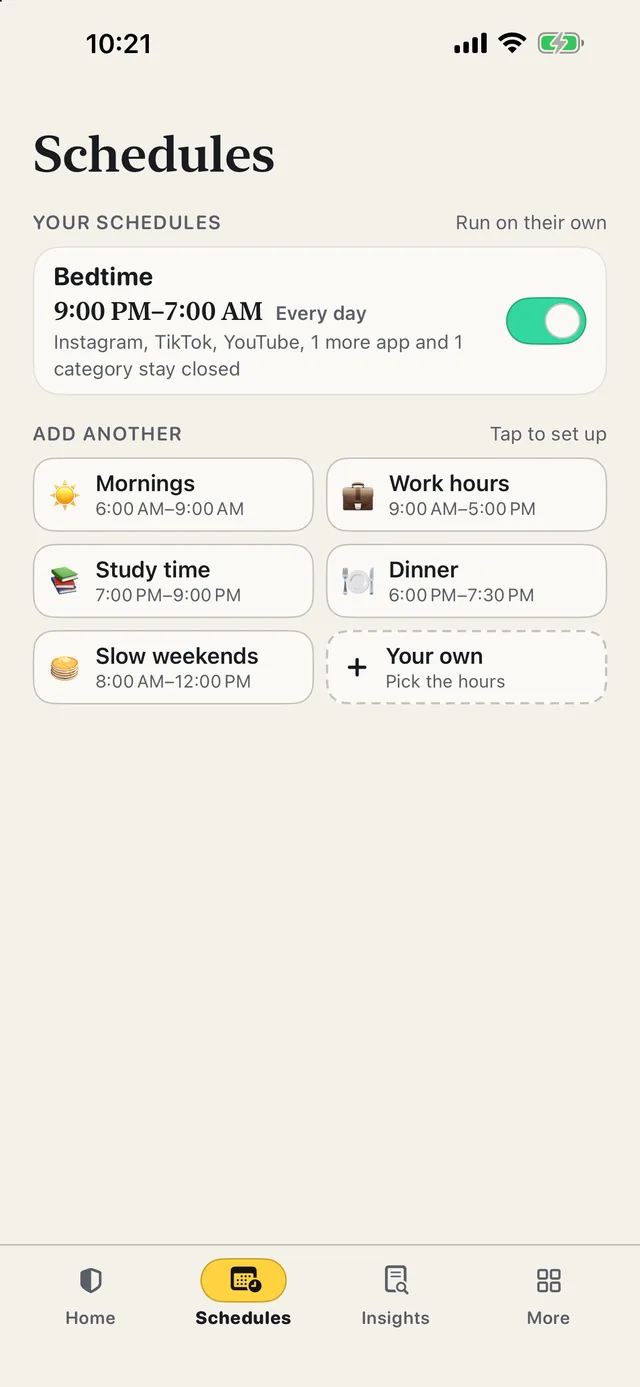
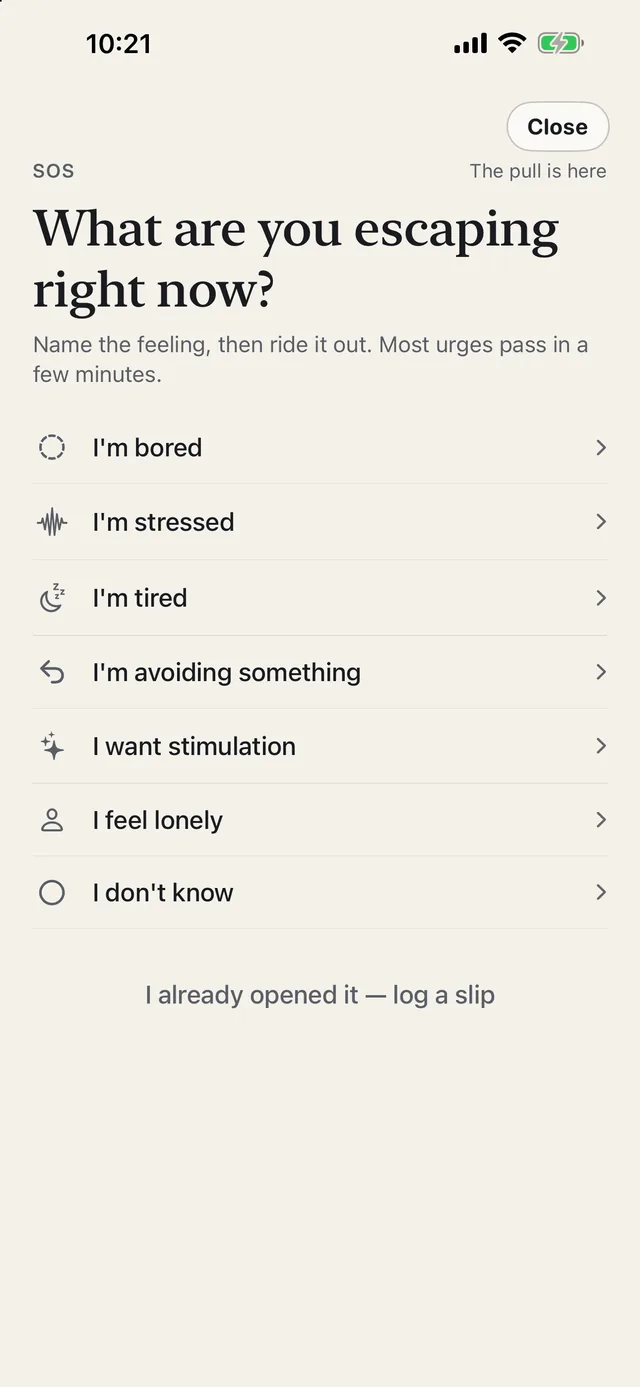
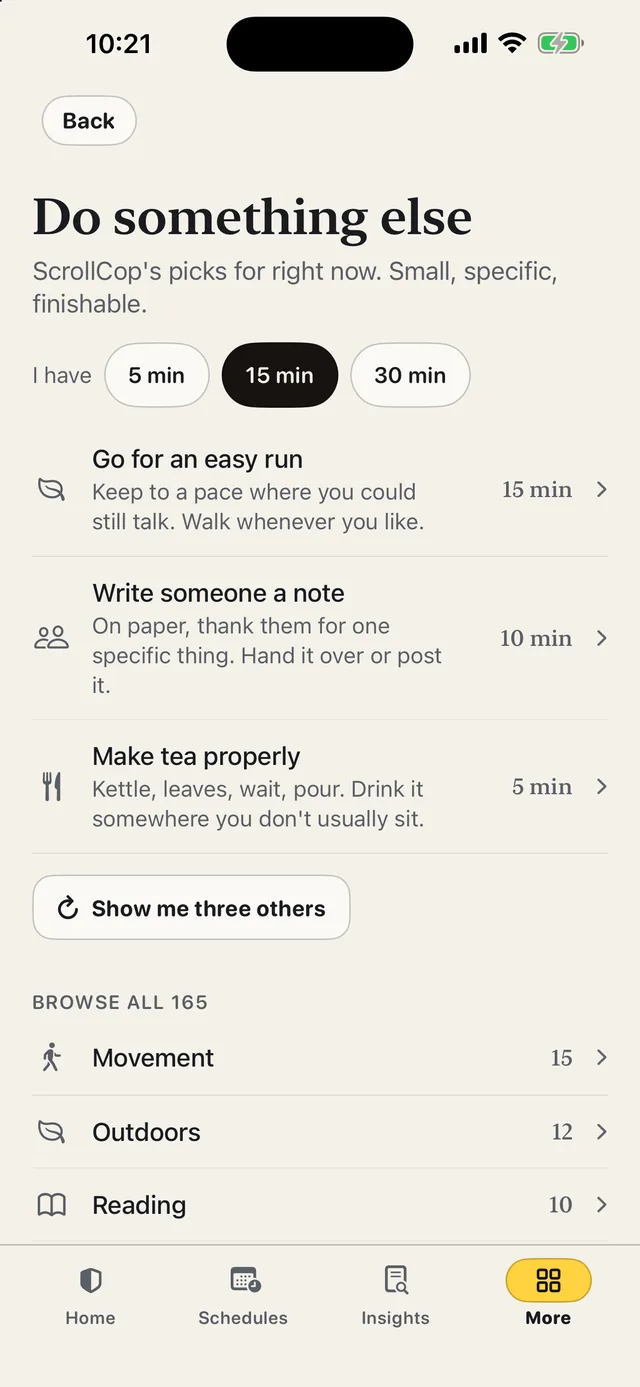
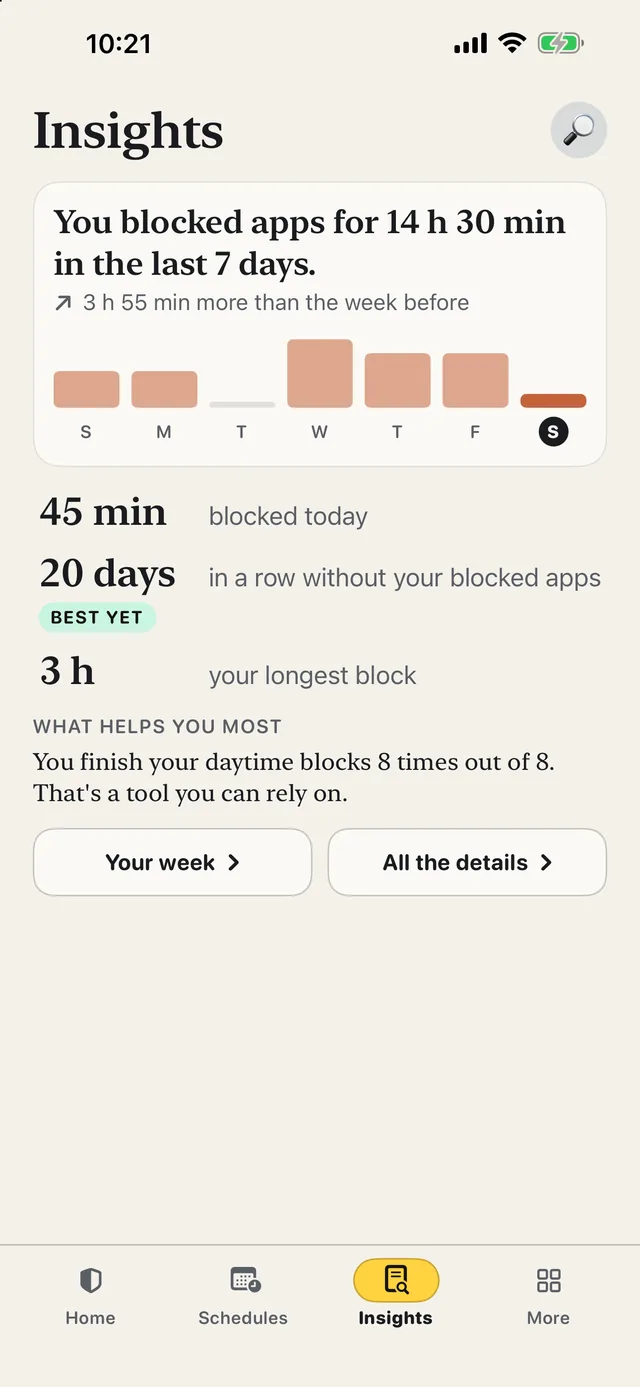
Captured on iPhone 17 Pro Max. The app names shown are the ones you pick; ScrollCop ships with no list of what you use.
How to use ScrollCop
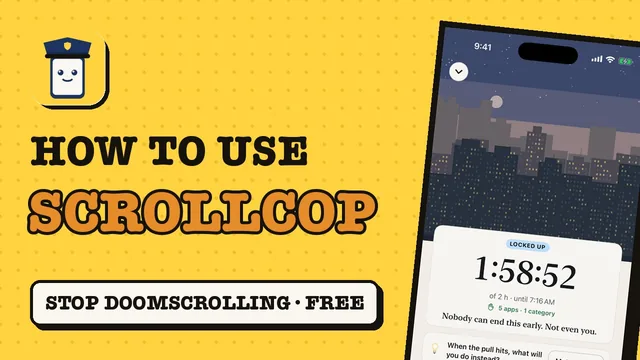
A 2-minute walkthrough of every feature, filmed in ScrollCop's demo mode on the iPhone simulator, because Screen Time doesn't run there. The narration is an AI voice; every screen is the real app.
How a block works
Two taps on a good day. A phone call to a friend on a bad one. That difference is the whole product.
1. Pick what stays closed
Tap big app tiles for the usual suspects, or “Choose from your phone” to open Apple’s Screen Time picker: every app you have installed, whole categories and websites. Calls, Messages, Maps and banking stay open unless you add them.
2. Pick how long
Thirty minutes, an evening, until 7 AM, a whole day, or "until unlocked". Or set a schedule that runs by itself every day, with its own apps: YouTube and Reddit during study time, everything at bedtime. Start from Bedtime, Mornings, Work hours, Study time, Dinner or Slow weekends, or make your own.
3. Shut the door
The apps disappear. Open one from a link or Spotlight and you get a Screen Time shield with no Ignore button. Add apps mid-block, or add thirty minutes, but never remove any while a friend lock holds.
4. Or lock it
Choose who can end a block early. Nobody: it opens when time’s up. A friend: ScrollCop texts them a one-time PIN, and only that PIN ends it (or their code, if they hold your key). Can’t reach them? The emergency unlock waits an hour, four hours or a day. Most urges pass long before that.
What "dopamine detox" means here
It's the phrase people search for at 1 a.m., so it's on the app. It is not a claim about brain chemistry.
No dopamine score
Dopamine neurons signal reward prediction, not pleasure, and nothing you do for a day resets them. ScrollCop never shows a number it made up. Every exercise cites the study it comes from instead.
Win rate, not streaks
Streak counters are the top reason people delete habit apps after one bad night. ScrollCop shows the share of blocks you finished and never resets anything to zero. There are no leaderboards.
A relapse is data
Ending a block early asks one question: what was going on? Bored, stressed, lonely, avoiding something. That answer is the most useful thing you can log, and it's never shown back as shame.
Replace, don't just remove
Blocking leaves the boredom or dread underneath. SOS, fifty-five small activities and the Boredom Gym exist so the gap gets filled with something other than another feed.
We can't see your data. By design.
A tool for getting your attention back shouldn't be another thing harvesting it. ScrollCop has no server, so there is nothing to breach and no terms that can change later.
- No account and no server. The app makes no network requests of its own
- Apple's Screen Time gives ScrollCop opaque tokens for the apps you pick. ScrollCop never learns which apps they are
- Usage numbers in Insights are drawn by an Apple-controlled extension on your phone. The app itself never receives them
- The friend key is made on your friend's device and stays there. Your phone keeps only the part that checks a code. Nobody in the middle
- No analytics SDK, no advertising identifiers, no third-party code at all
- Export everything as JSON or delete it, whenever you like
How it compares
Different tools make different trades. This is about which job each one is for, not which is best.
| Tool | How it blocks | The off switch | Needs an account | Price |
|---|---|---|---|---|
| ScrollCop | Apple Screen Time shields | Your choice: nobody, or a friend’s one-time PIN (with a delayed emergency unlock) | No | Free |
| Screen Time limits (built in) | Apple Screen Time limits | "Ignore Limit", one tap | No | Free |
| Delay / breathing apps | A pause before the app opens | Wait it out, then it opens | Varies | Often a subscription |
| Hardware-token blockers | Screen Time, unlocked by tapping a physical token | Walk to the token | Varies | One-time hardware purchase |
| Phone in another room | Distance | Walk to the phone | No | Free |
Categories describe how each kind of tool works in general; check any specific product's own listing for its current features and pricing.
Questions
Does ScrollCop actually block apps, or just remind me?
It blocks them. ScrollCop uses Apple's Screen Time frameworks, the same system a parent uses for a child's phone. Blocked apps disappear from the Home Screen and show a Screen Time shield instead of opening. The block is held by iOS, so closing ScrollCop changes nothing.
What is the friend key?
When you start a block, ScrollCop asks who can end it early. Pick a friend and ScrollCop texts them a one-time 6-digit PIN. Only that PIN ends the block early, and they need no app. Your phone keeps only a hash, so not even ScrollCop can show the PIN again. For a stronger lock, set up the friend key: it lives on their phone, which makes twelve-character codes that yours can only check. If you can't reach them, an emergency unlock ends the block after a wait you choose: an hour, four hours or a day.
Is this a real 'dopamine detox'?
It is what many people search for, and ScrollCop skips the myth. Nothing you do for a day resets dopamine, and ScrollCop never shows a dopamine score. What it trains is behaviour: noticing the automatic reach, tolerating the gap, and doing something else. Every exercise in the app cites the study it comes from.
Does ScrollCop need an account?
No. There is no sign-up, no server and no analytics. Everything you log stays on your phone. Apple's Screen Time hands ScrollCop opaque tokens for the apps you pick, so ScrollCop never even sees which apps they are.
Can I block websites?
Yes. Apple's picker has a Websites section, and blocked sites are shielded in Safari and other browsers that respect Screen Time. You can also add any app by its bundle identifier if it isn't in the picker.
What does it cost?
Nothing. ScrollCop is free with no subscription, no in-app purchases and no ads. There is no paid tier.
Is it medical advice?
No. ScrollCop is a behaviour-change tool. If phone use is tied up with anxiety, depression, sleep problems or compulsions that are hurting your life, a doctor or therapist can help in ways an app can't.
Can ScrollCop block only Instagram Reels or YouTube Shorts?
No. Apple’s Screen Time blocks whole apps and websites, not parts of them, so ScrollCop can block Instagram or YouTube entirely — and their websites — but not just Reels or Shorts.
From the blog
Honest writing on quitting the scroll, with sources at the bottom of every post.
- What Is a Dopamine Detox, and Does It Work?
- How to Block Instagram on iPhone (and TikTok)
- Let a Friend Lock Your Apps: Does It Actually Work?
- How to Stop Doomscrolling: What Actually Works
- All posts
See how ScrollCop ranks on TopRankedApps (our site), next to the best Mind & Focus apps of 2026.
ScrollCop is on the App Store
Free, with no subscription, no in-app purchases and no account to create.
Download on the App StoreScreen time and scrolling guides
Honest comparisons that include the alternatives, not only our own app.
- How to Block YouTube on iPhone (App and Safari)
- How to Set Time Limits on Apps on iPhone (iOS 26 & 27)
- How to Turn On Do Not Disturb on iPhone (and Schedule It)
- Reset - Block Apps Is Now ScrollCop: What Changes
- How to Read Screen Time on iPhone (Graph Explained)
- Phone Addiction Quotes: 50 Short, Funny & Honest Lines
- How to Stop the Urge to Check Your Phone
- App Blocker You Can’t Turn Off on iPhone (Free)
- How to Stop Doom Scrolling (At Night, With ADHD)
- Things to Do Instead of Scrolling: 60 Ideas by Time
- Dumbphone or App Blocker? Which Actually Works
- How to Stop Checking Your Phone First Thing in the Morning
- How to Make Your iPhone Black and White (Grayscale)
- How to Make Your Phone Less Addictive: 10 Settings
- How to Make Your iPhone a Dumb Phone (For Free)
- How to Block Apps on iPhone at Certain Times
- ScreenZen Alternatives When Delays Stop Working
- Better Than Screen Time? iPhone Blocker Apps Compared
- Free Brick Alternative: Block Apps Without a Device
- Free Freedom App Alternatives for iPhone
- one sec App Alternatives: Free Screen Time Blockers
- Opal Alternatives: 5 Free App Blockers for iPhone
- How to Get Better at Being Bored: 6 Exercises
- How to Stop Scrolling on Your Phone in Bed
- Is the ScrollCop App Private? How Your Data Stays Safe
- How to Block Instagram on iPhone (and TikTok)
- How to Help a Friend Who’s Addicted to Their Phone
- Let a Friend Lock Your Apps: Does It Actually Work?
- What Is a Dopamine Detox, and Does It Work?
- How to Stop Doomscrolling: What Actually Works











 MMA.
MMA. Trending
 Bold
Bold Top
Top