Disclosure: ScrollCop is ours. The advice works with any app, or with pen and paper.
In short
Stop relying on the moment you’re already scrolling. Decide earlier: set a time the feeds close, put them behind a block nobody can end early, and keep one easy alternative ready. Doom scrolling is a loop of worry and relief; you break it by removing the trigger, not by out-thinking it at midnight.
- Doom scrolling is a worry loop, not a lack of willpower.
- Decide in daylight; block before the hour you lose.
- Have one easy thing to switch to.
What doom scrolling actually is
Doom scrolling is scrolling through bad or anxious news long after it stops being useful. Each post feels like it might be the one that explains things or makes you feel safe, so you keep going. It rarely is, and you finish more anxious than you started.
Feeds are endless by design — there is no bottom of the page to tell you you’re done. That’s why “I’ll stop after this one” almost never works.
Step 1: name the hour you lose
Most people doom scroll at the same times: in bed, first thing in the morning, or on the sofa after work. Write down yours. You only need to fix that hour, not your whole life.
Step 2: decide before, not during
At 11 pm, the part of you deciding is the part that wants one more post. So make the decision at 3 pm: which apps close, from when, until when. Then take the decision out of the late-night version of you — a block nobody can end early, or a friend who holds the code.
Step 3: get the news on purpose
You don’t have to stop knowing what’s happening. Pick one source and one time — a newsletter at lunch, the radio at six — and get the news there. Knowing it’s handled makes the urge to check weaker.
Step 4: keep an exit ready
An empty space fills with the phone. Keep one easy thing ready for the hour you lose: a paper book on the pillow, a podcast with the screen off, a list of things to do instead of scrolling.
How to stop doom scrolling with ADHD
With ADHD the pull of the next post is stronger and the brakes are weaker, so plans that rely on noticing and stopping fail more often. Lean harder on things that work without you: blocks that start on a schedule, the phone charging in another room, and alternatives that are just as quick to start as the feed. Short, novel and physical beats long and worthy.
How to stop doom scrolling at night
Close the feeds an hour before bed with a daily schedule, charge the phone outside the bedroom, and put something boring and pleasant by the bed. We go deeper in doomscrolling in bed.
Close the feeds with ScrollCop
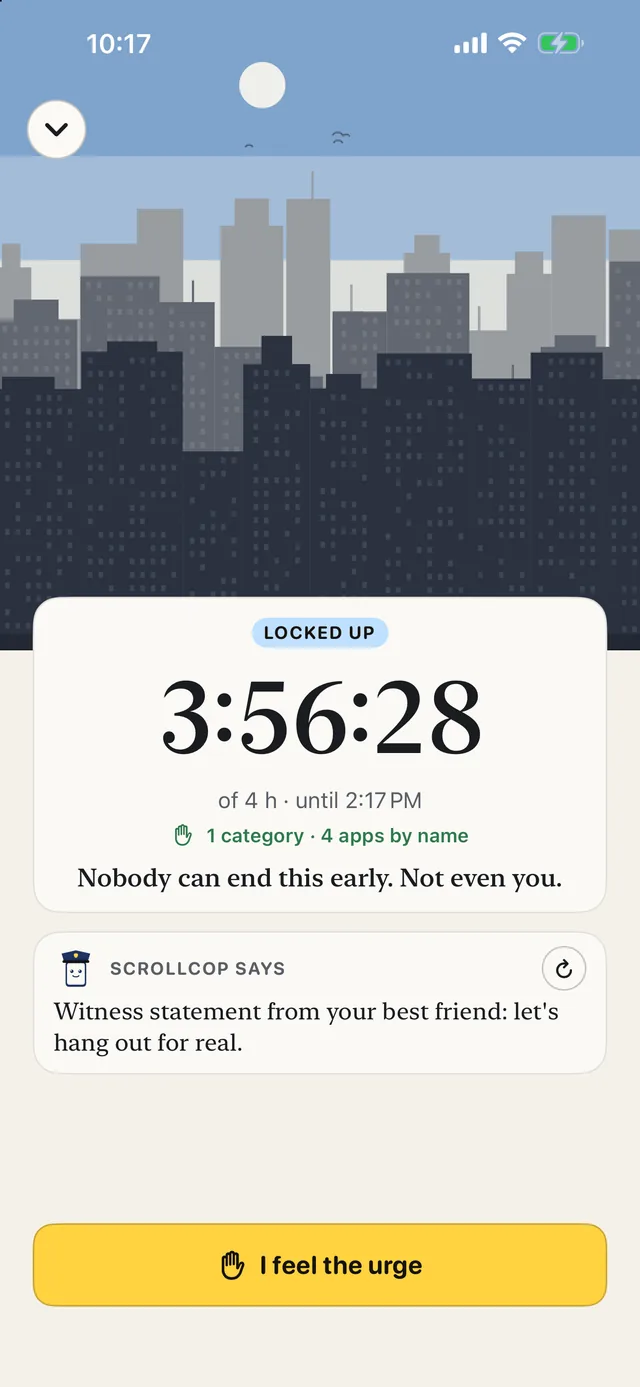
- Tap the apps you doom scroll in. X, Reddit, TikTok, Instagram, news apps — or any app, category or website on your phone.
- Pick how long, or make it a Bedtime schedule. Schedules run every day, even with ScrollCop closed.
- Leave it on Nobody. Since ScrollCop 3.0 every block starts as “Nobody can end it early” — not even you at midnight.
- When the pull hits, tap SOS. ScrollCop asks what you’re escaping and gives you one small thing to do instead.
ScrollCop 3.0 is on the App Store now. Free, no account, no ads, and nothing leaves your phone.
Common questions
How do I stop doom scrolling?
Find the hour you lose, decide in advance which apps close then, block them so nobody can end it early, get your news from one source at one time, and keep an easy alternative ready.
Why can’t I stop doom scrolling?
Feeds never end and anxious news promises relief that never comes, so the loop keeps going. It’s design, not a personal failing — which is why removing the trigger works better than willpower.
How do I stop doom scrolling at night?
Use a daily Bedtime block that starts an hour before sleep, charge the phone outside the bedroom, and keep a paper book or podcast by the bed.
Does doom scrolling affect mental health?
Many people find it leaves them more anxious and sleeping worse. If worry is overwhelming you, talk to a doctor or someone you trust; an app blocker is a tool, not treatment.
Published · No affiliate links











 MMA.
MMA. Trending
 Bold
Bold Top
Top