🏠 Home at a glance
The money you have, what you've spent this month against your limit, and what's due next. One + button adds money out or in — set it to repeat and it becomes a bill or regular income.
 Spending
 Bills
Bills
 VaultFlow
Budget, bills and net worth — in one free app
See the money you have, where it went this month, what's due next and everything you own and owe — in four simple places: Home, Spending, Bills and Wealth. Import your bank's statement file; no bank login, and your data stays on your device.
Four places and a big + in the middle. Nothing here is a mockup — these are screenshots of the app.
New in 4.0 A brand-new VaultFlow: four simple places — Home, Spending, Bills and Wealth — and a big + to add anything in one tap. Import your bank’s statement file (CSV, OFX or QFX) with duplicates skipped, mark a bill paid and get reminded one to three days before, budgets right on each category, reports that answer “Did you save?”, and a new icon.
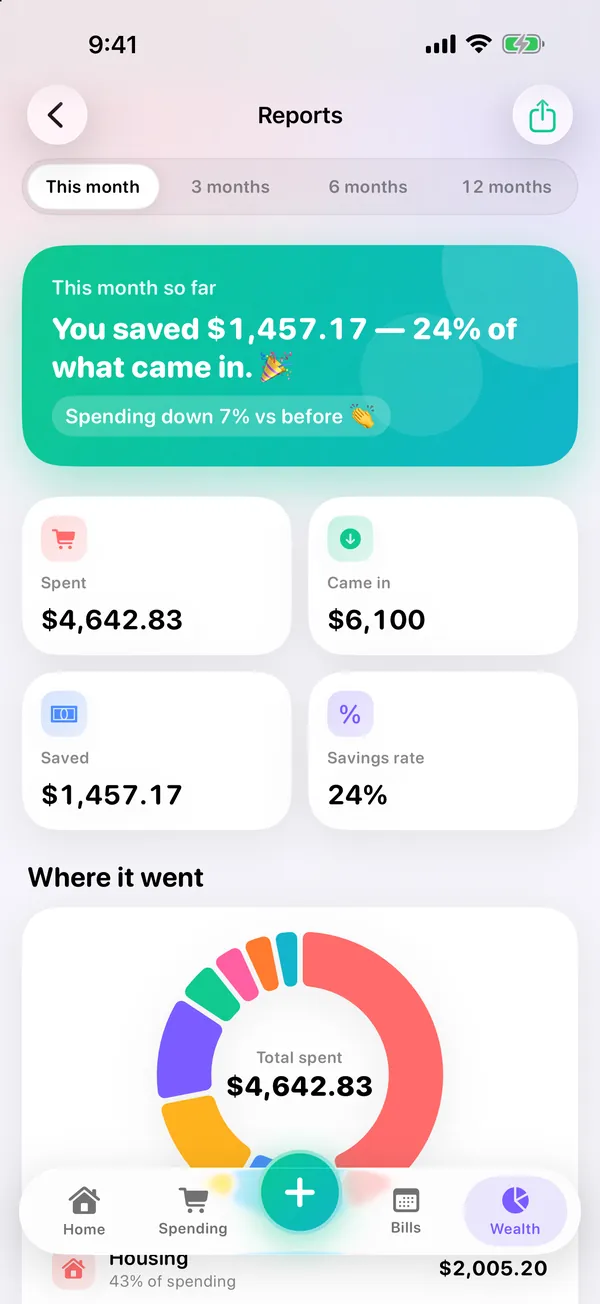
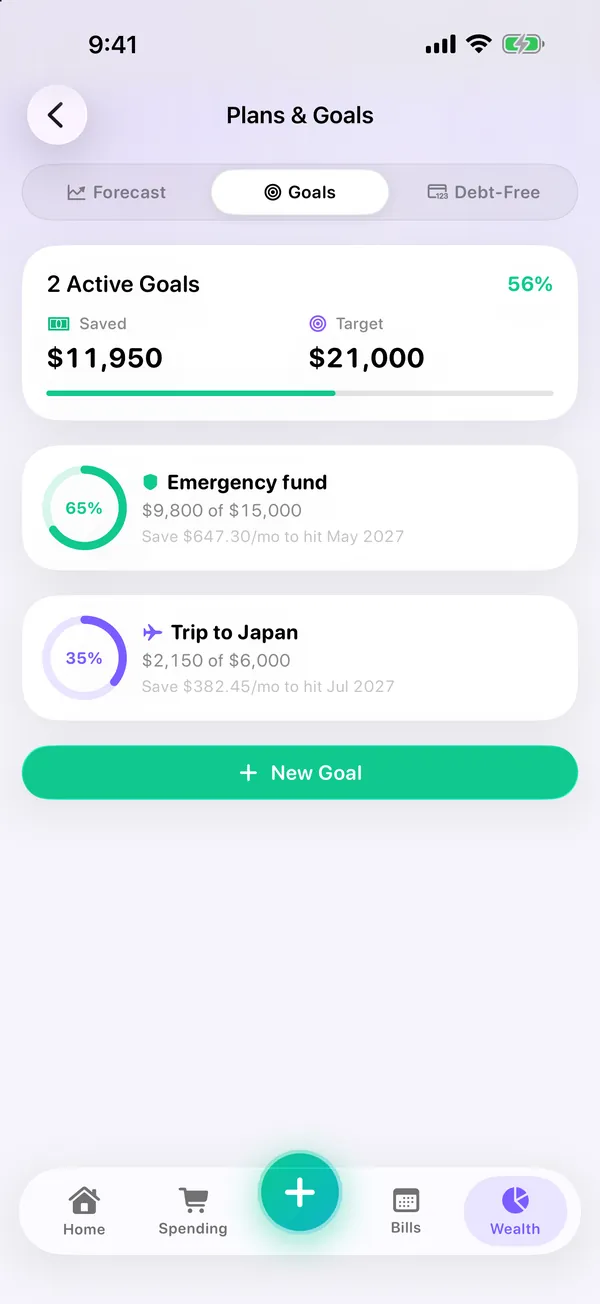
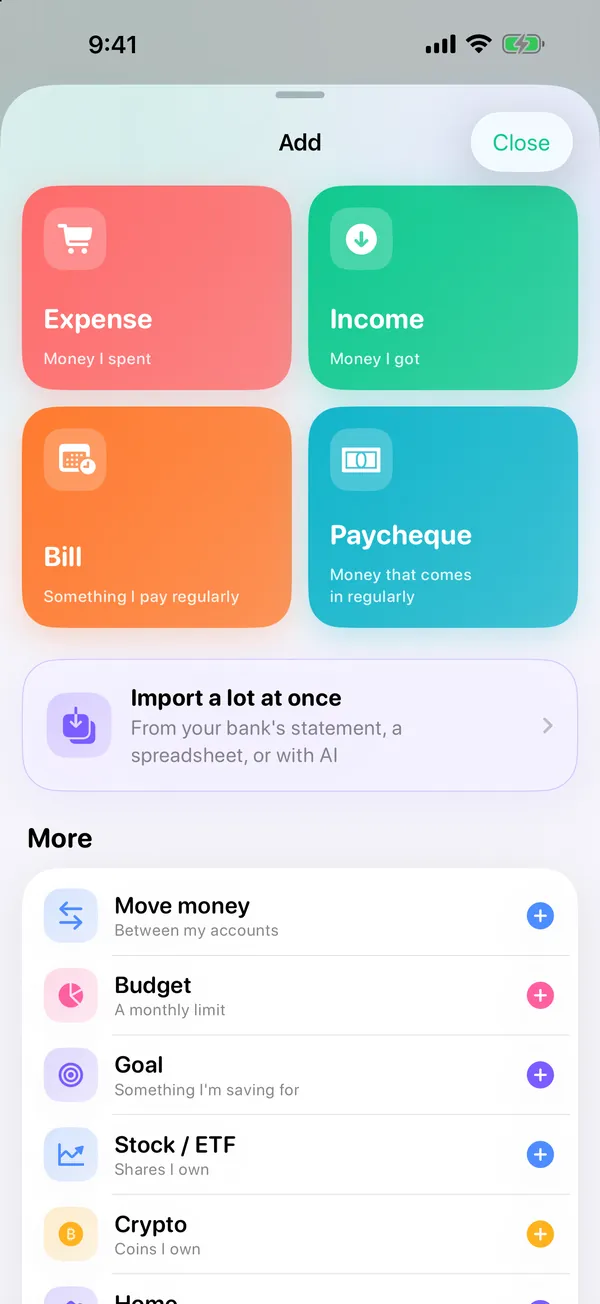
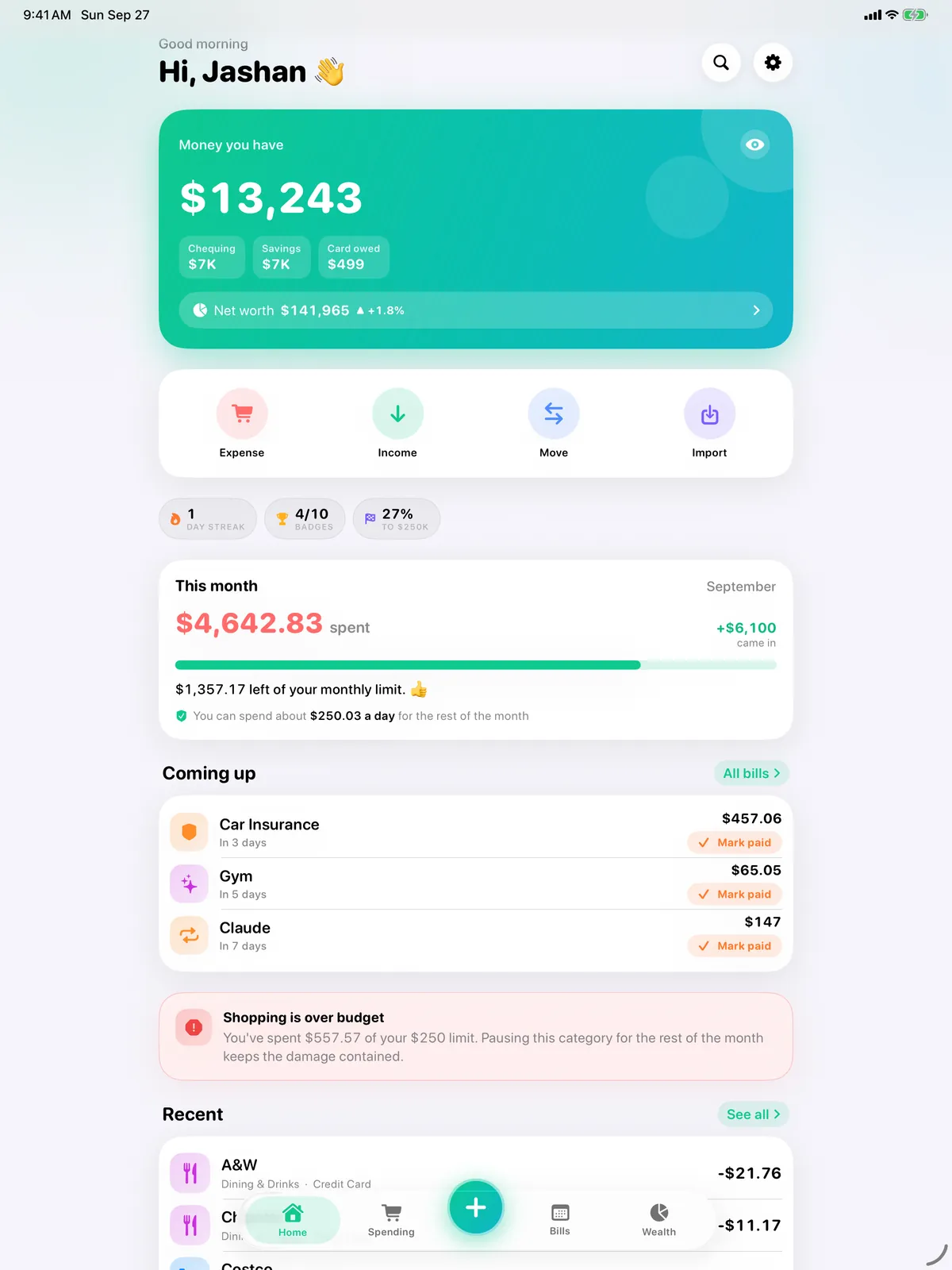
The money you have, what you've spent this month against your limit, and what's due next. One + button adds money out or in — set it to repeat and it becomes a bill or regular income.
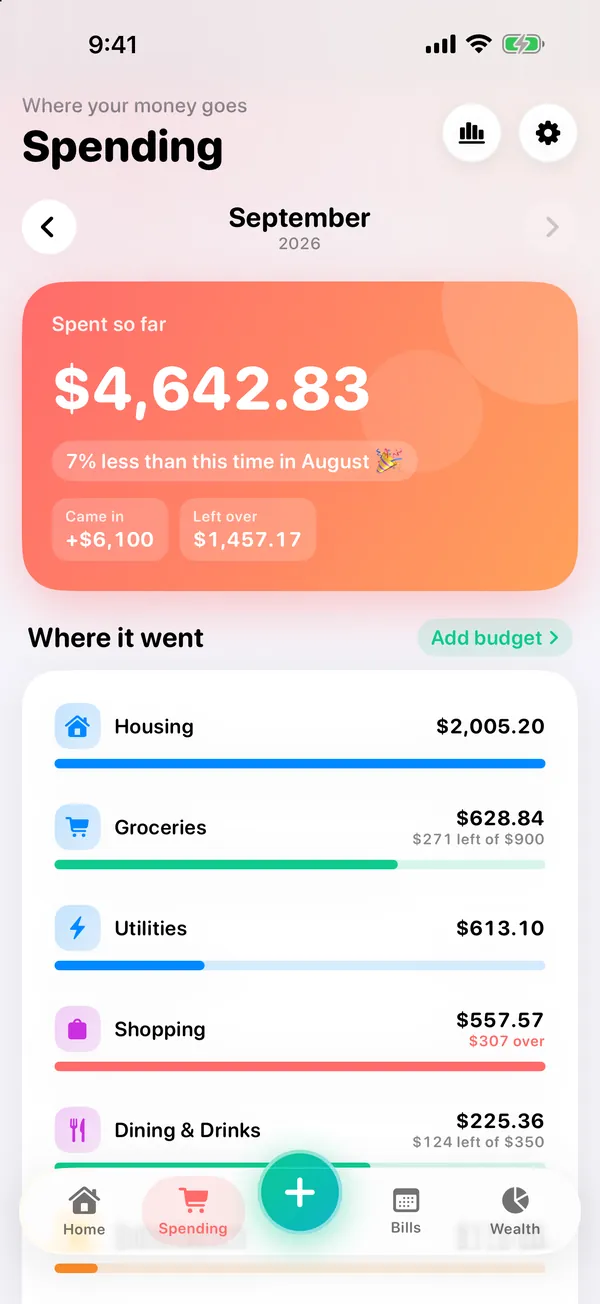
Where your money went, with a budget and its own colour on each category. Refunds lower your spending instead of counting as income. Search by name, category or note.
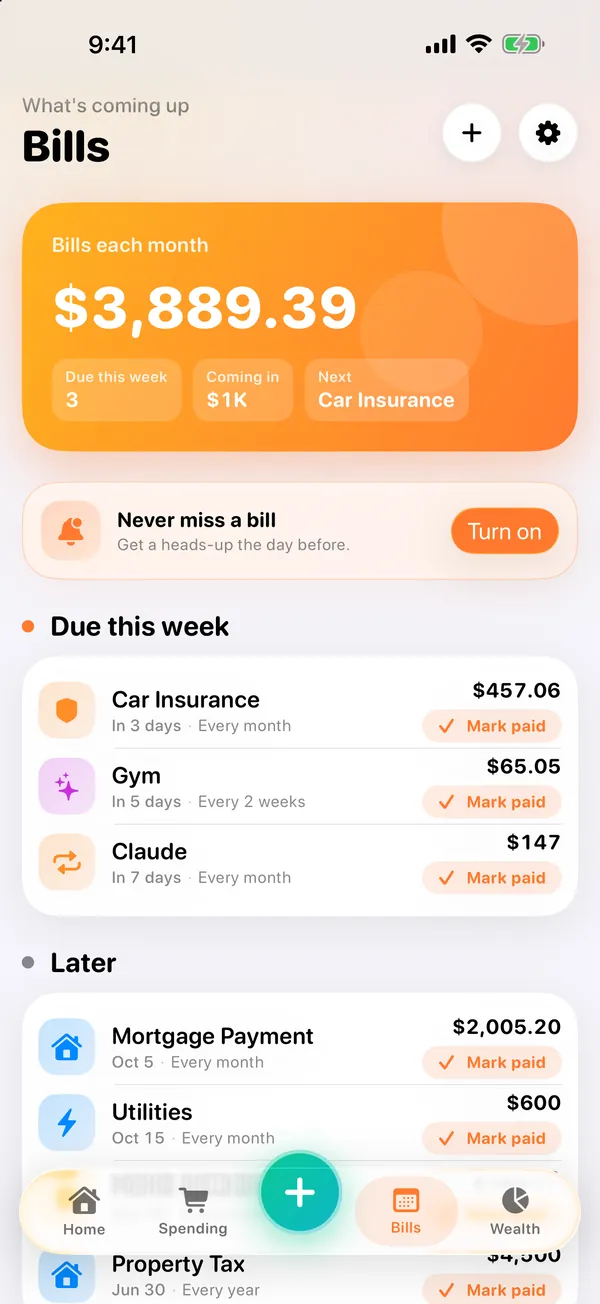
Everything due this week and later. Mark a bill paid and it comes off the right account — a mortgage payment pays down the mortgage — with Undo, and a reminder one to three days before.
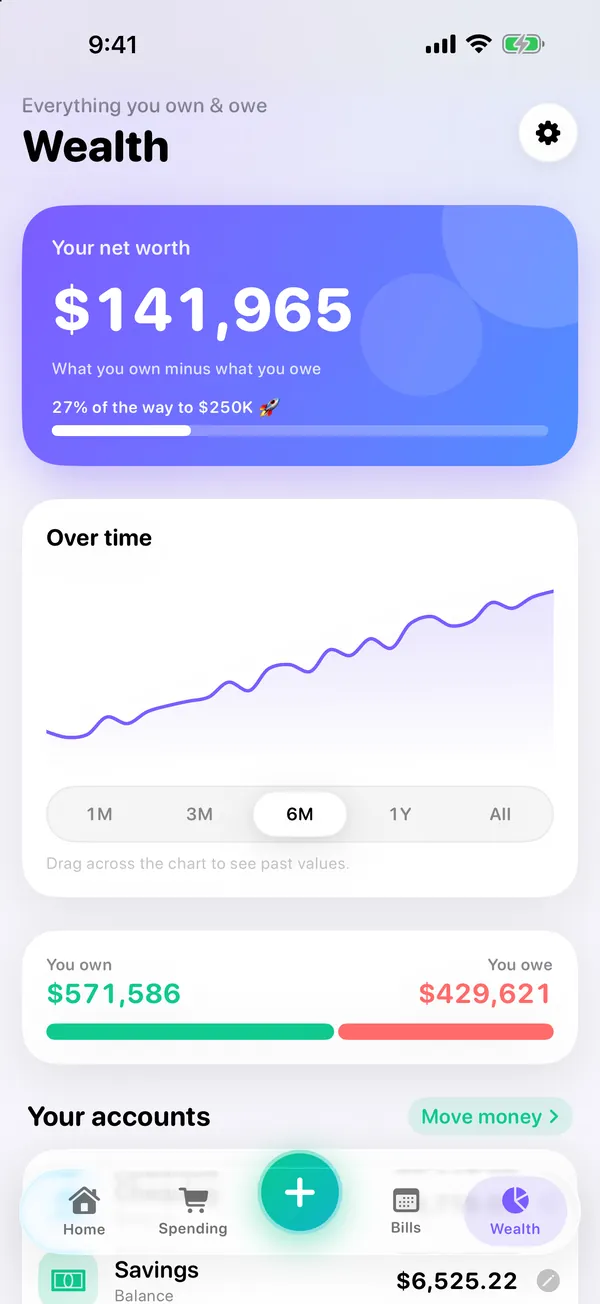
Accounts, any number of credit cards (each with its own balance and limit), investments with live prices, your home, loans and goals on one page. Edit, sell or remove anything, and move money between accounts with Undo.
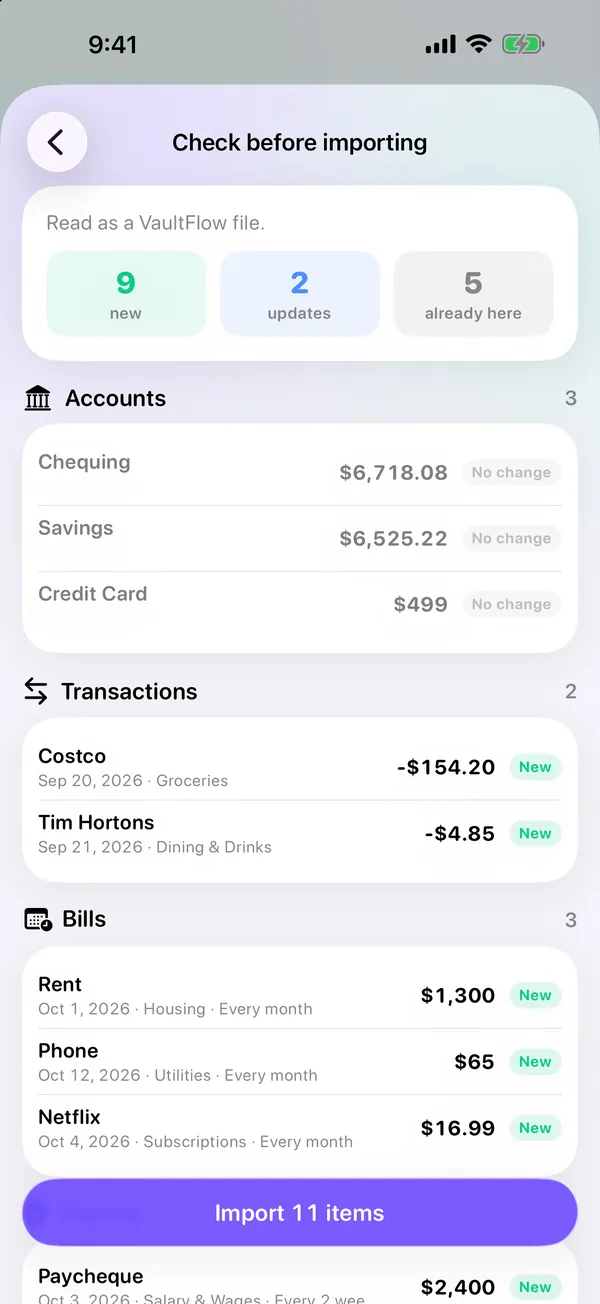
Bring in your bank's statement file (CSV, OFX or QFX) — duplicates are skipped — or describe your money in plain words. Export everything as a spreadsheet any time.
Did you save this month? Tap any category to see where the money went, plus where you spend most, bills versus everyday spending, where money came from and your monthly average.
No bank login needed. Import the statement file your bank's website already gives you, let ChatGPT, Claude or Gemini do the typing with our ready-made prompts, or just describe your finances in your own words.
Yes — free on the App Store, no subscription.
Not at the moment. Your data stays on the iPhone or iPad you use, and VaultFlow has no servers, so we can't see it. To keep a copy or move to a new device, use Settings → Export my data, then import that file on the other device.
No. There is no bank or brokerage login anywhere in the app. You add your accounts, property and debts yourself, or import the statement file your bank's website lets you download (see the import guide). Investment holdings are valued with live market prices.
iPhone and iPad, on iOS 26.2 or later.
VaultFlow is free with no subscription, and it works with any Canadian bank that lets you download a CSV, OFX or QFX statement — it never connects to your bank.
Every roundup on this site names competitors and gives every app, ours included, a stated drawback.
See how VaultFlow ranks on TopRankedApps (our site), next to the best Money & Investing apps of 2026.
Download VaultFlow free and take the first step toward financial clarity.
Download on the App StoreHonest comparisons that include the alternatives, not only our own app.
Menu











 MMA.
MMA. Trending
 Bold
Bold Top
Top