Disclosure: VaultFlow is ours. The advice works with any app, or with pen and paper.
In short
A sinking fund is money you set aside a little at a time for a cost you know is coming — holidays, car repairs, a yearly insurance bill. Divide what it will cost by the months until you need it, save that each month, and the big bill stops being a surprise.
- Known costs, saved for in small pieces.
- Cost ÷ months left = what to save each month.
- Different from an emergency fund, which is for the unknown.
Sinking funds, explained
Most budgets break on the expenses that don’t come every month: the car needs tyres, it’s someone’s birthday, the insurance renews. They aren’t emergencies — you knew they were coming — they just weren’t in this month’s plan.
A sinking fund spreads that cost out. $1,200 for December holidays becomes $120 a month from February. When December comes, the money is there and your regular budget isn’t touched.
The formula
Monthly amount = (What it will cost − Already saved) ÷ Months until you need it
Paid every two weeks? Multiply the monthly amount by 12 and divide by 26 to get the amount per paycheque.
Sinking funds vs emergency funds
An emergency fund is for things you can’t predict: losing your job, a medical cost, an urgent trip. A sinking fund is for things you can. Keeping them separate stops you raiding your emergency money for Christmas. Our guide to how much emergency fund you need covers the other half.
15 sinking fund categories
- Car repairs and maintenance
- Car or home insurance paid yearly
- Property tax
- Home maintenance
- Holidays and gifts
- Birthdays
- Travel
- Back to school
- Medical and dental not covered by insurance
- Pet costs and vet bills
- Yearly subscriptions and memberships
- A new phone or laptop
- Clothing
- Weddings and events
- Furniture or appliances
Start with two or three — the ones that caught you out last year — rather than all fifteen.
Where to keep sinking funds
A separate savings account works well, ideally one that pays interest. Some people use one account per fund; others keep one savings account and track how much belongs to each fund. Either works if you can see each balance at a glance.
Sinking fund calculator
Nothing you type leaves this page.
Track sinking funds with VaultFlow
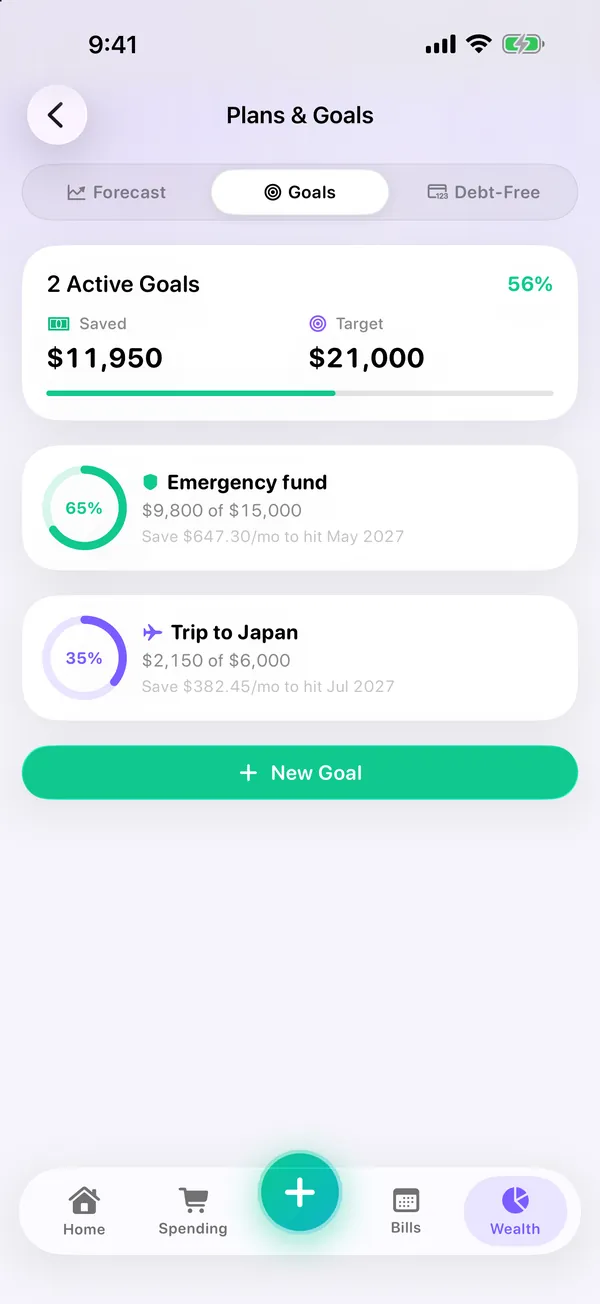
- Make each sinking fund a goal. Holidays, car repairs, a trip — give each one a target and a date.
- See what to set aside. Each goal shows its progress and how much to save a month to hit the date.
- Put yearly bills on repeat. Property tax or insurance can repeat every year, so you see them coming.
- Check the month. Reports show how much you saved this month and your savings rate.
VaultFlow 4.0 is on the App Store now, with budgets, bills, net worth and bank statement import. Free, no subscription, no bank login.
Common questions
What are sinking funds?
Money set aside a little each month for a known future cost, such as holidays, car repairs or a yearly bill.
What is the difference between a sinking fund and an emergency fund?
A sinking fund is for costs you can predict; an emergency fund is for ones you can’t.
How do you calculate a sinking fund?
Subtract what you’ve already saved from the cost, then divide by the months until you need it.
Is there an app for sinking funds?
VaultFlow lets you set up goals with a target and date and shows how much to save each month, free.
Published · No affiliate links











 MMA.
MMA. Trending
 Bold
Bold Top
Top