Disclosure: ScrollCop is ours. The advice works with any app, or with pen and paper.
In short
Move the phone’s job away from the bed (a separate alarm clock), make the feeds unavailable for your first hour, and give your hands something else to do first. ScrollCop’s Mornings schedule blocks the feeds every morning on its own.
- The alarm is the trap — use a real clock.
- Block the feeds for the first hour, automatically.
- Replace the scroll with one small thing.
Why the first check is so hard to skip
The phone is the alarm, so it’s the first thing you touch. Your thumb is already on it, the notifications are waiting, and a sleepy brain takes the easiest reward on offer.
1. Break the alarm link
Charge the phone outside the bedroom and use a cheap alarm clock. If the phone has to stay close, put it across the room so getting up comes first.
2. Make the first hour feed-free
Set the social apps, news and email to be unavailable until, say, 8 am — every day, without you deciding each night. If it needs you to remember, it won’t happen.
3. Put something in the gap
Scrolling fills a gap. Fill it first: water, open the curtains, two minutes of stretching, then the kettle. Keep it tiny so it happens on bad mornings too.
4. Check once, on purpose
When you do open the phone, check messages from people first, then close it. Deciding the one thing you’re opening it for keeps a check from turning into forty minutes.
How to do it with ScrollCop
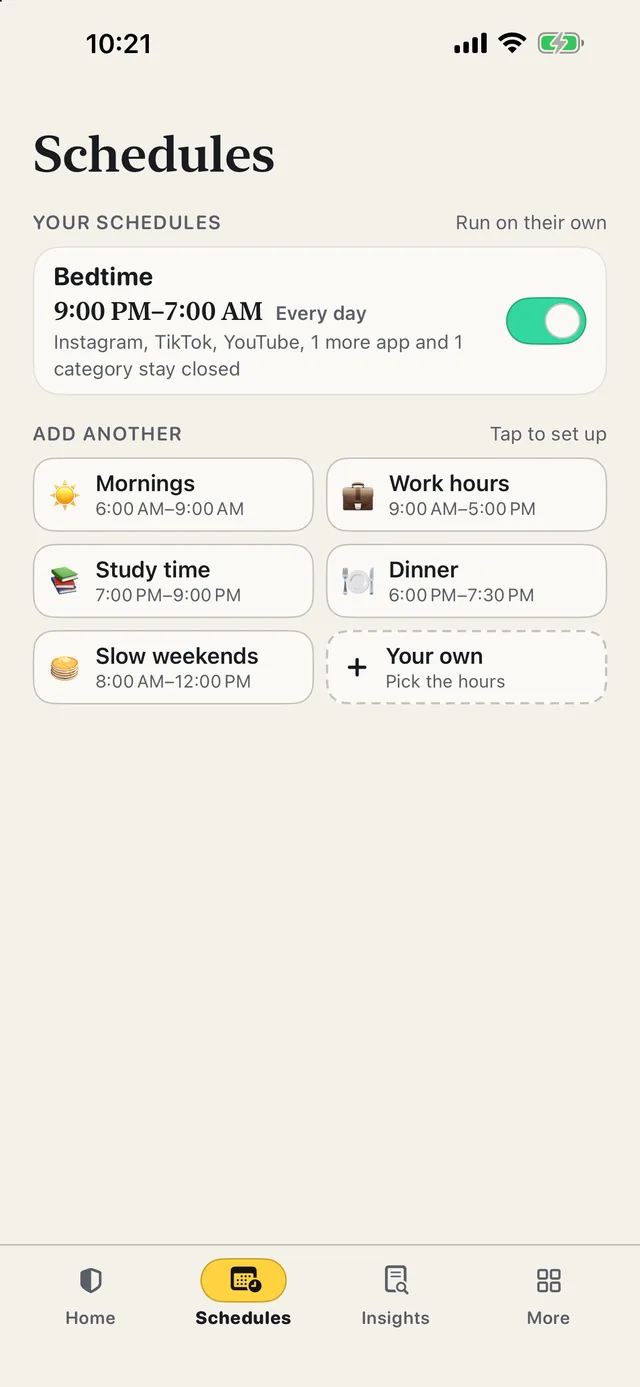
- Tap the Mornings quick start. It runs every day, automatically, even with ScrollCop closed.
- Choose its apps. Instagram, TikTok, YouTube, news, email — whatever you reach for first.
- Set the hours. From when you wake until you’ve started your day, with big time buttons.
- Lock it while it’s on. So the 6:45 am version of you can’t switch it off.
Since ScrollCop 3.0, every block and schedule starts as “Nobody can end it early”, with Me or A friend one tap away. ScrollCop is free, with no account and no subscription.
Common questions
How do I stop checking my phone first thing in the morning?
Use a separate alarm clock, block the feeds for your first hour automatically, and replace the scroll with a small routine.
Why do I check my phone as soon as I wake up?
It’s the alarm, it’s already in your hand, and notifications offer an easy reward to a sleepy brain.
Can I block apps only in the morning?
Yes — a ScrollCop schedule blocks its own apps at the same time every day.
Will my alarm still work?
Yes. Blocking apps doesn’t touch the Clock app, calls or messages unless you add them.
Published · No affiliate links










 MMA.socialUFC fan ratings
 Trending
 Bold
Bold Top
Top