Disclosure: ScrollCop is ours. The advice works with any app, or with pen and paper.
In short
Reset - Block Apps (and before that Reset: Dopamine Detox) is now ScrollCop: App Blocker. It’s the same app on the same App Store page: your blocks, schedules, keys and history stay on your phone, it’s still free with no account, and it updates like any other app. Version 3.0 brings the new name, a new icon and a simpler, stricter design.
- Same app, same App Store page, same data.
- Still free: no account, no ads, no subscription.
- New: a friendly cop, Nobody-by-default blocks, a simpler look.
Why the new name
More than 40 apps on the App Store are called Reset, including another screen-time app. That made Reset hard to find and easy to confuse. Nothing else is called ScrollCop, so when someone hears the name, they can find it.
It also says what the app is for: a friendly cop who pulls you over before the scroll does.
What stays the same
- The App Store page and the app itself — it updates in place.
- Everything you made: blocks, schedules, friend keys and history.
- Free, with no account, no ads, no analytics and no subscription.
- Nothing leaves your phone. Apple’s Screen Time gives ScrollCop opaque tokens, so it can’t see which apps you use.
What’s new in ScrollCop 3.0
- Blocks that hold: every block and schedule starts as “Nobody can end it early”; Me or A friend is one tap away.
- Simpler: Home, starting a block, Insights, More and Schedules each fit on one screen.
- Insights in plain words: one sentence about your week, a simple chart, three numbers.
- Over 5,000 lines from ScrollCop — jokes and pep talks around the app, and “Pulled over!” when you open a blocked app.
- 165 things to do instead of scrolling, up from 55, picked for the time you have.
- A new look: a city skyline that lights up at night, and a new icon — a phone in a police cap.
Do I need to do anything?
No. When 3.0 arrives the app updates like any other, keeps its data and shows its new name and icon. Friend-key links shared before the rename still work.
Get started with ScrollCop
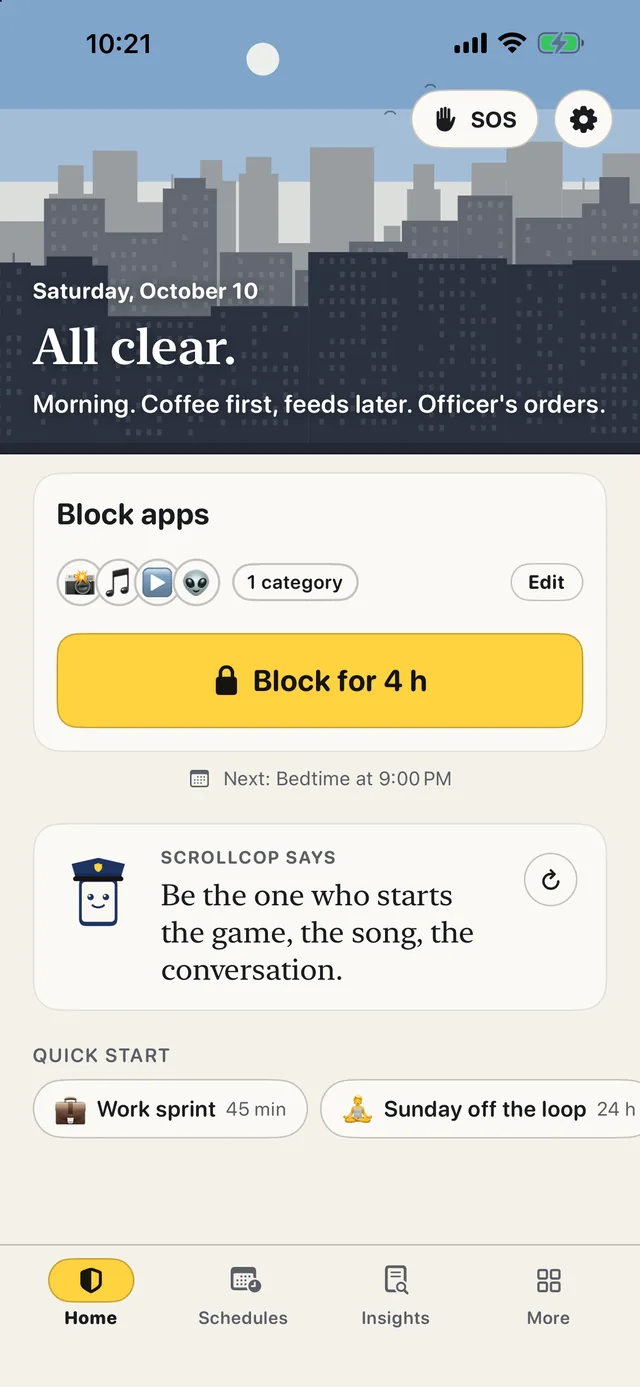
- Tap the apps that eat your time. Or any app, whole categories and websites from your phone.
- Pick how long. 30 minutes to a day, or a daily schedule.
- Choose who can end it early. Nobody, Me, or a friend with a one-time PIN.
- Tap Lock it. The apps disappear until time’s up, held by iOS even with ScrollCop closed.
ScrollCop 3.0 is on the App Store now. Free, no account, no ads, and nothing leaves your phone.
Common questions
What happened to the Reset app?
Reset - Block Apps was renamed ScrollCop: App Blocker. It’s the same app on the same App Store page.
Will I lose my data?
No. Your blocks, schedules, keys and history stay on your phone through the update.
Is ScrollCop still free?
Yes — free, with no account, no ads and no subscription.
Do old friend-key links still work?
Yes. Links shared under the Reset name redirect to ScrollCop’s page and still open the app.
Published · No affiliate links











 MMA.
MMA. Trending
 Bold
Bold Top
Top