Disclosure: ScrollCop is ours. The advice works with any app, or with pen and paper.
In short
Settings → Accessibility → Display & Text Size → Color Filters → turn on, choose Grayscale. Add it to the Accessibility Shortcut to toggle with a triple-click, or use a Shortcuts automation to switch it on at night.
- Settings → Accessibility → Display & Text Size → Color Filters.
- Triple-click the side button to toggle.
- Automate it for bedtime.
Turn on grayscale
- Open Settings → Accessibility.
- Tap Display & Text Size → Color Filters.
- Turn on Color Filters and choose Grayscale.
Toggle it with a triple-click
Go to Settings → Accessibility → Accessibility Shortcut and tick Color Filters. Now a triple-click of the side button switches grayscale on and off — handy for photos and maps.
Make it come on at night by itself
Open the Shortcuts app → Automation → new automation → Time of Day (say 9 pm) → add the action Set Color Filters → On, and set it to run immediately. Make a second one at 7 am to turn it off.
You can also trigger it when a Focus turns on: pick your Sleep or Work Focus as the automation trigger instead of a time.
Does black and white actually help?
Feeds, badges and thumbnails are designed in colour to catch your eye. In grayscale many people find them less gripping and put the phone down sooner. It’s a nudge, not a lock — the same thumb can triple-click it off.
For the hours you lose most, pair it with a block that can’t be switched off in the moment.
Pair grayscale with a real block in ScrollCop
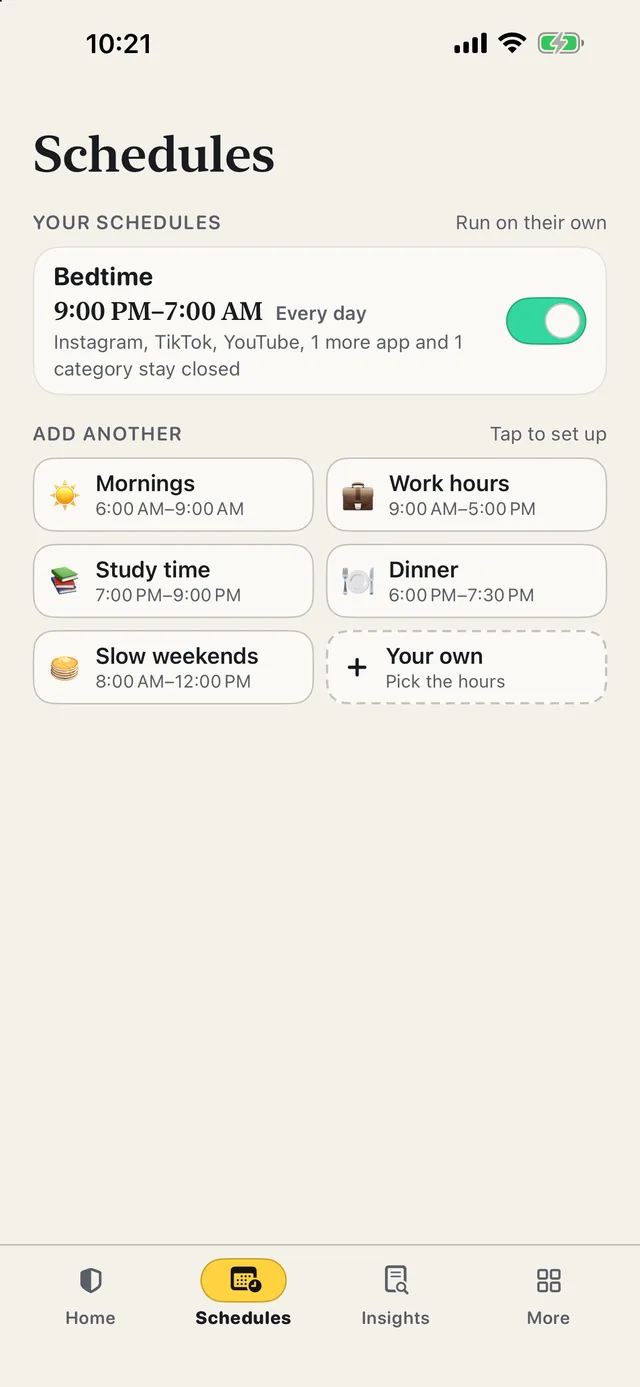
- Make a Bedtime schedule. It starts and stops on its own every day, even with ScrollCop closed.
- Give it its own apps. Everything social at bedtime; just YouTube and games at study time.
- Lock it while it’s on. During its hours, nobody can switch it off, change it or delete it.
- Keep what you need. Calls, Messages, Maps and banking stay open unless you add them.
Since ScrollCop 3.0, every block and schedule starts as “Nobody can end it early”, with Me or A friend one tap away. ScrollCop is free, with no account.
Common questions
How do I make my iPhone black and white?
Settings → Accessibility → Display & Text Size → Color Filters → On → Grayscale.
Is there a shortcut for grayscale on iPhone?
Yes — set the Accessibility Shortcut to Color Filters and triple-click the side button.
Can grayscale turn on automatically at night?
Yes, with a Shortcuts automation at a time of day (or when a Focus starts) using the Set Color Filters action.
Does grayscale reduce screen time?
It makes feeds less appealing for many people, but it is easy to switch off — combine it with a real block for the hours that matter.
Published · No affiliate links










 MMA.socialUFC fan ratings
 Trending
 Bold
Bold Top
Top