Disclosure: Jotter is ours. It is also not end-to-end encrypted, and its entry below says exactly what that means.
Short answer
If “private” means nobody signs you up and nothing is collected, our pick is Jotter: no account, no server of ours, and notes that sync only through your own iCloud. If it means notes nobody but you can decrypt — not even the company storing them — choose Standard Notes or Notesnook, which are end-to-end encrypted even on their free plans, or turn on Advanced Data Protection and keep using Apple Notes.
“Private” carries a lot of weight in notes-app marketing, and it can mean four different things. An app can honestly claim one of them and fail the other three:
- No account. The developer never learns who you are.
- No server of theirs. Your notes never pass through the developer’s machines.
- End-to-end encryption. Whoever stores your notes cannot read them, because only your devices hold the key.
- A lock. Someone holding your unlocked phone cannot open a particular note.
Below, six apps are measured against all four, from each developer’s own documentation and App Store listing, checked in September 2026. The table is the short version.
At a glance
| App | Account | Where notes are stored | End-to-end encrypted |
|---|---|---|---|
| Jotter (ours) | None | Your devices and your own iCloud | No |
| Apple Notes | Your Apple Account | iCloud, or only on the device | Locked notes always; all notes with Advanced Data Protection |
| Standard Notes | A Standard Notes account | Their servers, encrypted before upload | Yes, always |
| Notesnook | A Notesnook account to sync | Their servers, encrypted before upload | Yes, always |
| Obsidian | None | Files on your device, or in iCloud Drive | With paid Obsidian Sync |
| Joplin | None unless you sync | Your choice: Dropbox, OneDrive, WebDAV or Joplin Cloud | Optional, off until you turn it on |
The apps in detail
Jotter
Ours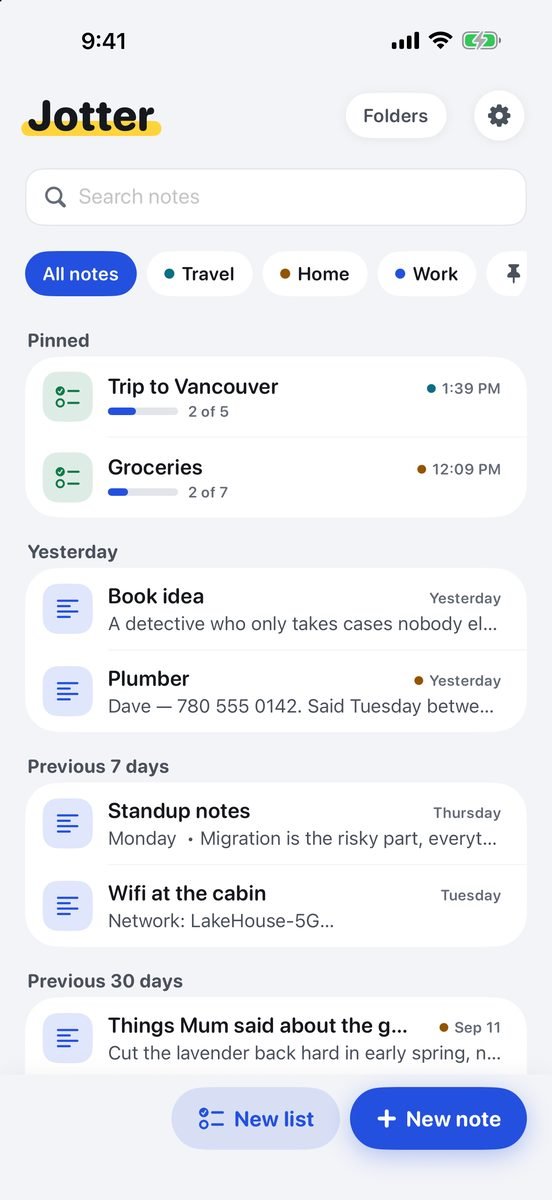
- Best for
- Privacy without an account: nothing to sign up for, and nothing collected
- Highlights
- No Jotter account and no Jotter server: notes sync only through your private iCloud database, which we cannot access
- Collects no data at all: no analytics, no advertising identifiers, no third-party code
- Handwriting, the text in photos and voice notes are recognised on the device; if your iPhone cannot transcribe a language on the device, Jotter keeps the recording and skips the transcript rather than upload it
- The whole library exports as Markdown, so you can leave whenever you like
- Pricing
- Free, no subscription
- Watch out
- Not end-to-end encrypted by Jotter: in iCloud your notes have Apple’s protection, and the note lock hides a note behind Face ID rather than encrypting it separately.
Apple Notes
- Best for
- The strongest free option, once Advanced Data Protection is on
- Highlights
- Locked notes are end-to-end encrypted with your device passcode or a separate password
- With Advanced Data Protection for iCloud turned on, every note in iCloud is end-to-end encrypted
- An On My iPhone account keeps notes off iCloud entirely
- Free, built in, and on every Apple device
- Pricing
- Free, built in
- Watch out
- Advanced Data Protection is off by default, and turning it on requires a recovery contact or recovery key — lose both and Apple cannot get your data back. A locked note’s title stays visible in the list.
Standard Notes
- Best for
- End-to-end encrypted notes on every platform, including the free plan
- Highlights
- Every note is end-to-end encrypted, on the free plan too
- Open source, and part of Proton, the Proton Mail company, since 2024
- Apps for iPhone, Android, Mac, Windows, Linux and the web
- Two-factor sign-in
- Pricing
- Free for plain text and Markdown; paid plans for richer editors and file storage
- Watch out
- You need an account, so they know your email address. The free plan is plain text and basic Markdown; the richer editors and file storage are paid.
Notesnook
- Best for
- Encrypted notes with a generous free plan
- Highlights
- End-to-end encryption is always on and cannot be switched off
- Free plan with unlimited notes and devices, including sync
- A private vault for notes that need a second password
- Open source
- Pricing
- Free; paid plans from $1.99 a month
- Watch out
- Sync needs an account. The free plan caps attachment uploads at 50 MB a month and limits notebooks, tags and reminders.
Obsidian
- Best for
- Notes as plain files on your own device, with no sign-up
- Highlights
- Notes are Markdown files in a folder you choose
- No account; nothing leaves the device unless you set up sync
- Free sync between Apple devices through iCloud Drive, or paid Obsidian Sync, which offers end-to-end encryption
- An open file format, so nothing is locked in
- Pricing
- Free; Obsidian Sync is $4 a month billed yearly
- Watch out
- Community plugins are other people’s code with full access to your vault, so privacy is only as good as the plugins you install. A vault in iCloud Drive has Apple’s standard protection unless Advanced Data Protection is on.
Joplin
- Best for
- Encrypted notes synced through storage you already have
- Highlights
- Free and open source, with nothing to buy in the app
- Syncs through Dropbox, OneDrive, a WebDAV server, or the paid Joplin Cloud
- Optional end-to-end encryption covers everything it syncs
- No account needed on a single device
- Pricing
- Free and open source; Joplin Cloud is paid
- Watch out
- Encryption is off until you turn it on, and the iPhone app is functional rather than pleasant.
What about Google Keep, OneNote and Evernote?
They are not bad apps; they are just not private in any of the four senses above. Each needs an account with the company, each stores your notes on that company’s servers, and none of them encrypts your notes end to end by default. That is a reasonable trade for sharing a grocery list with an Android phone. It is the wrong one for a note that holds a password hint or a medical detail.
How to choose
- Worried about the company that makes the app? Pick one with no server of its own (Jotter, Obsidian) or one that encrypts before anything is uploaded (Standard Notes, Notesnook).
- Worried about Apple, or a court order? Only end-to-end encryption helps: Standard Notes, Notesnook, Joplin with encryption turned on, or Apple Notes with Advanced Data Protection.
- Worried about someone picking up your phone? Use a note lock, and know which kind it is. Apple Notes’ locked notes are encrypted; Jotter’s lock hides the note behind Face ID.
- Worried about losing everything? Export now and then. A private note you cannot get back out is its own kind of risk.
Common questions
What is the most private notes app for iPhone?
It depends on who you are keeping notes from. From the app’s maker: Jotter and Obsidian have no server of their own, and Standard Notes and Notesnook encrypt everything before it leaves your phone. From everyone, including Apple: use an end-to-end encrypted app, or Apple Notes with Advanced Data Protection turned on.
Are Apple Notes end-to-end encrypted?
Locked notes are. The rest are end-to-end encrypted only if you turn on Advanced Data Protection for iCloud; otherwise Apple holds the keys.
Can I use a notes app without creating an account?
Yes. Jotter and Obsidian need no account at all, and Joplin needs none until you set up sync. Apple Notes uses the Apple Account you already have.
Is a Face ID lock the same as encryption?
No. A lock stops someone holding your unlocked phone from opening a note; encryption stops whoever stores the data from reading it. Apple Notes’ locked notes are both. Jotter’s lock hides a note behind Face ID but does not encrypt it separately.
Published · No affiliate links











 MMA.
MMA. Trending
 Bold
Bold Top
Top