Disclosure: Jotter is ours.
Short answer
Our pick is Jotter: handwriting and typing in the same note, on lined, grid or dotted paper, with handwriting that search can find and that converts to typed text — free, with nothing locked. Apple Notes is the free alternative already on your iPad. Goodnotes and Notability are the specialists, but both turn into a subscription after a small free allowance.
Handwriting on glass has quietly become very good. Apple Pencil latency is low enough that it feels like paper, and on-device recognition means a scribbled note can be searched like typed text. The catch is price: the two best-known handwriting apps start free and become a subscription as soon as you rely on them.
So this list is about what you can do without paying. For each app we checked the App Store listing and the developer’s own pricing page in September 2026: how much the free version allows, whether handwriting is searchable, whether it converts to text, and whether it works on iPhone with a finger as well as on iPad.
At a glance
| App | Best for | Free version |
|---|---|---|
| Jotter (ours) | Handwriting and typing in the same note, free | Free, nothing locked |
| Apple Notes | Free handwriting that is already on your iPad | Free, built in |
| Goodnotes | Digital notebooks, planners and PDF annotation | Free for 3 notebooks |
| Notability | Lectures and meetings: handwriting that replays with the audio | Free, limited editing |
| Microsoft OneNote | Free handwriting that also opens on Windows | Free (Microsoft account) |
| MyScript Notes | Turning handwriting into clean typed text | Free for 5 pages |
The apps in detail
Jotter
Ours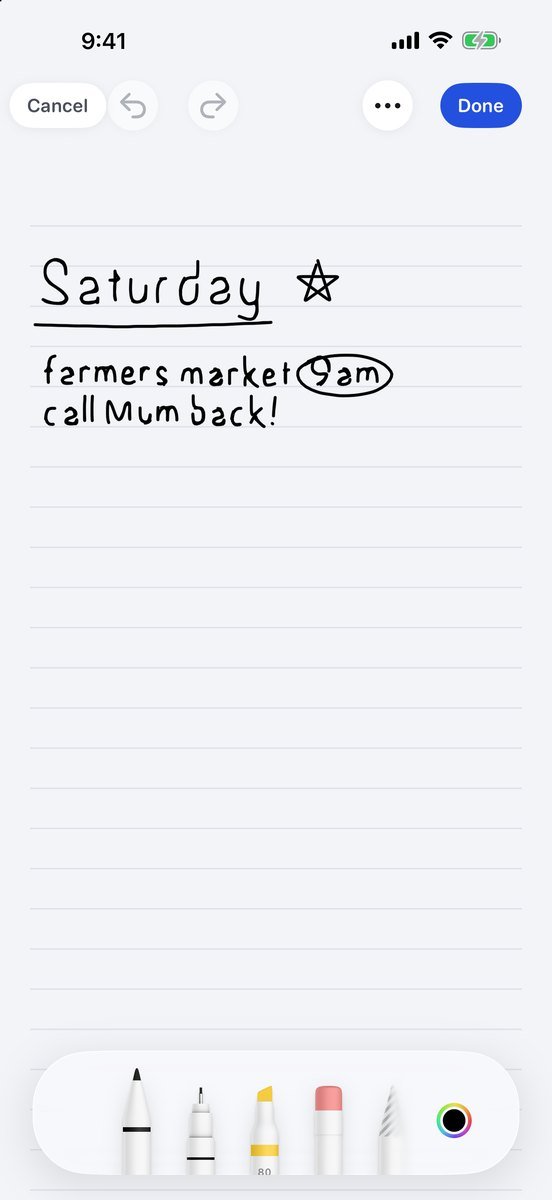
- Best for
- Handwriting and typing in the same note, free
- Highlights
- Apple Pencil on iPad, or your finger on iPhone, on blank, lined, grid or dotted paper
- The page grows as you write, so there is no page size to manage
- Handwriting is read on the device, so it turns up in search, and converts to typed text with a tap
- Free with nothing locked, no account, and notes that sync through your own iCloud
- Pricing
- Free, no subscription — an optional tip in Settings unlocks nothing
- Watch out
- A notes app with handwriting pages rather than a notebook app: there are no planner templates or notebook covers, and it is not built for writing on top of PDFs.
Apple Notes
- Best for
- Free handwriting that is already on your iPad
- Highlights
- Write with Apple Pencil in any note, or with a finger on iPhone
- Handwriting is searchable, and Scribble turns it into text
- Lines & Grids gives every note ruled or squared paper
- Math Notes solves equations you write out
- Pricing
- Free, built in
- Watch out
- No notebooks or page templates beyond lines and grids, so it suits notes more than coursework-sized notebooks.
Goodnotes
- Best for
- Digital notebooks, planners and PDF annotation
- Highlights
- Notebooks with covers, paper templates and planners
- Annotate PDFs and slides
- Handwriting search and conversion to text
- iPhone, iPad and Mac, plus Android, Windows and the web
- Pricing
- Free for three notebooks; unlimited needs the Essential plan ($11.99 a year) or a one-time purchase
- Watch out
- Three notebooks is a trial rather than a free plan, and the app now leans hard on AI features and paid tiers.
Notability
- Best for
- Lectures and meetings: handwriting that replays with the audio
- Highlights
- Records audio that plays back in step with your notes
- Annotate PDFs and slides
- Paper templates and a large template gallery
- iPhone, iPad and Mac
- Pricing
- Free with limited editing; a Notability subscription unlocks the rest
- Watch out
- The free version limits how much you can edit, and handwriting recognition is part of the subscription.
Microsoft OneNote
- Best for
- Free handwriting that also opens on Windows
- Highlights
- Ink anywhere on a page that grows in every direction
- Notebooks, sections and pages
- Apps for iPad, iPhone, Mac, Windows, Android and the web
- Free with a Microsoft account
- Pricing
- Free with a Microsoft account (5 GB of OneDrive); Microsoft 365 adds storage
- Watch out
- Needs a Microsoft account, and pen tools feel less refined than in the iPad-first apps.
MyScript Notes
- Best for
- Turning handwriting into clean typed text
- Highlights
- Formerly Nebo, from MyScript, the handwriting-recognition specialists
- Converts handwriting, diagrams and maths as you write
- Documents that reflow like typed text
- Subscription or one-time purchase
- Pricing
- Free for five new pages; full access by subscription or a lifetime purchase
- Watch out
- The free version is really a trial: five new pages and no cloud sync.
Handwriting on an iPhone
iPhone does not support Apple Pencil, but finger writing is more useful than it sounds for a quick sketch, a map, or a signature. Apple Notes and Jotter both take finger ink on iPhone, and in both, what you write is searchable afterwards. Goodnotes and Notability run on iPhone too, but they are built around the iPad’s larger page.
Can you search what you wrote?
In Apple Notes, Jotter and Goodnotes, yes — the handwriting is recognised and search treats it like typed text. In Notability, handwriting recognition is part of the subscription. It is worth testing with your own handwriting before you commit: every recogniser has handwriting it finds hard.
Common questions
Can you take handwritten notes on the iPad?
Yes, with an Apple Pencil, or with your finger in most apps. All six apps above take handwriting; what each keeps free is in its entry.
Is there a free Goodnotes alternative for iPad?
Yes. We compare them in free Goodnotes alternatives.
What is the best free handwriting app for iPad?
Apple Notes is free, already installed and very good. Jotter, ours, adds lined, grid and dotted paper that grows as you write, typing in the same note, handwriting that search finds and converts to text, and it is free with nothing locked. Goodnotes and Notability are the specialists, but both become a subscription after a small free allowance.
Can I handwrite notes on iPhone without an Apple Pencil?
Yes. iPhone does not support Apple Pencil, but Apple Notes and Jotter both let you write with a finger, and what you write can be searched afterwards.
Is Goodnotes free?
Free for your first three notebooks. Unlimited notebooks need the Essential plan, which is $11.99 a year, or a one-time purchase.
Can handwritten notes be converted to text on iPad?
Yes. Apple Notes converts handwriting with Scribble, Jotter converts a handwritten page to typed text with a tap, and Goodnotes and MyScript Notes convert too. In Notability, handwriting recognition is part of the subscription.
Published · Updated · No affiliate links











 MMA.
MMA. Trending
 Bold
Bold Top
Top