Disclosure: All nine apps are ours — made by one developer in Canada. Each gets the same fields, including what it doesn’t do.
Short answer
Tired of free apps that turn into a monthly bill? These nine are free to use, with no subscription: Kalend for your day, ScrollCop for your phone habits, Neighbr for help nearby, Clinch for sales, Jotter for notes, SmartFolio for investments, Gathr for events, VaultFlow for money and Brolic for lifting.
Most “free” apps are trials. A week later a paywall appears, or the one feature you need is Pro. Every app on this list is free to use — nothing is locked behind a subscription.
Each one solves a single, everyday problem. Here’s the problem, and how the app handles it.
The 9 apps, and the problem each one solves
| App | Solves |
|---|---|
| Neighbr | Needing a hand with something small — a jump-start, a couch, a dog walk |
| Kalend | Tasks, calendar, habits and a journal scattered across four apps |
| ScrollCop | Losing hours to Instagram, TikTok and YouTube |
| Brolic | Logging lifts and knowing if you’re getting stronger |
| Gathr | Guest lists, RSVPs and budgets for a wedding or party |
| Clinch | Forgetting to call leads back, and not knowing what you’ll earn |
| Jotter | Losing ideas because notes take too long to start |
| SmartFolio | Investments spread across brokers with no clear total |
| VaultFlow | Budget, bills and net worth — without giving an app your bank login |
The apps in detail
Neighbr
Ours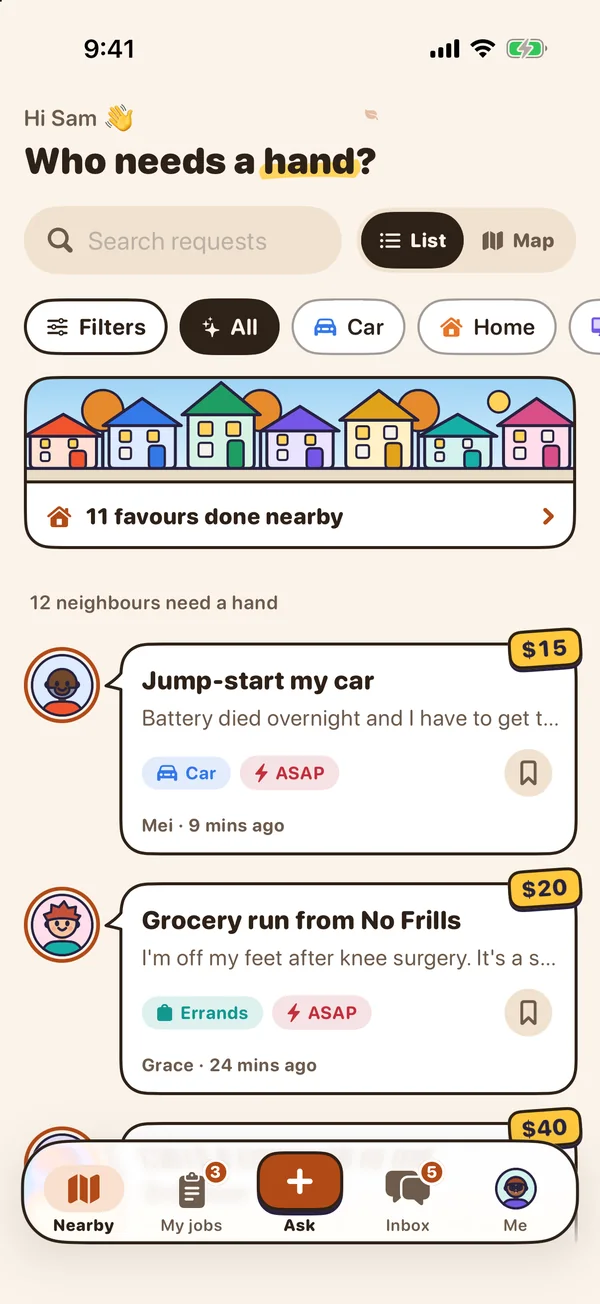
- Best for
- Small everyday jobs done by neighbours nearby, with no fees
- Highlights
- Ask in a few taps: a ready-made ask, your price, or a free favour
- Compare offers with ratings, notes and Top rated badges, then pick one
- Your address is never shown; chat opens only after you pick
- Free, with no fees or commissions — you settle up directly
- Pricing
- Free — no fees and no commissions
- Watch out
- Helpers are neighbours, not vetted or insured pros, and Neighbr doesn’t hold payment — you settle up directly. It is a young app, so how many helpers you see depends on your area. It needs an account to ask or help for real (you can look around a sample neighbourhood first) and iOS 18 or later.
Kalend
Ours
- Best for
- People who want tasks, a calendar, habits and a journal in one free app, kept in their own iCloud
- Highlights
- Tasks, calendar, habits and a journal in one app
- Your calendar events next to today’s tasks, with an overdue section
- Syncs through your own iCloud — no account, no server of ours
- Works offline
- Pricing
- Free. No paid tier, no subscription and no ads; the only purchase is an optional tip
- Watch out
- Apple-only: no Android app and no web version, and it needs iOS 18 or later. It syncs through your personal iCloud, so there is no sharing — you cannot assign a task or share a list with anyone.
ScrollCop
Ours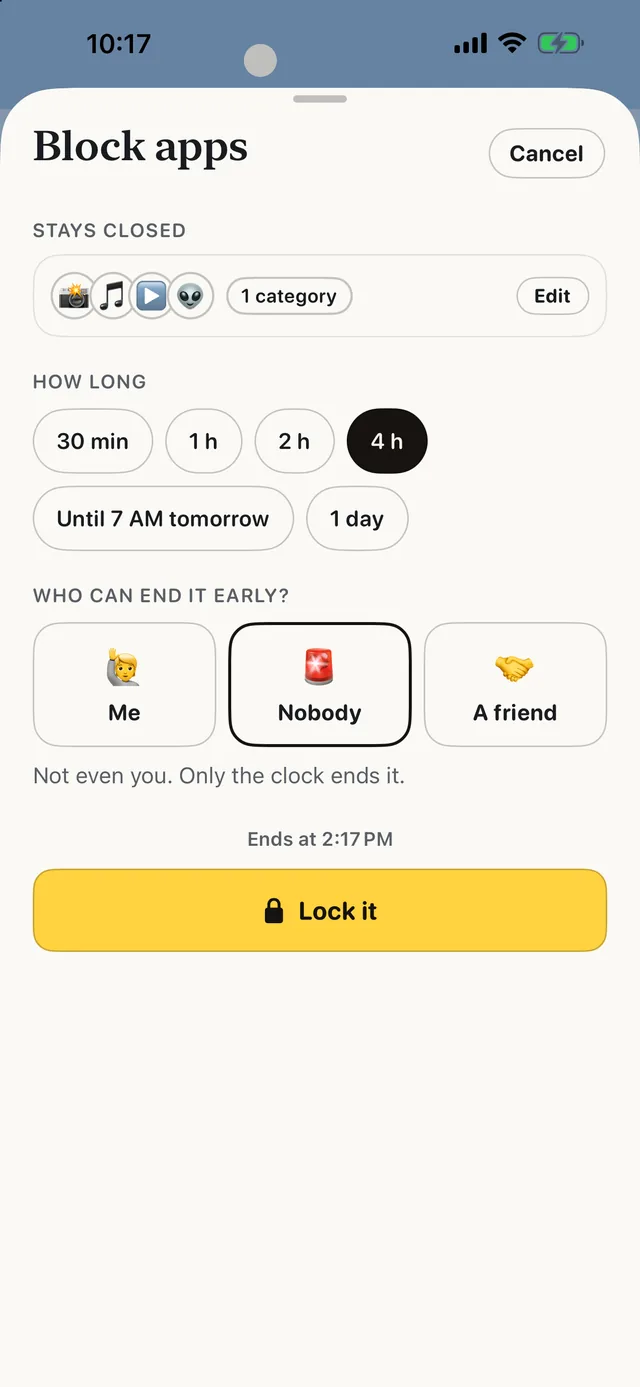
- Best for
- People who keep tapping through their own limits and want a real block — with a friend or nobody able to end it early
- Highlights
- Real blocking built on Apple’s Screen Time
- The friend key: only a friend’s code ends a locked block early
- SOS for the urge, a Boredom Gym, and (from 3.0) 165 things to do instead
- No account, no server, no ads
- Pricing
- Free, with no subscription and no in-app purchases
- Watch out
- iPhone only, on iOS 18 or later — no Android, no Mac and no browser extension. It blocks whole apps and websites, not parts of them, so it can’t hide just Reels or Shorts.
Brolic
Ours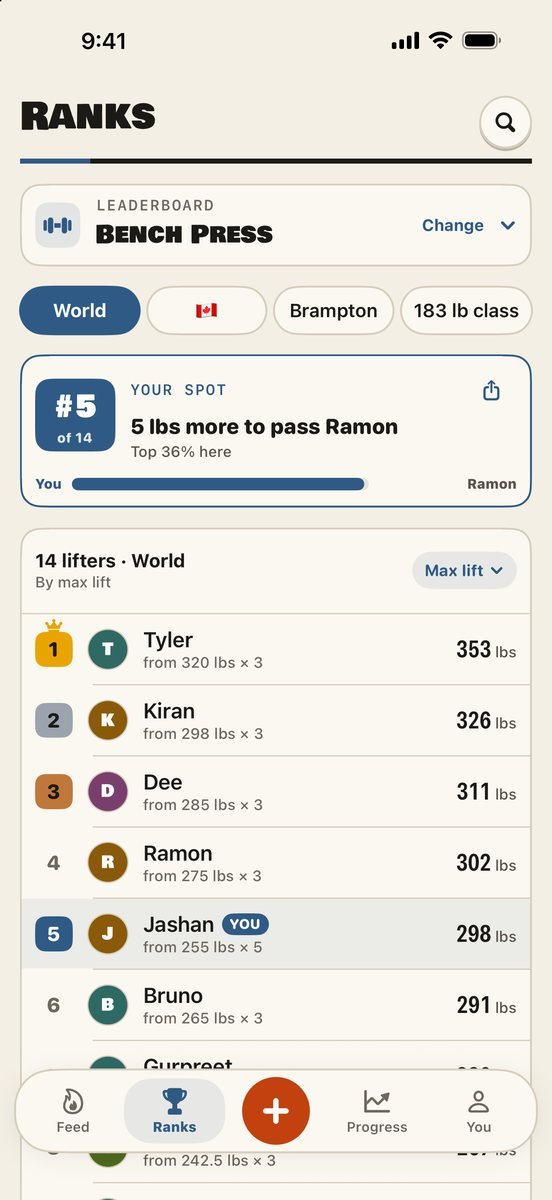
- Best for
- Lifters who want a lift logged in seconds and a rank on every lift
- Highlights
- Log a lift in seconds — tap it, type weight and reps, tick the set
- A board for every lift: world, country, city or weight class, with the gap to the lifter above you
- Unlimited routines, with six built in, and a growth bar on every lift
- Community votes: more downvotes than upvotes takes a lift off the board
- Pricing
- Free — no ads, no subscription and no cap on routines
- Watch out
- There is no Apple Watch app, so you log on your phone between sets, and you need an account because the leaderboard has to know whose lift is whose. The leaderboard shows your first name, and it is young, so its boards are thinner than Hevy’s or Liftoff’s communities.
Gathr
Ours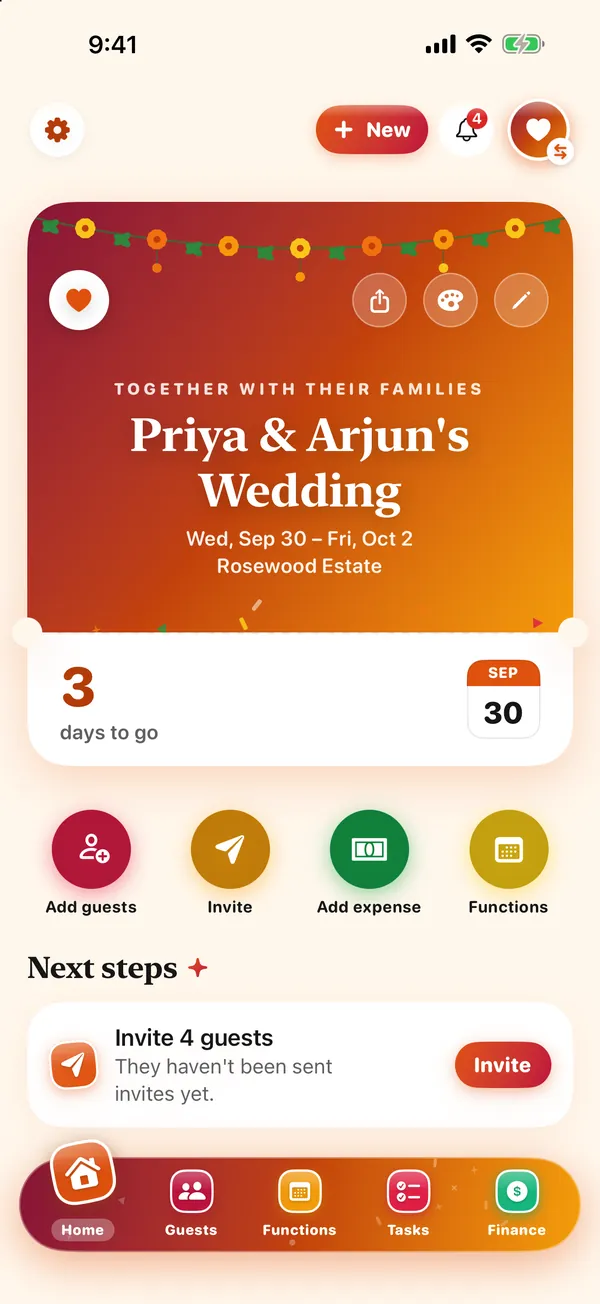
- Best for
- Weddings and parties with several events, planned with a co-host, where guests answer from a link
- Highlights
- Invite a co-host by link to edit the same guests, schedule and budget
- Guests RSVP from a link in any browser — no app needed
- Every function has its own time, place, dress code and guest list
- A budget that shows who owes whom
- Pricing
- Free — no subscription, no ads and no charges to you or your guests
- Watch out
- There is no wedding website, no gift registry and no printed stationery, so a couple who wants those still needs a second service. It is a young app, English-only, and needs iOS 17 or later.
Clinch
Ours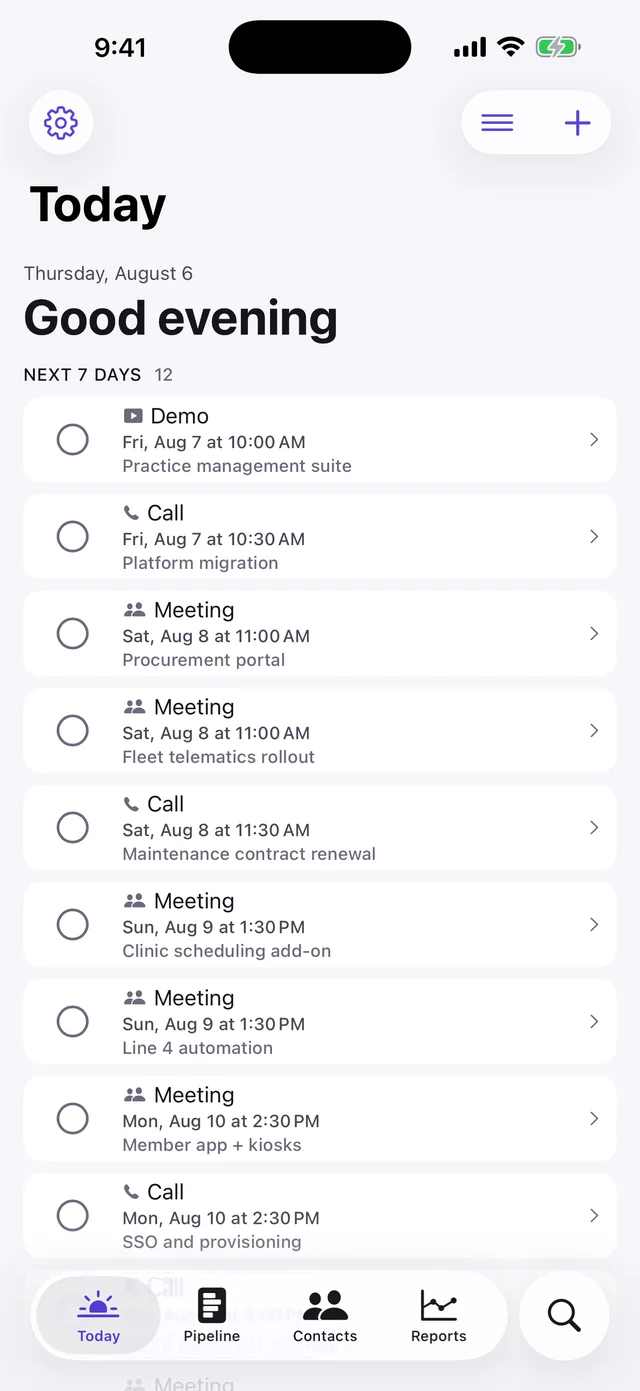
- Best for
- One salesperson who wants leads, reminders and what they earn on every sale, on their phone
- Highlights
- Every feature is in the free app — there is no upgrade
- Leads, reminders, notes and what you earn on every sale
- Press and hold any lead to call, WhatsApp or mark it sold
- CSV export, so leaving costs you nothing
- Pricing
- Free, no paid tier at all
- Watch out
- Single-user, iPhone and iPad only: no shared lead lists, no manager view and no web app. It is free because there is no server to pay for — which is also why it cannot offer team features.
Jotter
Ours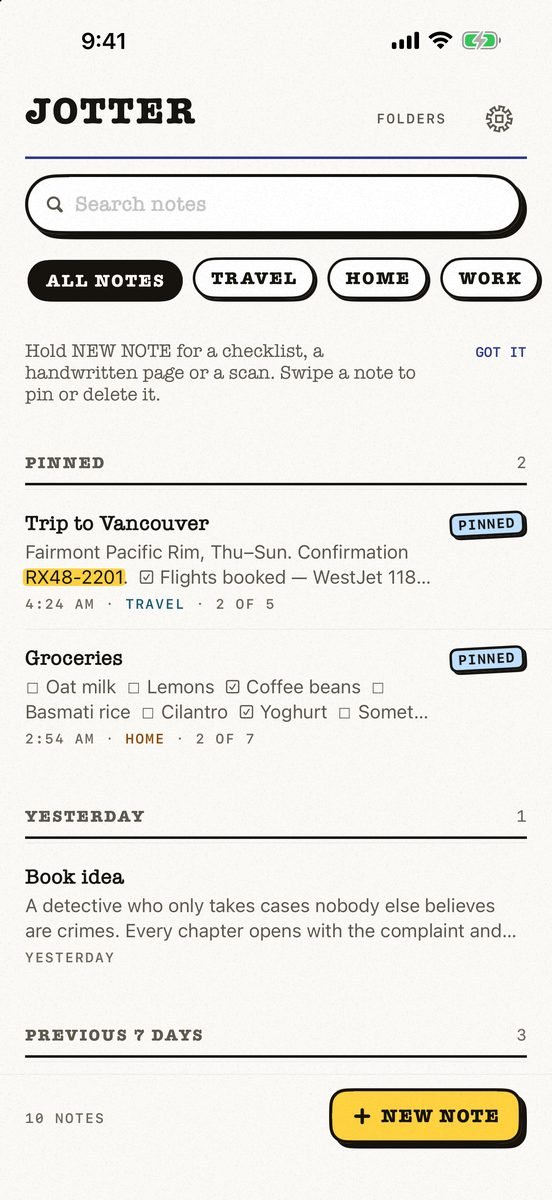
- Best for
- Opening the app and typing — with checklists, handwriting, scans and voice notes in the same note
- Highlights
- No title, no folder, no save button — the first line names the note
- Checklists, Apple Pencil handwriting, scans and voice notes
- Search reads handwriting and text in photos, on the device
- Syncs through your own iCloud; exports as Markdown
- Pricing
- Free, no subscription — an optional tip unlocks nothing
- Watch out
- iPhone and iPad only, on iOS 18 or later: no Mac app yet, no Android or web version, and no shared notes.
SmartFolio
Ours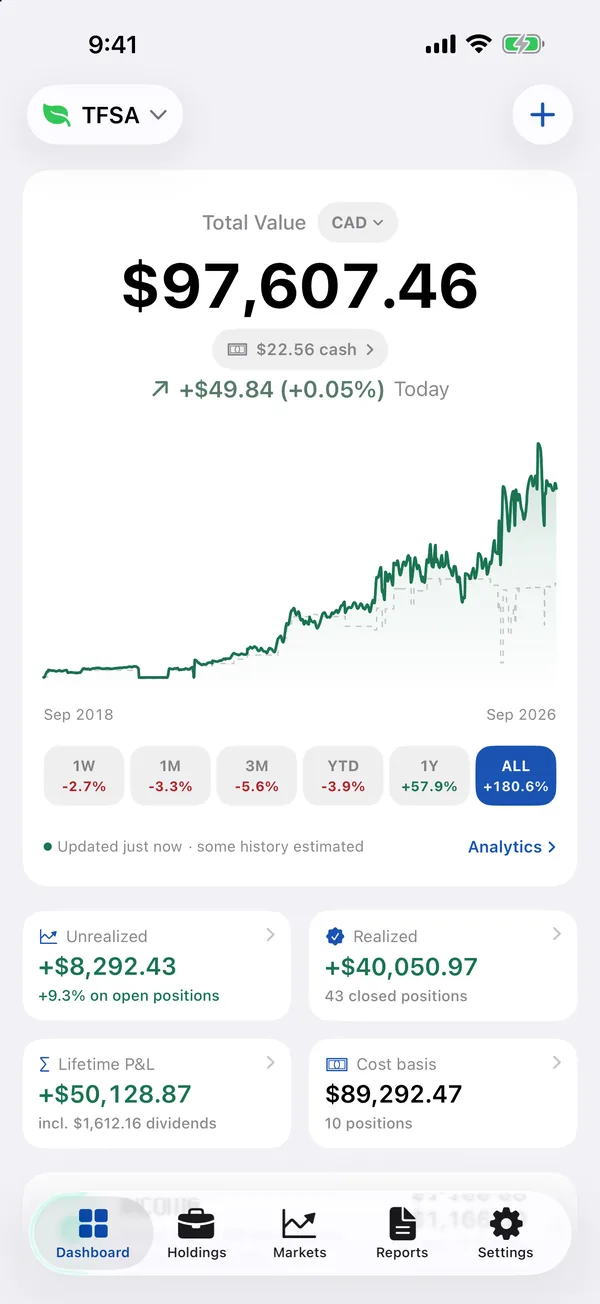
- Best for
- Investors who want stocks, ETFs, dividends and crypto in one private place — imported from their broker’s file, with no login
- Highlights
- Import from 19 brokers — Wealthsimple, Questrade, TD, Fidelity, Schwab, Robinhood and more — or any CSV or Excel file
- Every buy, sale and dividend on each stock, with the gain on every sale (FIFO, lot by lot)
- Dividend and interest income, plus an estimate of the next 12 months
- Free, with no account and no ads; data stays on the device, with CSV export
- Pricing
- Free
- Watch out
- There is no live brokerage sync — to update, you import the file your broker lets you download or add trades yourself. It needs iOS 26.2 or later, and because everything is stored on the device there is no web view.
VaultFlow
Ours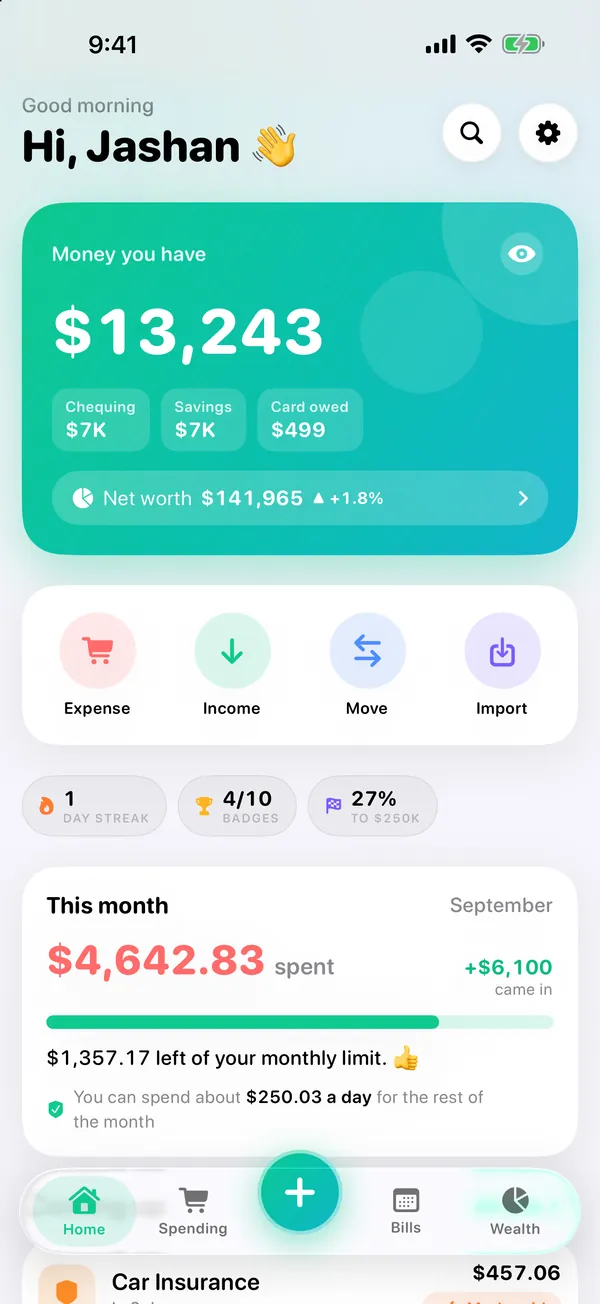
- Best for
- People who want their whole net worth, budget and bills in one place without a bank login
- Highlights
- Assets, debts, property and investments in one net worth, with live prices for holdings
- Import the CSV, OFX or QFX statement your bank already gives you — duplicates skipped
- Or let ChatGPT, Claude or Gemini do the typing with ready-made prompts
- No bank login and no account; your data stays on your device and exports any time as a spreadsheet
- Pricing
- Free
- Watch out
- There is no automatic bank sync — to update, you import the statement file your bank lets you download (CSV, OFX or QFX) or add numbers yourself. It doesn’t sync between devices yet, needs iOS 26.2 or later, and runs on iPhone and iPad only.
What “free” means here
No subscriptions and no paywalled features. Kalend and Jotter have an optional tip that unlocks nothing. Most of these apps need no account at all and keep your data on your phone or in your own iCloud; Neighbr, Gathr and Brolic need a sign-in because other people are involved.
They are made by one developer, so each has a stated drawback in its entry. If a bigger, paid app fits you better, the guides linked below compare them honestly.
Common questions
Are these iPhone apps really free?
Yes. None has a subscription or paywalled features. Kalend and Jotter have an optional tip that unlocks nothing.
Do these apps need an account?
Most don’t. Neighbr, Gathr and Brolic need a sign-in because they connect you with other people.
Who makes these apps?
The Big Head — one independent developer in Canada.
Published · No affiliate links










 MMA.socialUFC fan ratings
 Trending
 Bold
Bold Top
Top