Disclosure: SmartFolio is ours. The advice works with any app, or with pen and paper.
In short
Export each account’s transaction history from your broker, bring the files into one tracker that keeps each account as its own portfolio, and let it add everything up in one currency. SmartFolio does this on your iPhone, free, with no broker login.
- Use each broker’s export file — no passwords shared.
- Keep each account separate, but see the total.
- Measure returns that ignore your deposits.
Why it gets messy
A TFSA at one broker, an RRSP at your bank, a work plan and a little crypto: four apps, four logins, four currencies of truth. None of them tells you what you own in total, what it pays you, or how you’ve really done.
Option 1: a spreadsheet
Excel or Google Sheets works if you enjoy it: one row per trade, a tab per account, and a formula for prices. It breaks when you forget a dividend, a split or a currency conversion — and most people stop updating it by March.
Option 2: an app that links your accounts
Aggregator apps log in to your brokers and sync every day. It’s convenient, but you hand a third party access to your accounts, and many charge a subscription.
Option 3: import files into a private tracker
Every broker lets you download your history as a file. Import it into a tracker that works on your phone and keeps each account as its own portfolio. You re-import now and then to catch up; duplicates are skipped.
What to measure
- Total value in your own currency.
- Time-weighted return, so deposits don’t make you look like a genius.
- Income: dividends and interest by month.
- Realised gains on every sale, for tax time.
How to do it with SmartFolio
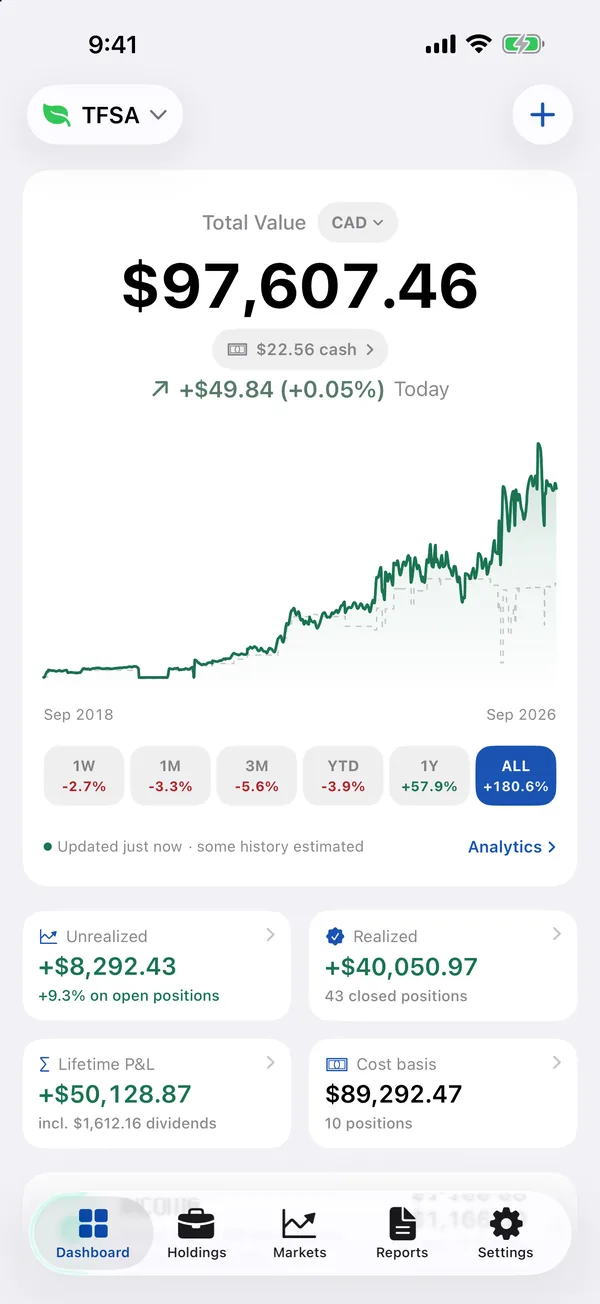
- Pick your broker. Step-by-step guides for 19 brokers — Wealthsimple, Questrade, TD, RBC, BMO, Scotia iTRADE, CIBC, National Bank, Qtrade, Interactive Brokers, Fidelity, Schwab, Vanguard and more — or any CSV or Excel file.
- Check before it saves. See every account, symbol and row first. Unknown tickers get a one-tap fix; importing twice never duplicates.
- One portfolio per account. Each account can become its own portfolio, with totals in any of 28 currencies.
- See the real picture. Time-weighted returns, income by month and stock, and the gain on every sale.
Broker import is new in SmartFolio 5.0. SmartFolio is free, with no account and no ads, and your data never leaves your device.
Common questions
How do I track investments across multiple accounts?
Export each broker’s history, import it into one tracker that keeps accounts separate but adds them up, and re-import to catch up.
Can I track my TFSA and RRSP separately?
Yes — in SmartFolio each account can be its own portfolio, with totals in Canadian dollars.
Do I have to give a portfolio app my broker password?
Not with SmartFolio. It imports the export file your broker lets you download.
How do I track dividends?
SmartFolio’s Income report shows dividends and interest by month, year and stock, plus the next 12 months expected.
Published · No affiliate links










 MMA.socialUFC fan ratings
 Trending
 Bold
Bold Top
Top