Disclosure: SmartFolio is ours. Wealthica is not, and we have no deal with its makers. Both get the same four fields below, including their drawbacks.
Short answer
If you want every Canadian account to sync by itself each day — and share the view with a spouse or advisor — Wealthica does that. If you’d rather not hand over bank logins, pick SmartFolio and import your Wealthsimple, Questrade or TD file.
Wealthica connects to your financial institutions every day — over 20,000, it says — and stores your transactions and holdings history, for your whole net worth. It pairs with a web app with extra reports (Power Ups), family groups and sharing with advisors.
SmartFolio has step-by-step import guides for nine Canadian brokers — Wealthsimple, Questrade, TD, RBC, BMO, Scotia iTRADE, CIBC, National Bank and Qtrade — and keeps everything on your iPhone.
Pick SmartFolio if
- You don’t want to give an app your financial logins
- You want a free tracker with no account
- You mainly want your TFSA, RRSP and non-registered investments
Pick Wealthica if
- You want accounts updated automatically every day
- You track real estate, private investments and family members too
- You share your finances with an advisor
Side by side
| SmartFolio (ours) | Wealthica | |
|---|---|---|
| Price | Free — no subscription, ads or in-app purchases | Free app; extra reports as Power Ups |
| Account needed | None | A Wealthica account |
| Where your data lives | On your iPhone or iPad only | Stored by Wealthica, which syncs daily |
| Getting trades in | Import your broker’s export file (guides for 19 brokers) or any CSV or Excel file; convert other statements with your own AI assistant; or add trades by hand | Daily sync with 20,000+ institutions |
| Live sync | No live connection — import again to catch up (duplicates skipped) | Yes, daily |
| Beyond investing | Investments and their cash only; for your whole net worth, see our VaultFlow | Net worth, bank transactions, budgets, family groups, advisor sharing |
The two apps in detail
SmartFolio
Ours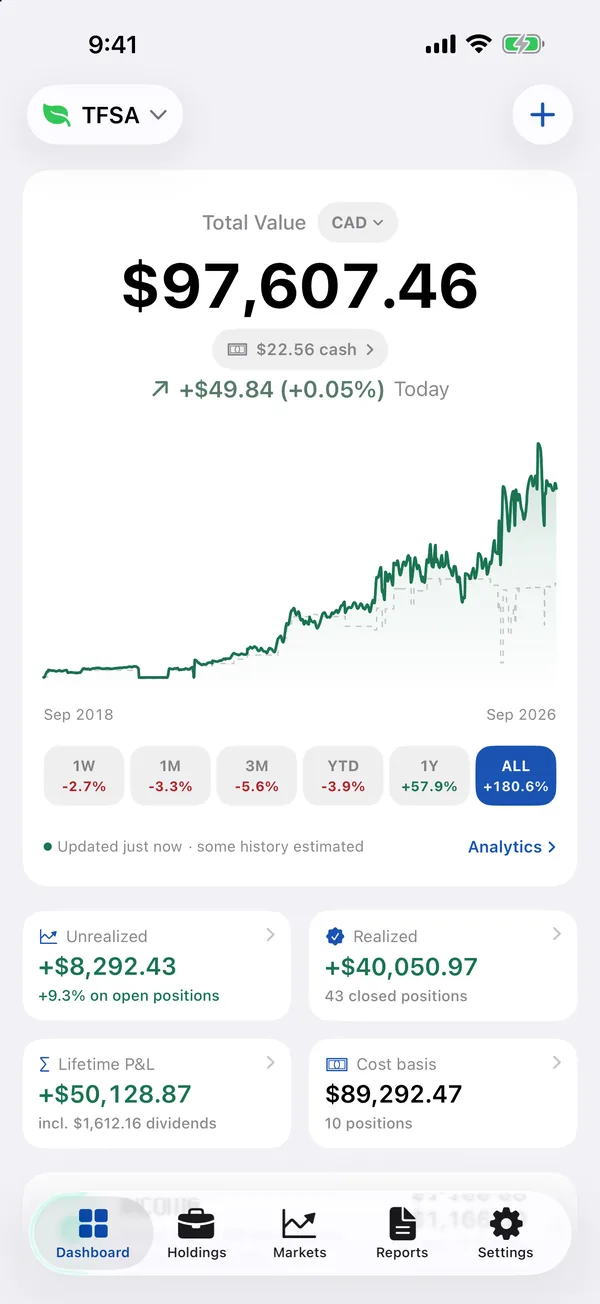
- Best for
- Investors who want stocks, ETFs, dividends and crypto in one private place — imported from their broker’s file, with no login
- Highlights
- Import from 19 brokers — Wealthsimple, Questrade, TD, Fidelity, Schwab, Robinhood and more — or any CSV or Excel file
- Every buy, sale and dividend on each stock, with the gain on every sale (FIFO, lot by lot)
- Dividend and interest income, plus an estimate of the next 12 months
- Free, with no account and no ads; data stays on the device, with CSV export
- Pricing
- Free
- Watch out
- There is no live brokerage sync — to update, you import the file your broker lets you download or add trades yourself. It needs iOS 26.2 or later, and because everything is stored on the device there is no web view.
Wealthica
- Best for
- Canadian households who want every account synced daily into one net worth
- Highlights
- Daily sync with 20,000+ banks, brokers and crypto platforms
- Net worth including real estate and private investments
- Groups for family members, businesses or trusts, and sharing with advisors
- Pricing
- Free app; extra reports and features as Power Ups
- Watch out
- You connect your financial institutions to Wealthica, and the app is a companion to its web app.
The real difference: daily sync against no logins at all
Wealthica is for people who want it all updated without lifting a finger, and are comfortable with a service connecting to their institutions to do it.
SmartFolio is for Canadians who would rather download a file from Wealthsimple, Questrade or their bank’s brokerage now and then than hand over logins. Every account can become its own portfolio — TFSA, RRSP, cash — and nothing leaves the phone.
Other options
Every app of this kind we have compared is in the best stock portfolio tracker apps for iPhone.
Common questions
Does SmartFolio work with Wealthsimple and Questrade?
Yes. It has step-by-step export guides for Wealthsimple, Questrade, TD, RBC, BMO, Scotia iTRADE, CIBC, National Bank and Qtrade.
Can I track my TFSA and RRSP separately?
Yes. Each account can be its own portfolio, and totals can show in Canadian dollars.
Is Wealthica free?
The app is free; extra reports and features come as Power Ups.
Does SmartFolio sync automatically?
No. To catch up, you import your broker’s file again — anything already there is skipped.
App Store listings checked on 29 September 2026. Prices change — each entry describes how an app is paid for rather than a number that goes stale.
Published · No affiliate links










 MMA.socialUFC fan ratings
 TrendingPunjabiPunjabi music charts
 BoldOpinionAnonymous hot takes
 TopRankedAppsApp rankings